Page 1
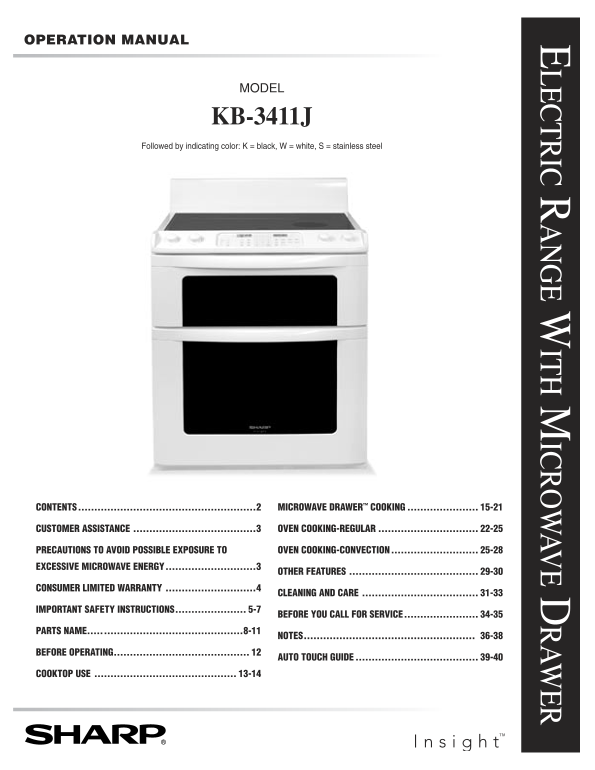
OPERATION MANUAL LECTRIC R ANGE W ITH M ICROW AVE D RAW ER MODEL KB-3411J Followed by indicating color: K = black, W = white, S = stainless steel CONTENTS ................................................
Page 2
CONTENTS CONTENTS .......................................................2 AUDIBLE SIGNAL ELIMINATION .................................21 END OF COOKING REMINDER .........................................
Page 3
CUSTOMER ASSISTANCE To aid in reporting this electric range, please record below the model number and serial number located on the unit. We also suggest you record all the information listed and retai...
Page 4
CONSUMER LIMITED WARRANTY SHARP ELECTRONICS CORPORATION warrants to the first consumer purchaser that this Sharp brand product (the “Prod- uct”), when shipped in its original container, will be free f...
Page 5
IMPORTANT SAFETY INSTRUCTIONS READ ALL INSTRUCTIONS BEFORE USING 6 Do not repair or replace any part of appliance unless IMPORTANT SAFETY NOTICE AND specifically recommended in this manual. All other ...
Page 6
IMPORTANT SAFETY INSTRUCTIONS 16 Avoid scratching the glass cooktop. The cooktop can be RADIANT SURFACE UNITS scratched with items such as sharp instruments, rings 1 Use proper pan size — this applian...
Page 7
IMPORTANT SAFETY INSTRUCTIONS 14 Be sure that fingers or other objects or materials are not around the Microwave Drawer opening when the 1 Use care when opening door—let hot air or steam escape Microw...
Page 8
PARTS NAME ELECTRIC RANGE WITH MICROWAVE DRAWER 1 Hot surface indicator 10 Oven 2 Radiant surface units 11 Gasket 3 Cooktop Warm 12 Adjustable backsplash 4 Control panel 13 Glass ceramic cooktop 5 Coo...
Page 9
PARTS NAME 26 Roast/Broil rack 20 Top heating element 27 Broiler pan grid 21 Oven door lock 28 Broiler pan 22 Oven light 29 Standard rack (2) 23 Convection fan cover 30 EZ Pull oven rack 24 Rear heate...
Page 10
PARTS NAME EZ PULL OVEN RACK INSTRUCTIONS The EZ Pull Oven Rack makes it easy and convenient to place food in and remove food from the lower oven. It is ideal for heavier foods or dishes. While the EZ...
Page 11
PARTS NAME GLASS CERAMIC COOKTOP RADIANT WARM ZONE SURFACE UNIT RADIANT SURFACE UNIT RADIANT RADIANT SURFACE UNIT SURFACE UNIT HOT SURFACE INDICATOR LIGHTS CONTROL KNOBS CONTROL KNOBS CONTROL PANEL OF...
Page 12
BEFORE OPERATING MICROWAVEOVEN Before operating your new range make sure you read and TIMERS understand this operation manual completely. Your Insight Range features two separate independent • Before ...
Page 13
COOKTOP USE INFORMATION YOU NEED TO KNOW ABOUT COOKING UTENSILS For best results and energy conservation, choose cooking ABOUT THE COOKTOP utensils as below. • Glass ceramic cooktop - Make sure the su...
Page 14
COOKTOP USE COOKTOP WARM ZONE RADIANT SURFACE UNIT RADIANT SURFACE UNIT COOKTOP-ON COOKTOP-ON INDICATOR LIGHT INDICATOR LIGHT RADIANT RADIANT SURFACE UNIT SURFACE UNIT CONTROL PANEL OFF OFF OFF SMALL ...
Page 15
MICROWAVE DRAWER COOKING INFORMATION YOU NEED TO KNOW • Check for doneness. Look for signs indicating that cooking temperatures have been reached. ALWAYS have food in the Microwave Drawer when it is o...
Page 16
MICROWAVE DRAWER COOKING need tenderizing. DO NOT use metal twist ties. Remember • Avoid steam burns by directing steam away from the face to slit bag so steam can escape. and hands. Slowly lift the f...
Page 17
MICROWAVE DRAWER COOKING TIME COOKING SENSOR SETTINGS Your Microwave Drawer can be programmed for 99 minutes Sharp's Sensor is a semi-conductor device that detects the 99 seconds (99.99). Always enter...
Page 18
MICROWAVE DRAWER COOKING COVERING FOODS: SENSOR POPCORN / SENSOR REHEAT Some foods work best when covered. Use the cover You can pop popcorn and reheat many foods and don t̓ need recommended in the ch...
Page 19
MICROWAVE DRAWER COOKING SENSOR COOK CHART (CONT.) FOOD AMOUNT PROCEDURE 2 Fresh vegetables: hard Place in casserole. Add 1 - 4 tablespoons water. Cover with lid for tender Carrots, sliced .25 - 1.5 l...
Page 20
MICROWAVE DRAWER COOKING DEFROST Shield any warm portions. Close the Microwave Drawer. Touch START/Minute Plus pad. Use this feature to defrost the foods shown in the DEFROST CHART below. 7 After defr...
Page 21
MICROWAVE DRAWER COOKING MICRO WARM MULTIPLE SEQUENCE COOKING Micro Warm allows you to keep food warm up to 30 Your Microwave Drawer can be programmed for up to 4 minutes. automatic cooking sequences,...
Page 22
OVEN COOKING-REGULAR INFORMATION YOU NEED TO KNOW • Do not use oven for storing food or cookware. • Be sure all packing material is removed from oven before turning on. • Oven vent location - The oven...
Page 23
OVEN COOKING-REGULAR temperature is 105˚F or higher, when you enter 90-100˚F FOOD RACK POSITION and touch the START pad, the oven will display TOO HOT. The oven will not start until it cools below 105...
Page 24
OVEN COOKING-REGULAR Note: TO BROIL • The oven will cook for the set amount of time, then turn 1 Touch Broil pad. HIGH PUSH START off automatically if you set Timed Cook. 2 Touch START pad. HIGH • If ...
Page 25
OVEN COOKING-REGULAR REGULAR BROILING CHART (CONT.) FOOD AMOUNT DONENESS BROIL SHELF POSITION FIRST SIDE SECOND SIDE SETTING FROM BOTTOM TIME (MIN.) TIME (MIN.) CHICKEN Broiler-Fryer, halved, 1 - 3 lb...
Page 26
OVEN COOKING-CONVECTION CONVECTION BAKING CHART FOOD RACK TEMERATURE APPROXIMATE COMMENTS POSITION Compared with TIME SAVING usually recom- Calculate from mended in recipe minimum recipe/ or on packag...
Page 27
OVEN COOKING-CONVECTION CONVECTION ROAST HOW TO SET DELAY START Use the broiler pan, grid and roast/broil rack. The roast/broil The oven will turn on at the time of day you set, cook for a rack enable...
Page 28
OVEN COOKING-CONVECTION CONVECTION ROASTING CHART FOOD RACK APPROXIMATE TIME SAVING SUGGESTED ROASTING POSITION Based on Usual Roasting Charts TEMPERATURE Beef, eye round 40% 325˚F Beef, top round 20%...
Page 29
OTHER FEATURES HOW TO START SELF-CLEAN TIMER Remember to allow time for the oven to cool down and the See page 12. oven door to unlock (approx. 1 hour) if you are planning to 1 Touch Timer/Hold to Cle...
Page 30
OTHER FEATURES 2 Touch Setup/Custom Help pad again. SOUND OFF ? 12 HOUR SHUT OFF TOUCH START Oven will automatically turn off after 12 hours of operation 3 Touch START pad. The display shows SOUND OFF...
Page 31
CLEANING AND CARE Before cleaning any part of the range, be sure all controls are 1 Apply a few drops of cleaner cream to the cooktop that is turned OFF and all surfaces are cool. not hot. 2 Dampen cl...
Page 32
CLEANING AND CARE • Cookware with rough bottoms can mark or scratch the REMOVE AND REPLACE OVEN DOOR cooktop surface. 1 Open the door to the fully opened position. • Do not use a dull or nicked blade....
Page 33
CLEANING AND CARE OVEN RACKS OVEN LIGHT REPLACEMENT Clean with soap and water, rinse and polish dry. CAUTION Be sure the oven is unplugged and all parts are COOL before replacing the oven lightbulb. D...
Page 34
BEFORE YOU CALL FOR SERVICE Please check the following before calling for service. It may save you time and expense. PROBLEM POSSIBLE CAUSE SOLUTION 1 Part or all of range • Power cord of range is not...
Page 35
BEFORE YOU CALL FOR SERVICE PROBLEM POSSIBLE CAUSE SOLUTION 14 Lower oven will not • Lower oven door is locked. • See page 30 to unlock oven door. open. • See 18 below. 15 Poor baking results. • Oven ...
Page 36
NOTES
Page 37
NOTES
Page 38
NOTES
Page 39
AUTO-TOUCH GUIDE For more complete information and safety precautions, refer to your Operation Manual. MICROWAVE DRAWER DEFROST OPERATION Use this feature to defrost the foods shown on the Menu Label....
Page 40
AUTO-TOUCH GUIDE For more complete information and safety precautions, refer to your Operation Manual. TIMER LOWER OVEN Touch Timer/Hold to Clear/3 Min BAKE SET TIME Plus pad. 1 Touch Bake pad. Touch ...