# A B C D E F G H I J K L M N O P Q R S T U V W X Y Z

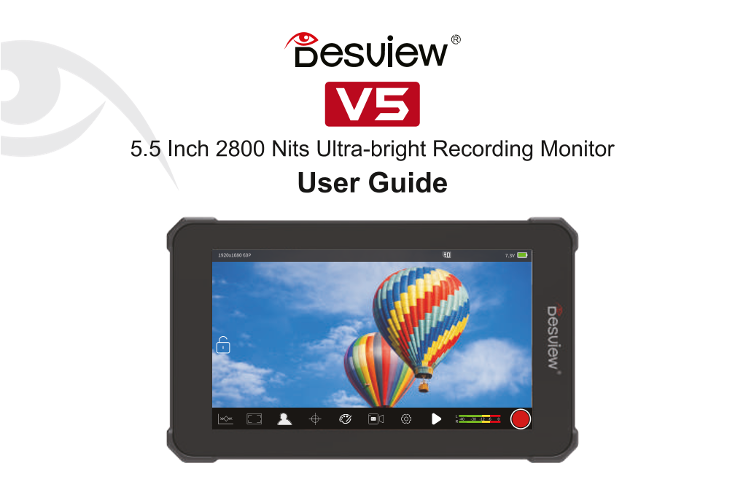
Rollei Desview V5 Touch Screen Monitor & -Recorder Operation Manual (EN)

Summary

This user guide for the ultra-bright 5.5-inch recording monitor provides professionals with comprehensive operating instructions and advanced monitoring capabilities. Designed specifically for filmmakers and videographers, the manual details everything from initial setup and power connectivity to mastering complex video workflows. It covers professional features like Waveform viewers, Vectorscopes, LUT integration, Histogram adjustment, and detailed system settings, ensuring you can capture broadcast-quality footage efficiently in any shooting condition.
📄 Preview PAGE OF 22

Page 1 Text Content

和 esuiew-”

5.5 Inch 2800 Nits Ultra-bright Recording Monitor

User Guide

Page Summary Contents For Rollei Desview V5 Touch Screen Monitor & -Recorder Operation Manual (EN)

Page 1 和 esuiew-” 5.5 Inch 2800 Nits Ultra-bright Recording Monitor User Guide
Page 3 Contents sa PACKING LIST m QUICK START sm MENU GUIDE me SPECIFICATIONS m WARRANTY
Page 4 CINc LST 有 Cold Shoe X1 A-AHDMIX1 Micro HDIX1 D-Tap X1 SD Card X1 Rubber Shell x1 Microfiber Clothx X1
Page 5 RS 1、Structure Diagram Front View 了 Rear View Top view Bottom View Power onof vents 1A4" Screw hole Vents 、 Reset
Page 6 加 <UICr START [和 了 Left View Right View 由 D Siet HDMI Out [ HDMN -一 一 114 Screw hole DC Input Te 有 Pert
Page 7 加 <UICcr START [和 2、Battery Installation Recording monitor supports NP-F550/NP-F570/NP-F970 battery NP-F series battery
Page 8 RS 3、Shortcut Menu Operation Guide
Page 9 国 国 -uick s TART Recerd and Playback Coenfiguration
Page 10 加 <Ui Ccr START [和 4、Tutorial for using S$D card to load in LUT 4.1、Insertthe SD cardtncuded sme 42.Clck" 国 inemenuiosm 4.3、Choose the LUT you neededclick LUT decumenb into the monitors SD opt...
Page 11 加 <Ui Ccr START [和 4.4、Select Customize. open the LUT file_ selectthe desired LUT file, click to confirm the selection, and click" 权 "to exit. Color Import Custom LUT Yukoncube The Gridcu...
Page 12 国 国 cuick s TART 5.Upgrade Tutorial 5.1、Download upgraded fle into the SD card and insert the SD card into SD slot 5 3、The monitor willautomaticlly shut down after the upgrade,indicating that the upgr...
Page 13 ENU <c UIDE 有 国 @ 0 Waveform ”Waveform RGB Waveform “Histogram ”Vectorscope Brightness RGB Image Color Saturation Monitoring Separation Dynamic Range 。 and Distribution 国 @ 人 ee @ Safe Area ”Grid L...
Page 14 ENU <c UIDE 有 上 OO @ Zebra False Color Single Color Exposure Exposure False Color Single Color Monitoring Monitoring Mode Color 3D-LUT Gamma Curve “”HDR Color Temp Adjustment Loadimand Gamma HDR Co...
Page 15 ENU <c UIDE 有 国 OO @ Setting Display Setting 。 Function 。 System Display Settings Setting Hotkey Setting System Information Play Play Play video
Page 16 SPECIFICATIONS [生生 和 和 Screen Size 5.5 Inch Resolution 1920x1080 Brightness 2800Nits Display Area 120.96(h)x68. 04 人) Contrast 1000:1 Viewing Angle 178*《(HV》 LUT Input SD card import Video Input HDMI1...
Page 17 SPECIFICATIONS [生生 和 和 HDMIInput Signal Format
Page 18 WARRANTY 且 和 生生 WARRANTY INTRODUCTION Conditions of warranty Service Free service for one yearfrom the day of purchaseifthe issue is caused by manufacturing errors The components and maintenance servi...
Page 19 Warranty Card Userl Infomation Name' Phone: Sales Infomation Sale date: Dustrbutor name: Distrbutort Repairlog Repair date: Repairname: 1ssue: Result 口 Repaired 口 Notrepaired 口 Returm
Page 20 Certificate This produetis strictly inspected and meets the standard andis alowed to be sold Examination clerk: The contents are subject to update without notice
Page 22 FIELD Mo NITOR @ 《6 FE 六 过 国 册 KE 目 C ER

Manual Details

Brand Rollei
Pages 22
File Size 2.06 MB
Published June 05, 2026
41 views

Enter the captcha to get the download link:

captcha

Frequently Asked Questions

What is the monitor's maximum brightness and resolution?

It has a Brightness of 2800 Nits and a Resolution of 1920x1080.

How do I load custom LUTs onto the monitor?

Insert the SD card, go to the menu, select 'LUT,' choose your desired LUT document (e.g., 'Custom Cube'), then click import.

What kind of batteries does this recorder support?

It supports NP-F550/NP-F570/NP-F970 batteries (NP-F series).

Under what circumstances is the warranty void?

The service is not free if damage is caused by misuse, unauthorized dismantling, natural disaster, or abnormal voltage.