Roland KR-7 Intelligent Digital Piano Quick User Guide Roland KR-7 TurboStart Support Document
Summary
Discover the comprehensive features of the Roland KR-7 TurboStart intelligent digital piano. This manual provides essential guidance for both new and advanced players on utilizing its 88-key progressive hammer action keyboard. Learn detailed procedures for selecting from diverse tones, mastering various music styles, recording songs with automatic accompaniment, and playing digitized tracks. It is an invaluable resource for musicians seeking professional-grade musical control and a vast palette of sounds at their fingertips.
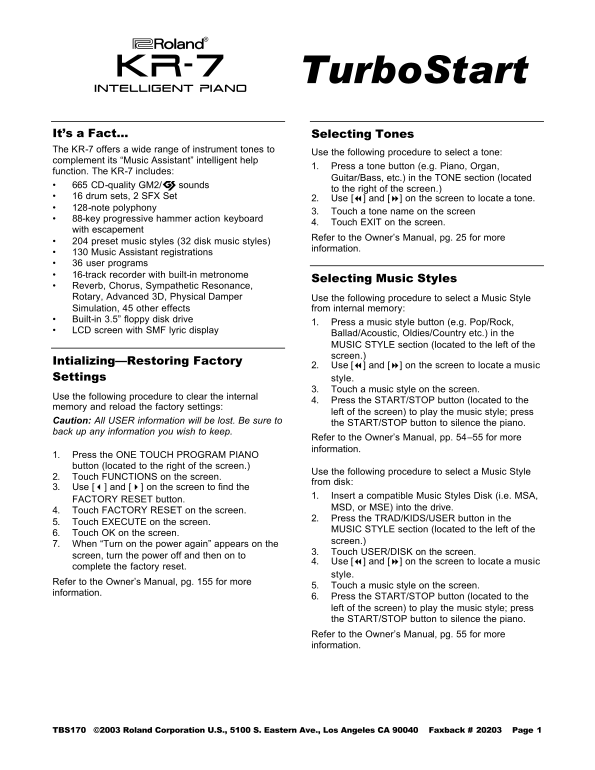
Page 1 Text Content
Turbo Start
intelligent piano
It’s a Fact… Selecting Tones The KR-7 offers a wide range of instrument tones to
Use the following procedure to select a tone:
complement its “Music Assistant” intelligent help
1. Press a tone button (e.g. Piano, Organ,
function. The KR-7 includes:
Guitar/Bass, etc.) in the TONE section (located
• 665 CD-quality GM2/© sounds
to the right of the screen.)
• 16 drum sets, 2 SFX Set
2. Use [7] and [8] on the screen to locate a tone.
• 128-note polyphony
3. Touch a tone name on the screen
• 88-key progressive hammer action keyboard
4. Touch EXIT on the screen.
with escapement
Refer to the Owner’s Manual, pg. 25 for more
• 204 preset music styles (32 disk music styles)
information.
• 130 Music Assistant registrations • 36 user programs • 16-track recorder with built-in metronome
Selecting Music Styles
• Reverb, Chorus, Sympathetic Resonance, Rotary, Advanced 3D, Physical Damper Use the following procedure to select a Music Style Simulation, 45 other effects from internal memory: • Built-in 3.5” floppy disk drive
1. Press a music style button (e.g. Pop/Rock,
• LCD screen with SMF lyric display
Ballad/Acoustic, Oldies/Country etc.) in the MUSIC STYLE section (located to the left of the screen.)
Intializing—Restoring Factory
2. Use [7] and [8] on the screen to locate a music
Settings style.
3. Touch a music style on the screen.
Use the following procedure to clear the internal
4. Press the START/STOP button (located to the
memory and reload the factory settings:
left of the screen) to play the music style; press
Caution: All USER information will be lost. Be sure to
the START/STOP button to silence the piano.
back up any information you wish to keep.
Refer to the Owner’s Manual, pp. 54–55 for more information.
1. Press the ONE TOUCH PROGRAM PIANO button (located to the right of the screen.)
Use the following procedure to select a Music Style
2. Touch FUNCTIONS on the screen.
from disk:
3. Use [3] and [4] on the screen to find the
1. Insert a compatible Music Styles Disk (i.e. MSA,
FACTORY RESET button.
MSD, or MSE) into the drive.
4. Touch FACTORY RESET on the screen.
2. Press the TRAD/KIDS/USER button in the
5. Touch EXECUTE on the screen.
MUSIC STYLE section (located to the left of the
6. Touch OK on the screen.
screen.)
7. When “Turn on the power again” appears on the
3. Touch USER/DISK on the screen.
screen, turn the power off and then on to
4. Use [7] and [8] on the screen to locate a music
complete the factory reset.
style.
Refer to the Owner’s Manual, pg. 155 for more
5. Touch a music style on the screen.
information.
6. Press the START/STOP button (located to the left of the screen) to play the music style; press the START/STOP button to silence the piano. Refer to the Owner’s Manual, pg. 55 for more information.
TBS170 ©2003 Roland Corporation U.S., 5100 S. Eastern Ave., Los Angeles CA 90040 Faxback # 20203 Page 1
Page Summary Contents For Roland KR-7 Intelligent Digital Piano Quick User Guide Roland KR-7 TurboStart Support Document
Manual Details
| Brand | Roland |
|---|---|
| Pages | 2 |
| File Size | 278.09 KB |
| Published | June 06, 2026 |
Enter the captcha to get the download link:

Frequently Asked Questions
How do I clear the device's internal memory and factory settings?
Press the ONE TOUCH PROGRAM PIANO button, go to FUNCTIONS, select FACTORY RESET, and press EXECUTE. Be sure to back up any necessary data first.
What is the maximum number of instrument tones available?
The KR-7 offers a wide range, including 665 CD-quality GM2/M3 sounds and 128-note polyphony.
How do I select a new Music Style, such as Pop/Rock or Oldies/Country?
Press the music style button in the MUSIC STYLE section. Use [7] and [8] to locate it, touch the name on screen, and then press START/STOP.
Do I need a special disk to save recorded songs?
Yes, you must use a compatible SMF music disk that has been formatted on a KR-7 unit.