Roland KR-15M Digital Intelligent Mini-Grand Player Piano
Summary
The KR-15M is a sophisticated mini-grand player piano designed for home entertainment. This guide provides comprehensive instructions on maximizing your musical experience. Learn detailed procedures covering everything from playing full songs using CDs and discs, selecting complex tones and music styles, to utilizing advanced recording functions like automatic accompaniment. Perfect for dedicated musicians or casual players looking to master every feature of this state-of-the-art instrument.
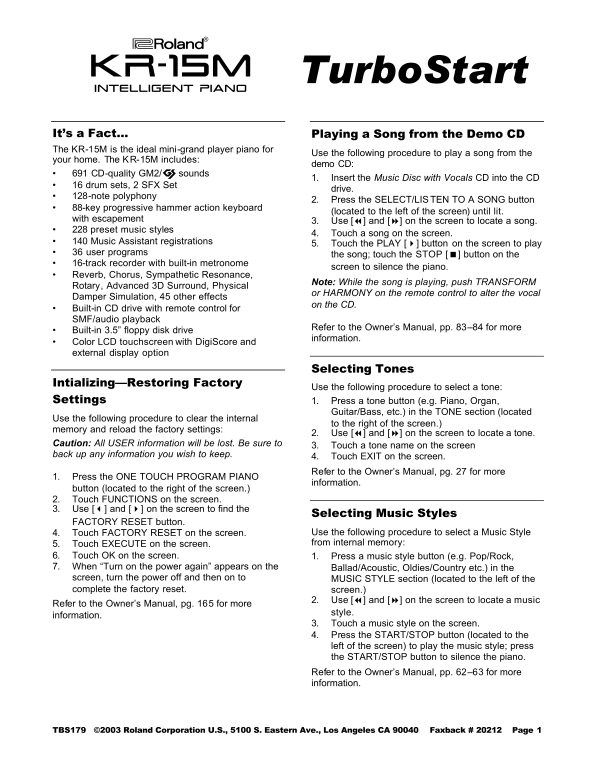
Page 1 Text Content
kr-15M
Turbo Start
intelligent piano
It’s a Fact… Playing a Song from the Demo CD The KR-15M is the ideal mini-grand player piano for
Use the following procedure to play a song from the
your home. The KR-15M includes:
demo CD:
• 691 CD-quality GM2/© sounds
1. Insert the Music Disc with Vocals CD into the CD
• 16 drum sets, 2 SFX Set
drive.
• 128-note polyphony
2. Press the SELECT/LIS TEN TO A SONG button
• 88-key progressive hammer action keyboard
(located to the left of the screen) until lit.
with escapement
3. Use [7] and [8] on the screen to locate a song.
• 228 preset music styles
4. Touch a song on the screen.
• 140 Music Assistant registrations
5. Touch the PLAY [4] button on the screen to play
• 36 user programs
the song; touch the STOP [<] button on the
• 16-track recorder with built-in metronome
screen to silence the piano.
• Reverb, Chorus, Sympathetic Resonance,
Note: While the song is playing, push TRANSFORM
Rotary, Advanced 3D Surround, Physical
or HARMONY on the remote control to alter the vocal
Damper Simulation, 45 other effects
on the CD.
• Built-in CD drive with remote control for SMF/audio playback
Refer to the Owner’s Manual, pp. 83–84 for more
• Built-in 3.5” floppy disk drive
information.
• Color LCD touchscreen with Digi Score and external display option
Selecting Tones
Intializing—Restoring Factory
Use the following procedure to select a tone:
Settings 1. Press a tone button (e.g. Piano, Organ,
Guitar/Bass, etc.) in the TONE section (located
Use the following procedure to clear the internal
to the right of the screen.)
memory and reload the factory settings:
2. Use [7] and [8] on the screen to locate a tone.
Caution: All USER information will be lost. Be sure to
3. Touch a tone name on the screen
back up any information you wish to keep.
4. Touch EXIT on the screen. Refer to the Owner’s Manual, pg. 27 for more
1. Press the ONE TOUCH PROGRAM PIANO
information.
button (located to the right of the screen.) 2. Touch FUNCTIONS on the screen. 3. Use [3] and [4] on the screen to find the
Selecting Music Styles
FACTORY RESET button.
4. Touch FACTORY RESET on the screen. Use the following procedure to select a Music Style 5. Touch EXECUTE on the screen. from internal memory:
6. Touch OK on the screen. 1. Press a music style button (e.g. Pop/Rock, 7. When “Turn on the power again” appears on the Ballad/Acoustic, Oldies/Country etc.) in the screen, turn the power off and then on to MUSIC STYLE section (located to the left of the complete the factory reset. screen.)
2. Use [7] and [8] on the screen to locate a music
Refer to the Owner’s Manual, pg. 165 for more
style.
information.
3. Touch a music style on the screen. 4. Press the START/STOP button (located to the left of the screen) to play the music style; press the START/STOP button to silence the piano. Refer to the Owner’s Manual, pp. 62–63 for more information.
TBS179 ©2003 Roland Corporation U.S., 5100 S. Eastern Ave., Los Angeles CA 90040 Faxback # 20212 Page 1
Page Summary Contents For Roland KR-15M Digital Intelligent Mini-Grand Player Piano
Manual Details
| Brand | Roland |
|---|---|
| Pages | 2 |
| File Size | 278.72 KB |
| Published | June 06, 2026 |
Enter the captcha to get the download link:

Frequently Asked Questions
How do I play a song from the demo CD?
Insert the Vocals CD, press SELECT/LISTEN TO A SONG, select a song using [7] and [8], and touch PLAY.
What is required to play music from a floppy disk drive?
While detailed steps aren't provided for disks, general instructions show selecting appropriate functions (e.g., Music Styles Disk).
How do I reset the internal memories of the device?
Press ONE TOUCH PROGRAM INFO, select FUNCTIONS, use [3] and [4] to find FACTORY RESET, and confirm with EXECUTE and OK.
Can I record a new song on the piano?
Yes. Select a Music Style, press ONE TOUCH PROGRAM ARRANGER, play the note(s), press REC, and follow the on-screen prompts.