Roland HPi-50 Digital Piano Addendum User Manual
Summary
Enhance your practice experience with tempo adjustment and customizable grading standards. This guide teaches you how to fine-tune the recorded tempo of any song or built-in lesson on your HPi-50 device. Users can select the optimal resolution—such as 32nd or 16th notes—to ensure precise timing evaluation in Visual Lesson and Medal Collection modes, adapting the learning experience for advanced musicians.
Page 1 Text Content
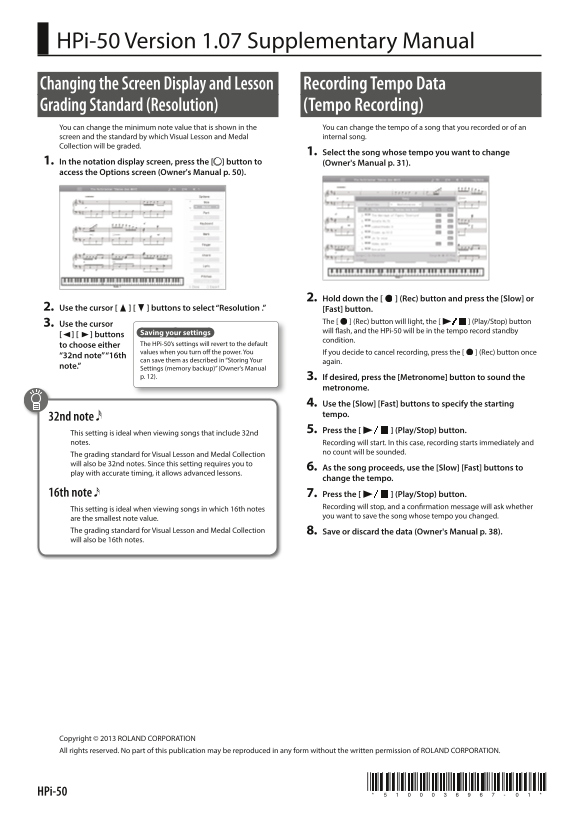
HPi-50 Version 1.07 Supplementary Manual Changing the Screen Display and Lesson Recording Tempo Data Grading Standard (Resolution) (Tempo Recording) You can change the minimum note value that is shown in the You can change the tempo of a song that you recorded or of an screen and the standard by which Visual Lesson and Medal internal song. Collection will be graded.
1. Select the song whose tempo you want to change
1. In the notation display screen, press the [ ] button to (Owner's Manual p. 31). access the Options screen (Owner's Manual p. 50).
2. Hold down the [ ] (Rec) button and press the [Slow] or
2. Use the cursor [ ] [ ] buttons to select “Resolution .” [Fast] button.
3. Use the cursor The [ ] (Rec) button will light, the [ ] (Play/Stop) button Saving your settings will ash, and the HPi-50 will be in the tempo record standby
] [ ] buttons
condition.
to choose either The HPi-50’s settings will revert to the default values when you turn o the power. You If you decide to cancel recording, press the [ ] (Rec) button once
“32nd note” “16th
can save them as described in “Storing Your again.
note.” Settings (memory backup)” (Owner's Manual
p. 12). 3. If desired, press the [Metronome] button to sound the
metronome. 4. Use the [Slow] [Fast] buttons to specify the starting tempo.
32nd note
5. Press the [ ] (Play/Stop) button.
This setting is ideal when viewing songs that include 32nd notes. Recording will start. In this case, recording starts immediately and
no count will be sounded.
The grading standard for Visual Lesson and Medal Collection will also be 32nd notes. Since this setting requires you to
6. As the song proceeds, use the [Slow] [Fast] buttons to
play with accurate timing, it allows advanced lessons.
change the tempo.
16th note 7. Press the [ ] (Play/Stop) button.
Recording will stop, and a con rmation message will ask whether
This setting is ideal when viewing songs in which 16th notes
you want to save the song whose tempo you changed.
are the smallest note value. The grading standard for Visual Lesson and Medal Collection 8. Save or discard the data (Owner's Manual p. 38). will also be 16th notes.
Copyright © 2013 ROLAND CORPORATION All rights reserved. No part of this publication may be reproduced in any form without the written permission of ROLAND CORPORATION.
HPi-50
Page Summary Contents For Roland HPi-50 Digital Piano Addendum User Manual
Manual Details
| Brand | Roland |
|---|---|
| Pages | 2 |
| File Size | 1.25 MB |
| Published | June 02, 2026 |
Enter the captcha to get the download link:

Frequently Asked Questions
When recording tempo, what can I use it for?
It is useful for advanced lessons or viewing songs with specific note types like 32nd notes or 16th notes.