Roland AX-Edge Shoulder Bag Synthesizer Owner's Manual User Guide
Summary
The AX-Edge is a powerful synthesizer keyboard designed for musicians and performance artists seeking comprehensive sound creation capabilities. This owner's manual provides exhaustive guidance on operating every feature of the unit. It covers everything from basic operation and connecting external equipment (including MIDI and USB) to advanced functionalities like sound editing, Vocoder utilization, arpeggiator settings, and Bluetooth connectivity. Equip yourself with full knowledge of this versatile instrument by reviewing detailed instructions on system usage, program management, and hands-on performance techniques.
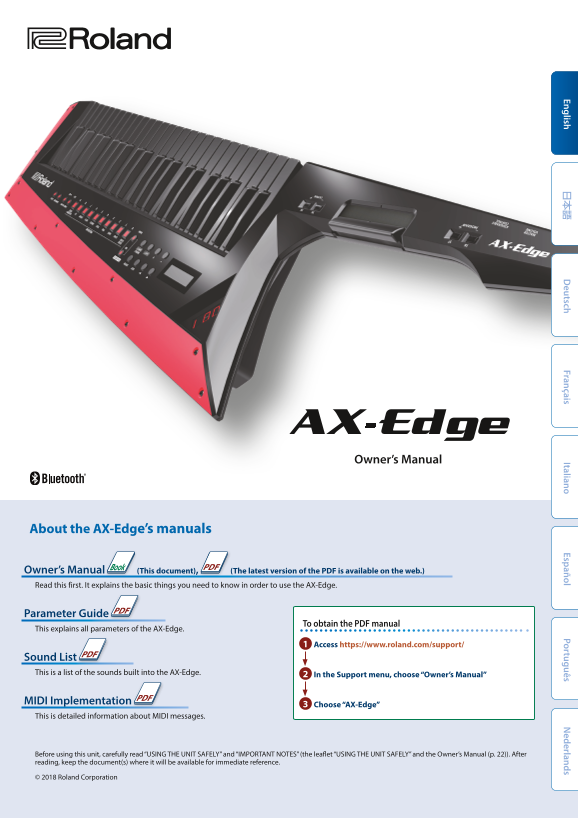
Page 1 Text Content
Owner’s Manual
About the AX-Edge’s manuals
Owner’s Manual (This document), (The latest version of the PDF is available on the web.) Read this first. It explains the basic things you need to know in order to use the AX-Edge.
Parameter Guide
To obtain the PDF manual
This explains all parameters of the AX-Edge.
1 Access https://www.roland.com/support/
Sound List This is a list of the sounds built into the AX-Edge. 2 In the Support menu, choose “Owner’s Manual”
MIDI Implementation
3 Choose “AX-Edge”
This is detailed information about MIDI messages.
Before using this unit, carefully read “USING THE UNIT SAFELY” and “IMPORTANT NOTES” (the leaflet “USING THE UNIT SAFELY” and the Owner’s Manual (p. 22)). After reading, keep the document(s) where it will be available for immediate reference.
© 2018 Roland Corporation
Page Summary Contents For Roland AX-Edge Shoulder Bag Synthesizer Owner's Manual User Guide
Manual Details
| Brand | Roland |
|---|---|
| Pages | 22 |
| File Size | 4.60 MB |
| Published | June 01, 2026 |
Enter the captcha to get the download link:

Frequently Asked Questions
What should I do before sending the AX-Edge for repairs?
Before sending it away, be sure to make a backup of all stored data, as restoration may not be possible.
How can I connect external equipment or another MIDI device?
Use the dedicated connectors on the rear panel (MIDI IN/OUT Connectors) or follow instructions in the relevant section for specific types of equipment.
Can I set the AX-Edge to power off automatically?
Yes, you can adjust settings to make the unit turn off automatically after a certain period (Auto Off).
Where can I find detailed information about MIDI messages and parameters?
Check the Owner's Manual for general use, or consult the Parameter Guide and MIDI Implementation sections online for detailed data.