Page 1
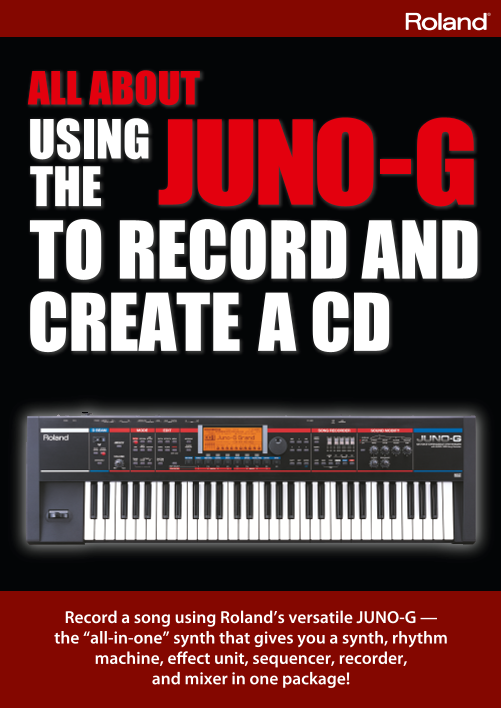
Record a song using Roland’s versatile JUNO-G — the “all-in-one” synth that gives you a synth, rhythm machine, effect unit, sequencer, recorder, and mixer in one package!
Page 2
What i means to create a song. Play the piano. Create drum grooves. Wail away on the guitar. Sing your heart out. Put all of this into a “song.” Creating a song is like magic. I’m going to create a so...
Page 3
The JUNO-G will change your Introducing the features of the JUNO-G. musical life P. 4 Check the equipment you’ll need for Get your equipment together recording on the JUNO-G. Clear the demo song and m...
Page 4
The JUNO-G will change your musical life A synth you can carry At a mere 6.2 kg (13 lbs. 11 oz.), this is one of the lightest 61-key synthesizers available. You can easily carry it to live performance...
Page 5
Intro A whole world of instruments The JUNO-G is powered by a high-quality synth engine. It contains 1,024 diff erent sounds, ranging from standards such as piano, elec- tric piano, organ, and strings...
Page 6
Get your equipment together for recording on the JUNO-G The JUNO-G is a powerful synthesizer that lets you create a full-fl edged song simply by step-recording with its built-in synth sounds. But the ...
Page 7
Equip- Prepa- Intro Rhythm Piano Bass uitar Vocal ixing CD Spec ent ration OTE OF ADVICE Computer Most of today’s computers are able to burn a CD. If your computer can’t, you may be able to attach an ...
Page 8
Get ready to record Li ste n to t he de mo song The JUNO-G contains a demo song that you can use as a model for your own productions. It’s an example of what a pro musician can do with the JUNO-G. Let...
Page 9
Equip- Prepa- Intro Rhythm Piano Bass uitar Vocal ixing CD Spec ent ration OTE OF ADVICE Clear the demo song Select Performance mode so you can use multiple instruments Now it’s time to clear the demo...
Page 10
Create a rhythm track OTE OF ADVICE with the rhythm pattern function The JUNO-G contains a rhythm Use the rhythm pattern function machine! to play patterns The JUNO-G can play patterns just like a rhy...
Page 11
Equip- Prepa- Intro Rhythm Piano Bass uitar Vocal ixing CD Spec ent ration OTE OF ADVICE Record the rhythm on a MIDI Listen to what you recorded track When you’ve selected a rhythm, you can record it ...
Page 12
Record your piano performance OTE OF ADVICE using realtime recording Access the recording screen Select the piano sound you want Now that you’ve created your rhythm track on track 10, let’s record Aft...
Page 13
Equip- Prepa- Intro Rhythm Piano Bass uitar Vocal ixing CD Spec ent ration OTE OF ADVICE Record your piano performance Look at what you recorded Press the [PLAY] button so that the drums When you’ve f...
Page 14
Record the bass OTE OF ADVICE using step recording Access the recording screen Select the bass sound you want to use Next we’ll record the bass. This will complete the essential en- When you’ve select...
Page 15
Equip- Prepa- Intro Rhythm Piano Bass uitar Vocal ixing CD Spec ent ration OTE OF ADVICE Access the step recording screen Enter the data The procedure until this point has been the same as when you We...
Page 16
Record your guitar playing OTE OF ADVICE on an audio track Connect your guitar to the Adjust the JUNO-G’s input settings JUNO-G appropriately for your guitar Connect your guitar to the AUDIO INPUT “L ...
Page 17
Equip- Prepa- Intro Rhythm Piano Bass uitar Vocal ixing CD Spec ent ration OTE OF ADVICE Check the recording level Start recording! Setting the level is the most important thing when recording. If Fir...
Page 18
Record a vocal OTE OF ADVICE on an audio track Connect your mic to the JUNO-G Adjust the JUNO G’s input set- ings appropriately for a mic Connect your mic to the AUDIO INPUT jack “L (MONO)/MIC” on Jus...
Page 19
Equip- Prepa- Intro Rhythm Piano Bass uitar Vocal ixing CD Spec ent ration OTE OF ADVICE Check the recording level Start recording! Since we’re going to record the vocal on audio track 2, use the As w...
Page 20
OTE OF ADVICE Mix your song to a final polish Why “mixing” is necessary The JUNO-G has a built-in mixer Mixing is the process of adjusting the volume balance of the tracks The JUNO-G has dedicated mix...
Page 21
Equip- Prepa- Intro Rhythm Piano Bass uitar Vocal ixing CD Spec ent ration OTE OF ADVICE Adjust the volume balance Use reverb to add space to the sound Now let’s adjust the volume of the instruments y...
Page 22
Make your song into a CD Part 1: Create a WAV fi le on the JUNO-G Mix down your completed song into a single WAV file In order to create a CD, the song you created on the JUNO-G has to be rendered int...
Page 23
Equip- Prepa- Intro Rhythm Piano Bass uitar Vocal ixing CD Spec ent ration A screen like the following will appear, so use the dial to select “1. A message will ask if you want to save the data, so pr...
Page 24
Turn your song into a CD Part 2: Use your computer to burn a CD he pro cess of creat ing a CD You’ve fi nished creating your song on the JUNO-G! Now you’re going to transfer the WAV fi le created on t...
Page 25
Equip- Prepa- Intro Rhythm Piano Bass uitar Vocal ixing CD Spec ent ration Copy the WAV file to your com- Use Windows Media Player to puter burn a CD Finally you’re ready to actually burn (write) the ...
Page 27
Equip- Prepa- Intro Rhythm Piano Bass uitar Vocal ixing CD Spec ent ration Sp ci icat ions JUNO-G: Synthesizer Keyboard (Conforms to General MIDI 2 System) Keyboard Others 61 keys (velocity sensitive)...
Page 28
Microsoft and Windows are registered trademarks of Microsoft Corporation. Windows® is known officially as: “Microsoft® Windows® operating system.” Mac OS is a trademark of Apple Computer, Inc. All pro...