RICOH IBM INFOPRINT 1870 MFP User's Guide and Manual
Summary
The InfoPrint 1870 MFP is a powerful multifunction device designed for medium to large workgroups seeking simplified, high-performance office solutions. This manual provides detailed guidance on maximizing job efficiency through advanced features, including fast printing speeds and duplex scanning capabilities. It focuses equally on enhancing data security with customizable controls (PINs, encryption) and promoting operational sustainability in your daily business processes.
Page 1 Text Content
Work smarter, faster, and easier
INFOPRINT 1870 MFP
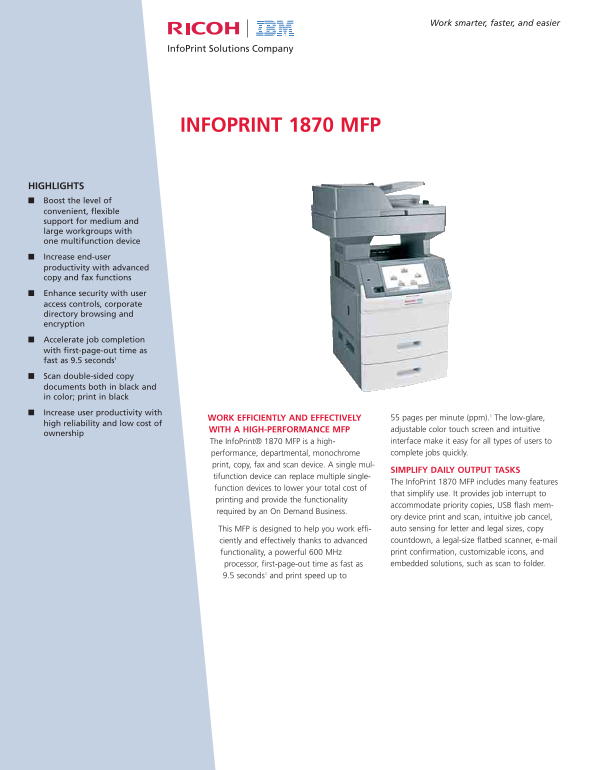
HIGHLIGHTS Boost the level of convenient, flexible support for medium and large workgroups with one multifunction device Increase end-user productivity with advanced copy and fax functions Enhance security with user access controls, corporate directory browsing and encryption Accelerate job completion with first-page-out time as fast as 9.5 seconds1 Scan double-sided copy documents both in black and in color; print in black Increase user productivity with
WORK EFFICIENTLY AND EFFECTIVELY 55 pages per minute (ppm).1 The low-glare,
high reliability and low cost of
WITH A HIGH-PERFORMANCE MFP adjustable color touch screen and intuitive
ownership
The Info Print® 1870 MFP is a high- interface make it easy for all types of users to performance, departmental, monochrome complete jobs quickly.
print, copy, fax and scan device. A single mul-
SIMPLIFY DAILY OUTPUT TASKS
tifunction device can replace multiple single-
The Info Print 1870 MFP includes many features
function devices to lower your total cost of
that simplify use. It provides job interrupt to
printing and provide the functionality
accommodate priority copies, USB flash mem-
required by an On Demand Business.
ory device print and scan, intuitive job cancel, This MFP is designed to help you work effi- auto sensing for letter and legal sizes, copy ciently and effectively thanks to advanced countdown, a legal-size flatbed scanner, e-mail functionality, a powerful 600 MHz print confirmation, customizable icons, and processor, first-page-out time as fast as embedded solutions, such as scan to folder.
9.5 seconds1 and print speed up to
Page Summary Contents For RICOH IBM INFOPRINT 1870 MFP User's Guide and Manual
Manual Details
| Brand | Ricoh |
|---|---|
| Pages | 6 |
| File Size | 86.00 KB |
| Published | June 04, 2026 |
Enter the captcha to get the download link:

Frequently Asked Questions
What is the top printing speed of this device?
The InfoPrint 1870 MFP provides a print speed of up to 55 pages per minute (ppm).
What security options prevent unauthorized usage?
Security includes PIN-secured printing, encryption, user access controls, and corporate directory browsing.
How can I optimize paper consumption and reduce waste?
You can significantly cut material used by scanning or copying in duplex mode or using variable quality settings.
What kinds of network authentication are supported?
The device supports configurable user authentication and integration with services like LDAP.