# A B C D E F G H I J K L M N O P Q R S T U V W X Y Z

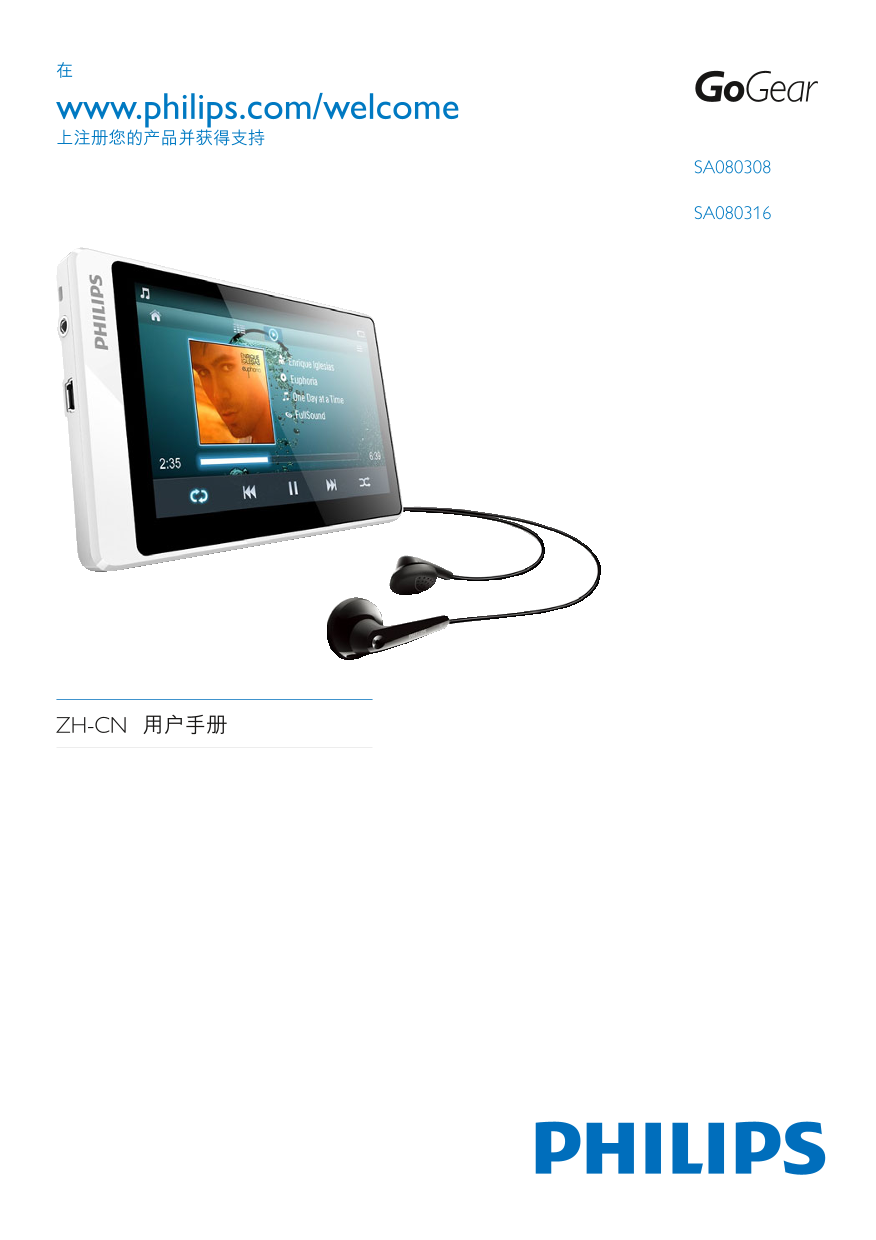
Philips SA080308 SA080316 User Guide

Summary

This comprehensive guide describes a versatile digital personal media player designed for music and video enthusiasts. The device supports an extensive range of high-quality formats, including MP3, FLAC, WMA, and H.264 video streaming. This manual provides detailed information covering product setup, system specifications, storage options (Micro SD), connectivity instructions with computers, and full operational guidance to ensure a seamless portable media experience for all users.
📄 Preview 📖 Table of Contents Contents PAGE OF 31

Page 1 Text Content

www.philips.com/welcome

SA080308

SA080316

ZH-CN

Page Summary Contents For Philips SA080308 SA080316 User Guide

Page 1 www.philips.com/welcome SA080308 SA080316 ZH-CN
Page 2 ii ZH-CN
Page 3 2 SA080 9 9 FM 21 FM 22 5 SA080 14 Micro SD 14 12 SD 25 3ZH-CN
Page 4 14 SA080 27 www.philips.com/welcome ZH-CN
Page 5 Philips www.philips. CD com/support Windows Media Windows Microsoft Corporation / 5ZH-CN
Page 6 b Monkey s Audio source can be included in GPL and open-source software, although Monkey s Audio itself will not be subjected to external licensing requirements or other viral source restrictions. Phi...
Page 7 software without specific prior written software without specific prior written permission. permission. This software is provided by the copyright THIS SOFTWARE IS PROVIDED BY holders and contributors...
Page 8 2006/66/EC ZH-CN
Page 9 2 SA080 SA080 SA080 Philips (Philips Device • Manager) SA080 FM • FM • (.txt • Micro SD • SA080 Philips Go Gear audio player Quick start guide Philips / • 9ZH-CN
Page 10 SA080 SA080 USB USB SA080 SA080 Philips Device Manager Internet Philips Device Manager SA080 1 Install Philips Device Manager Philips Device Manager 1 (Windows XP / Windows 2000) / (Windows Vista / Wi...
Page 11 SA080 • SA080 11ZH-CN
Page 12 SA080 MICRO SD Micro SD RESET ZH-CN
Page 13 13ZH-CN
Page 14 5 SA080 Micro SD Micro SD 32 GB SA080 SA080 SA080 micro SD 32 GB• Micro SD Micro SD SA080 Micro SD Windows Media Player 11 Windows 1 SA080 • SA080 3 / SA080 Windows Media Player 11 ZH-CN
Page 15 SA080 [Full Sound] MP3 WMA 15ZH-CN
Page 16 SA080 ZH-CN
Page 17 SA080 • Surround for movies 17ZH-CN
Page 18 ZH-CN
Page 19 19ZH-CN
Page 20 SA080 ZH-CN
Page 21 SA080 20 21ZH-CN
Page 22 FM FM > Recordings 1 > Recordings > FM ZH-CN
Page 23 (.txt) 23ZH-CN
Page 24 Music SA080 Video SA080 Pictures SA080 Text SA080 .txt Recordings SA080 FM Playlists SA080 Windows Windows • ZH-CN
Page 25 12 SD Micro SD 14 Micro SD 25ZH-CN
Page 26 [SD SD [SD SD SA080 SA080 ZH-CN
Page 27 14 SA080 SA080 SA080 Philips (Philips Device Manager) SA080 Philips (Philips Device Manager) www.philips. com/support 2 SA080 3 > > Philips> Philips MP3 player > Go Gear SA080 Device Manag...
Page 28 SA080 SA080 SA080 • Philips Device Manager SA080 1 > > Philips> Philips MP3 player > Go Gear SA080 Device Manager Philips Device Manager 2 SA080 3 SA080 4 Philips Device Manager SA080 5 Re...
Page 29 SA0803 8GB NAND SA0803 16GB NAND Windows Windows Philips Device Manager Windows USB 2.0 800 x 480 ² 1GB = 10 (RMS) 2 x 3.5 > 60 d B 4 128 kbps MP3 (RMS) 2 x 50 > 80 d B MP3 8 - 320 kps VBR MP3 8...
Page 30 Windows® XP SP3 / Vista • / 7 Pentium III 800 MHz • 512 MB • 500 MB • Windows® Internet Explorer 6.0 • CD-ROM • USB • ZH-CN
Page 31 © 2011 Koninklijke Philips Electronics N.V. SA080_93_UM_ZH-CN_V1.0 wk11065

Manual Details

Brand Philips
Pages 31
File Size 964.87 KB
Published July 07, 2026
0 views

Enter the captcha to get the download link:

captcha

Frequently Asked Questions

How is the SA080 device maintained or updated?

The manual suggests using the Philips Device Manager (in Windows XP/Vista/7) for managing and repairing advanced features.

What formats does the unit support for audio and video content?

It supports MP3, WMA, Flac, Ogg, and Ape audio files. For video, it handles MPEG4/AVI, JPEG, and BMP formats.

Are there any limitations on power consumption or operation environment?

The device operates between 0ºC to 35ºC (32ºF to 95ºF).

Where can I find support for this product?

Support materials are available at www.philips.com/support.