# A B C D E F G H I J K L M N O P Q R S T U V W X Y Z

Philips SPC640NC User Guide

Summary

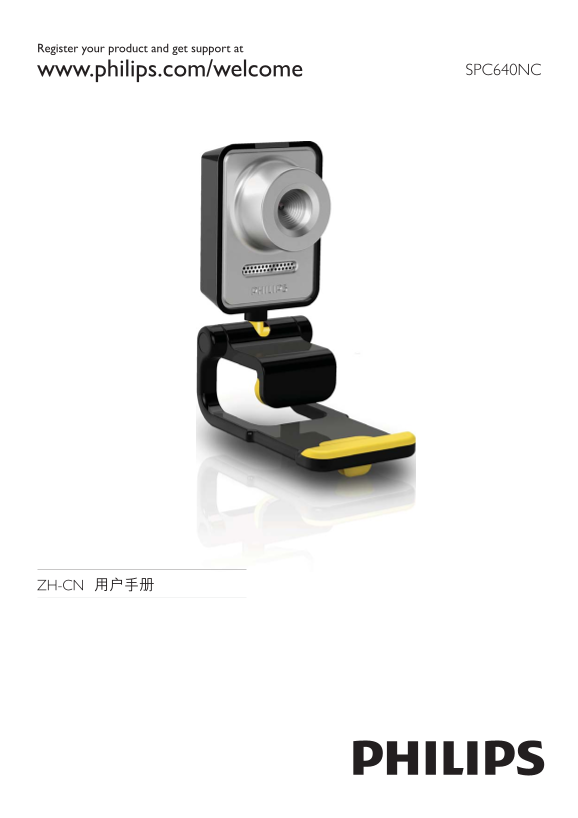
The SPC640NC is a high-quality webcam designed for crystal-clear video communication, perfect for work and personal calls. This comprehensive user guide provides essential step-by-step instructions covering everything you need to know about setup and operation. Whether you are connecting via USB or integrating it with popular platforms like Skype, Windows Live Messenger, or Yahoo!, the manual details driver installation, software updates (CamSuite), and troubleshooting tips. It is designed for all users who wish to maximize their webcam experience and ensure seamless performance on PC or laptop systems.
📄 Preview PAGE OF 21

Page 1 Text Content

Register your product and get support at

www.philips.com/welcome SPC640NC

ZH-CN

Page Summary Contents For Philips SPC640NC User Guide

Page 1 Register your product and get support at www.philips.com/welcome SPC640NC ZH-CN
Page 2 <Web Cam> Web Cam Companion (FAQ) 3ZH-CN
Page 3 SPC640NC <Web Cam> www.philips.com/welcome SPC640NC www.philips.com/welcome SPC640NC SPC640NC CD-ROM SPC640NC SPC640NC SPC640NC Installation CD v.1.00 Skype Windows® Live 9082 100 03367 Messenge...
Page 4 ZH-CN
Page 5 Microsoft® Windows® XP (SP2) Vista Windows USB USB Windows® CD-ROM CD-ROM CD-ROM/DVD CD Setup.exe” ZH-CN
Page 6 Web Cam Driver SPC640NC” Cam Suite” Cam Suite”» Windows Cam Suite” ZH-CN
Page 7 PC/ USB ZH-CN
Page 8 Web Cam Companion Web Cam Companion SPC640NC Web Cam Cam Suite Companion Web Cam Companion Vo IP Skype Windows®Live Messenger Yahoo! Messenger Cam Suite Windows Web Cam Companion Cam Suite Cam Suite W...
Page 9 Cam Suite ZH-CN
Page 10 SPC640NC Cam Suite Cam Suite Hz Hz Hz Hz ZH-CN
Page 11 Web Cam Companion SPC640NC ZH-CN
Page 12 [Gamma Cam Suite SPC640NC ZH-CN
Page 13 Cam Suite Cam Suite ZH-CN
Page 14 SPC640NC Vo IP Skype Windows Live Messenger Yahoo! Messenger AOL Instant Messenger Web Cam Companion” ZH-CN
Page 15 VGA CMOS fps 2.6 USB 2.0 UVC ZH-CN
Page 16 (FAQ) SPC640NC Web Cam Companion Skype Windows® Live Messenger Yahoo! Messenger Cam Suite» Cam Suite» Windows Philips Cam Suite ZH-CN
Page 17 SPC640NC Windows Vista Windows“ Web Cam Companion SPC640NC Windows XP (SP2) Windows“ SPC640NC Set Default” SPC640NC Windows Cam Suite Cam Suite ZH-CN
Page 18 (fps) PC/ Windows Cam Suite Cam Suite ZH-CN
Page 19 SPC640NC www.philips.com/support www.philips.com/support” SPC640NC” SPC640NC” Copyright Philips Consumer Lifestyle B.V. SPC640NC ZH-CN
Page 20 Microsoft® Windows® XP (SP2) Vista Windows Intel Pentium® IV 850Mhz MB RAM XP GB RAM Windows Vista Windows MB USB (USB 2.0) CD-ROM DVD CD-ROM 2002/96/EC
Page 21 Koninklijke Philips Electronics N.V. All rights reserved. SPC640NC_00_UM_V1.0

Manual Details

Brand Philips
Pages 21
File Size 2.23 MB
Published June 06, 2026
53 views

Enter the captcha to get the download link:

captcha

Frequently Asked Questions

What software is required for the Philips WebCam?

The product comes with a CD containing drivers like 'WebCam DriverSPC640NC' and utility apps such as 'CamSuite' and 'WebCamCompanion'.

How do I connect the camera to my computer?

It connects via USB (USB2.0) or can also be used by connecting it through a CD-ROM/DVD drive if applicable.

What are the operational temperature and humidity ranges?

The operating temperature range is 0°C to 40°C, and the relative humidity range is 45% to 85%.