Page 1
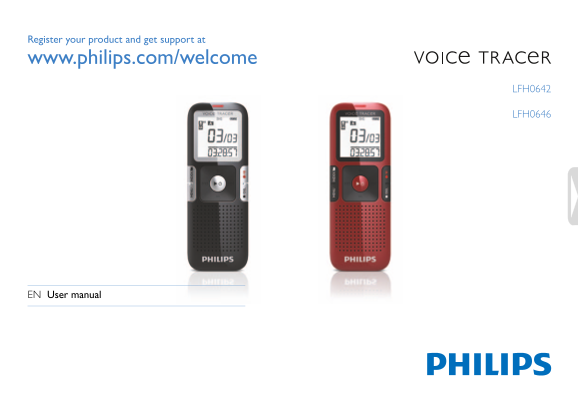
Register your product and get support at www.philips.com/welcome LFH0642 LFH0646 EN User manual
Page 2
Table of contents Welcome Playback Product highlights Playback of a recording Playback functions Repeated playback Important Safety Hearing safety Delete Disposal of your old product Deleting files an...
Page 3
Welcome Congratulations on your purchase and welcome to Philips! To fully benefit from the support that Philips offers, visit our Website for support information such as user manuals, software downloa...
Page 4
Important Safety Important (for models supplied with headphones): Philips guarantees compliance with the maximum sound power of its To avoid a short circuit, do not expose the product to rain or water...
Page 5
Your Voice Tracer digital recorder Whatʹs in the box? LFH0612 LFH0617 LFH0632 LFH0633 LFH0642 LFH0646 LFH0652 1 × AAA battery Quick start guide d get support at Registe r your product an www.philips.c...
Page 6
Overview Record/play indicator Display Hold switch Index, Folder, Repeat (INDEX/a) Fast rewind, File selection, Set menu option (h) Menu (MENU) Power on/off, Play/Pause, Play speed (f Speaker Strap ho...
Page 7
Get started Insert the battery Charge the battery Slide open the battery cover. The rechargeable battery Philips LFH9154 can be charged in the Voice Insert the battery as indicated. Make sure the pola...
Page 8
Power on/off Using the Voice Tracer with a computer To power on, press the f button until the display shows a short As a USB mass storage device, the Voice Tracer offers a convenient animation [ ]. wa...
Page 9
Record Please note the instructions in this section when you make the first Notes recording with your Voice Tracer! Set the desired voice activation function and recording mode before starting recordi...
Page 10
Record with an external microphone Notes The index icon indicates that the recording contains To record with an external microphone, connect the microphone to index marks. the microphone jack and foll...
Page 11
Playback Playback of a recording While the recorder is stopped, press button h briefly to jump to the start of the previous file. Press the INDEX/a button while the recorder is stopped to select the d...
Page 12
Rewinding and forwarding / searching for an index mark Repeat a file or folder Press the h or b button during playback to rewind to the Press and hold the INDEX/a button for one second or longer begin...
Page 13
Delete Deleting files and index marks Press the INDEX/a button while the recorder is stopped to select the desired folder. Press and hold the j/DEL button for one second or longer. DELETE appears on t...
Page 14
Customize settings You can customize the settings of your Voice Tracer to suit the Icon/ recording conditions and your personal preferences. Option Description Display Press the MENU button while the ...
Page 15
Icon/ Icon/ Option Description Option Description Display Display The Voice Tracer automatically turns off after The auto divide feature automatically records 5 or 15 minutes of inactivity into a new ...
Page 16
Update the firmware Your Voice Tracer is controlled by an internal program called firmware. As a part of ongoing product maintenance, the firmware is revised and errors are corrected. It is possible t...
Page 17
Frequently asked questions The answers to frequently asked questions listed here are intended to My Voice Tracer cannot play recordings. solve simple problems with the Voice Tracer. If you have no suc...
Page 18
Technical data Connectivity Recording Headphones jack 3.5 mm Format MPEG1 Layer 3 (MP3) Impedance: 16 Ω or above Microphone built-in high-sensitivity, low-noise Microphone jack 3.5 mm microphone, mono...
Page 19
Speaker Dimensions and weight Type built-in dynamic speaker Width × height × depth 38 × 105 × 16.4 mm / 1.5 × 4.1 × 0.6 Diameter mm / 0.9 Weight incl. battery g / 0.12 lb Output power m W Sound enhanc...
Page 20
Specifications subject to change without notice. Trade marks are the property of Royal Philips Electronics or their respective owners. © 2010 Royal Philips Electronics. All rights reserved. Document v...