Page 1
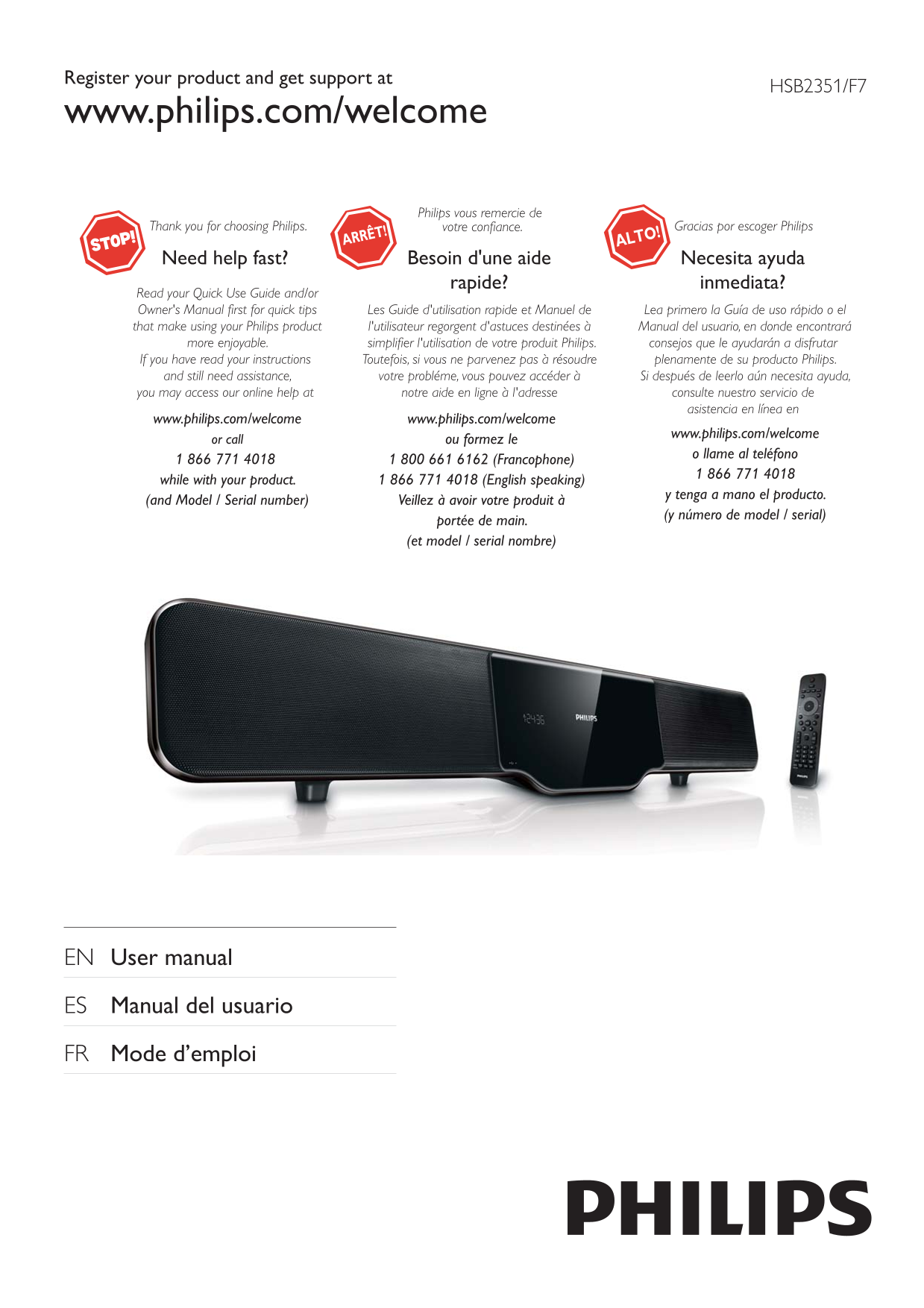
Register your product and get support at HSB2351/F7 www.philips.com/welcome Philips vous remercie de Thank you for choosing Philips. votre confiance. Gracias por escoger Philips Need help fast? Besoin...
Page 2
gl is
Page 3
1 800 661 6162 (French Speaking) 1 866 771 4018 (English or Spanish Speaking) P&F USA, Inc. P.O. Box 672768, Marietta, GA. 30006
Page 4
7 Tune to FM radio stations 29 Contents Program radio stations automatically 29 Program radio stations manually 29 Tune to a preset radio station 29 1 Important 6 Safety 6 8 Adjust volume level and so...
Page 5
g Do not block any ventilation openings. 1 Important Install in accordance with the manufacturer’s instructions. h Do not install near any heat sources such Safety as radiators, heat registers, stoves...
Page 6
objects have fallen into the apparatus, the Notice apparatus has been exposed to rain or moisture, does not operate normally, or has been dropped. Notice of compliance o Grounding or Polarization - Th...
Page 7
Your product is designed and manufactured The USB-IF Logos are trademarks of Universal with high quality materials and components, Serial Bus Implementers Forum, inc. which can be recycled and reused....
Page 8
potentially negative consequences on the environment and human health. Your product contains batteries covered by the Manufactured under license from Dolby European Directive 2006/66/EC, which cannot ...
Page 9
The unit supports these media/disc formats: 2 Your DVD Home Theater System Recordable Congratulations on your purchase, and Re Writable welcome to Philips! To fully benefi t from the support that Phil...
Page 10
Overview of the main unit bca gf hd Caution Open the disc compartment.• Use of controls or adjustments or performance of • procedures other than herein may result in hazardous radiation exposure or ot...
Page 11
Overview of the remote Source selection keys Select a source.• control OPTIONS Access or exit the system setup menu.• For menus: navigate up/down.• Move an enlarged picture up/down.• Rotate or invert ...
Page 12
ZOOM For pictures or video: zoom in/out.• REPEAT A-B Repeat a specifi c section within a • track/disc. REPEAT /PROGRAM Selects or turns off repeat or shuffl e • mode. Program radio stations.• SUBTITLE...
Page 13
3 Connect Place the unit 2 Attach the left speaker to the left side of the main unit. 1 Place the unit near to the TV. 2 Keep the speakers at the normal listening ear-level and directly parallel to th...
Page 14
To use Philips Easy Link, you must use HDMI connection • (see “Use Phlips Easy Link”). This unit is HDMI CEC compatible. It enables the • connected TV/device to control each other over HDMI. TVVIDEO I...
Page 15
Connect FM antenna This unit does not support MW radio reception.• TV FM ANT Pr/Cr Pb/Cb Y COMPONENT VIDEO IN PUT a Connect a component video cable (red/ blue/green - not supplied) to: - the • COMPONE...
Page 16
Connect the power adaptor with main unit and power cord, then connect the plug to the wall outlet. gl is
Page 17
4 Get started Caution Use of controls or adjustments or performance of • procedures other than herein may result in hazardous radiation exposure or other unsafe operation. Always follow the instructio...
Page 18
[NTSC] - For TV with NTSC color system. [Multi] - For TV that is compatible If a blank/distorted screen is displayed, wait for 15 • seconds for auto recovery or turn off progressive scan with both PAL...
Page 19
One touch play[Auto Wakeup TV] When you press , this unit will wake up from standby mode and start disc play (if a video disc is found in the disc compartment). At the same time, your TV will also be ...
Page 20
To return to the main menu, press • 5 Play until the ‘Previous’ folder is selected, then press OK. To stop play, press • To pause or resume play, press • To skip to the previous/next fi le, press • Wi...
Page 21
4 Select a fi le to play, then press . Resume video play from last stopped To return to the main menu, press • point until the ‘Previous’ folder is selected, then press OK. Note To stop play, press • ...
Page 22
Sync audio output with video play If the video play is slower than the audio output To play a locked DVD, enter the 4-digit parental control • (sound does not match with the pictures), you password. c...
Page 23
Select an audio language slideshow. The MP3/WMA and JPEG fi les must be stored on the same disc or USB device. Note 1 Play MP3/WMA music. 2 Navigate to the photo folder/album and This feature is only ...
Page 24
6 Adjust settings Note You must turn on the HDMI CEC operations on the • TV/devices before you can enjoy the Easy Link controls. 1 Press OPTIONS. See the TV/devices manual for details. 2 Select a setu...
Page 25
before the apparatus switches to Video setup standby. [Off] – disable sleep mode. On [Video Setup Page], you can set the following options: [Div X(R) VOD Code] [TV Type] Display the Div X® registratio...
Page 26
[HDMI Video] – Select the HDMI video output [Parental] resolution that is compatible with your TV Restricts access to discs that are unsuitable for display capability. children. These types of discs m...
Page 27
1) Press the numeric keys to enter ‘0000’ or your last set password at [Old Password] fi eld. 2) Enter the new password at [New This information is required when you want to fi nd out • Password] fi e...
Page 28
Program radio stations 7 Tune to FM manually radio stations 1 Ensure that you have connected and fully You can program a maximum of 20 preset radio • stations. extended the supplied FM antenna. 2 Pres...
Page 29
2 Within 5 seconds, press +/- to set the 8 Adjust volume level for high tones (treble) or low tones (bass). level and sound effect Mute sound 1 During play, press to mute/unmute Adjust volume level so...
Page 30
9 Connect other devices Listen to an audio player You can listen to an audio player through this unit. 1 Connect the audio player. For audio players with red/white • audio output sockets: Connect a re...
Page 31
Tuner (FM) 10 Product Tuning Range 87.5 - 108MHz information Tuning grid 50KHz Sensitivity <22 d Bf - Mono, 26d B S/N Ratio Search Selectivity >28d Bf Total Harmonic Distortion <3% Product in...
Page 32
WMA v9 or earlier• Supported disc formats Directory nesting up to a maximum • of 8 levels Digital Video Discs (DVDs)• Number of albums/ folders: maximum • Video CDs (VCDs)• Super Video CDs (SVCDs)• Nu...
Page 33
11 Troubleshooting No disc detected Insert a disc.• Check if the label side of the disc faces • outwards. Warning Wait until the moisture condensation at • Never remove the casing of this apparatus. •...
Page 34
Disc does not play Insert a readable disc and ensure that the • label side faces outwards. Check the disc type, color system and • regional code. Check for any scratches or smudges on the disc. Press•...
Page 35
Mount the main unit and speakers 12 Appendix Caution To fi nd a suitable mounting location, make the • Mount to a wall necessary physical and wireless connections. Mount the main unit and speakers to ...
Page 36
4 Hook the main unit and speakers in place. gl is
Page 37
Div X® 13 Glossary The Div X® codec is a patent-pending, MPEG-4 based video compression technology developed by Div X®, Inc. It can shrink the fi le size of digital video and still maintain the high v...
Page 38
JPEG Surround A very common digital still picture format. A A system that creates realistic, three- still-picture data compression system proposed dimensional sound fi elds. It is usually achieved by ...
Page 39
Philips and Philips Shield are used under license of Koninklijke Philips Electronics NV P&F USA, Inc. PO Box 672768 Marietta, GA 30006 All rights reserved. Document order number: HSB2351_F7_UM_V2....