PHILIPS BDP7300 User Guide
Summary
Philips BDP7300 Blu-ray player quick start guide covering essential setup. Details HDMI, composite, LAN, and power connections. Explains OSD language, audio setup, parental control, screen saver, EasyLink, PIN change, display panel, auto standby, and PBC settings. Illustrates remote control functions for disc and USB playback. For consumers needing fast setup guidance for Blu-ray disc and USB media.
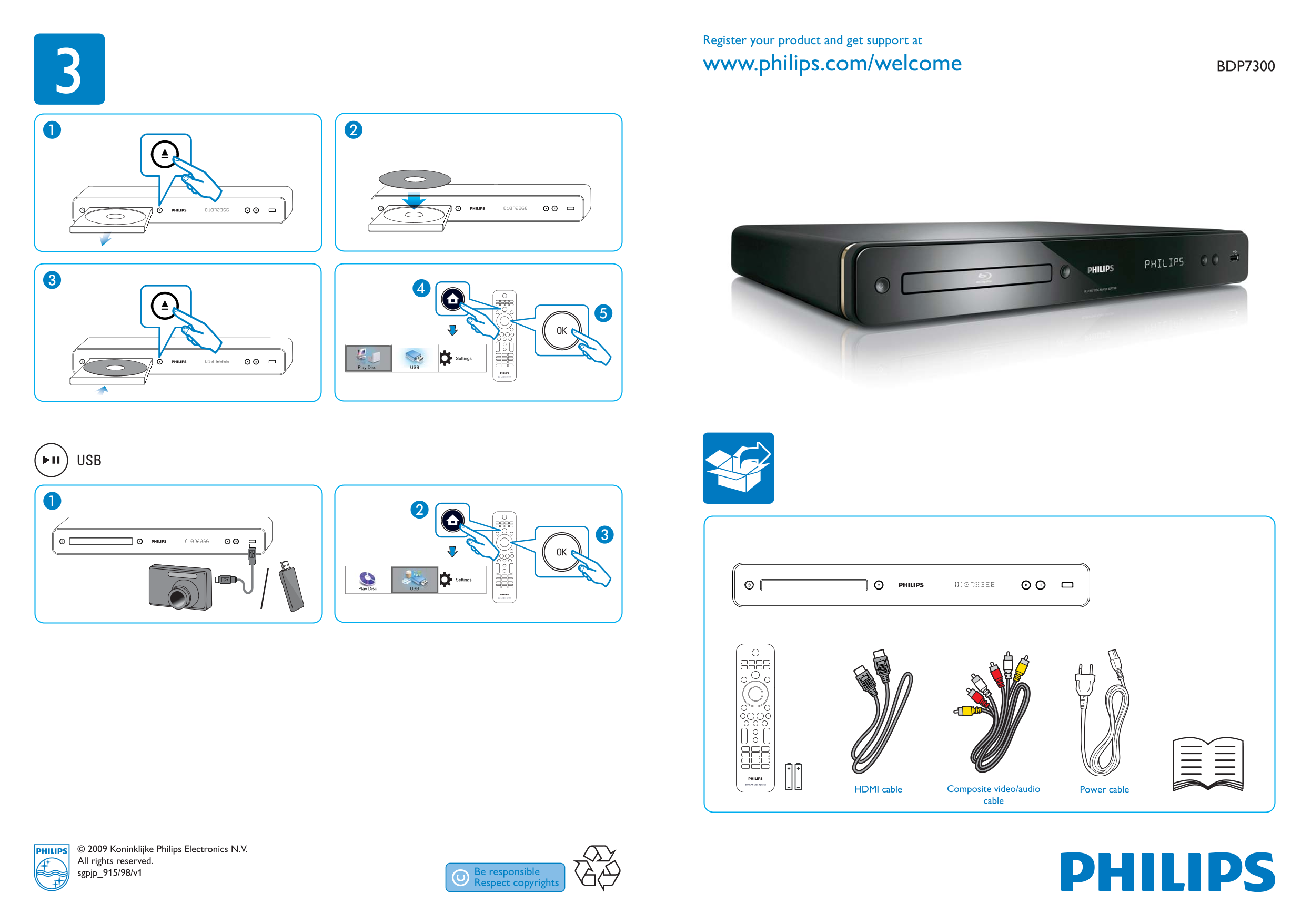
Page 1 Text Content
Register your product and get support at
www.philips.com/welcome3 BDP7300
Settings
USBPlay Disc
Settings
Play Disc USB
HDMI cable Composite video/audio Power cable cable
© 2009 Koninklijke Philips Electronics N.V. All rights reserved. sgpjp_915/98/v1
bdp7300_98_QSG_v1.indd 1 4/7/2009 5:08:20 PM
Page Summary Contents For PHILIPS BDP7300 User Guide
Manual Details
| Brand | Philips |
|---|---|
| Pages | 2 |
| File Size | 1.28 MB |
| Published | July 04, 2026 |
Enter the captcha to get the download link:

Frequently Asked Questions
How do I register my Philips product for support?
Visit www.philips.com/welcome to register your product.
What video output options are available on this player?
The player offers HDMI and composite video/audio outputs.
How do I change the on-screen display language?
Navigate to Settings > OSD Language to select from options like English or Russian.
Can I connect this device to a network?
Yes, there is a LAN port for network connectivity.