Page 1
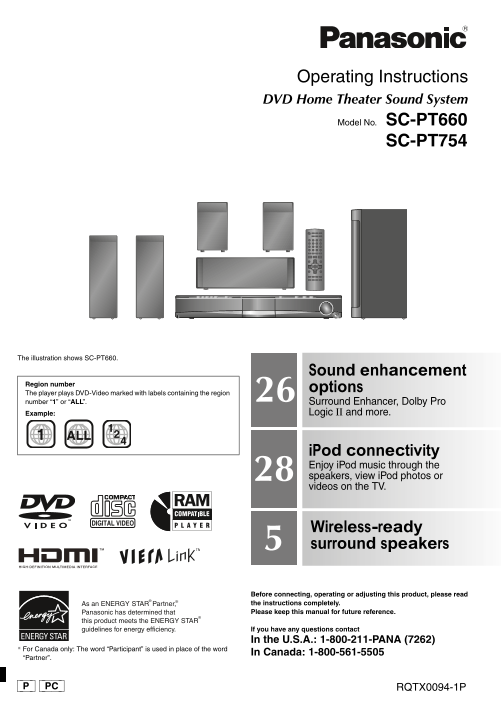
SC-PT660-663P-PC_Cover_Eng.fm 1 ページ 2008年1月7日 月曜日 午後2時45分 Operating Instructions DVD Home Theater Sound System Model No. SC-PT660 SC-PT754 The illustration shows SC-PT660. Sound enhancement Region num...
Page 2
SC-PT660-663P-PC_eng.book 2 ページ 2007年12月11日 火曜日 午後6時27分 Dear customer Indicates features applicable to: IM TA IN IO [PT660] : SC-PT-660 only [PT754] : SC-PT-754 only Thank you for purchasing this prod...
Page 3
SC-PT660-663P-PC_eng.book 3 ページ 2007年12月11日 火曜日 午後6時27分 TABLE OF CONTENTS IMPORTANT SAFETY INSTRUCTIONS . . . . . . 2 step AC cord connection . . . . . . . . . . . . . . 9 step Preparing the remote co...
Page 4
SC-PT660-663P-PC_eng.book 4 ページ 2007年12月11日 火曜日 午後6時27分 ss em lin sp ea ke rs Si pl Se tu step1 Assembling the speakers Preparation To prevent damage or scratches, lay down a soft cloth and perform as...
Page 5
SC-PT660-663P-PC_eng.book 5 ページ 2007年12月11日 火曜日 午後6時27分 step2 Positioning How you set up your speakers can affect the bass and the sound field. Note the following points: Place speakers on flat secure...
Page 6
SC-PT660-663P-PC_eng.book 6 ページ 2007年12月11日 火曜日 午後6時27分 si ti in Si pl Se tu Notes on speaker use Fit the speaker securely onto the screw(s) with the hole(s). ≥Use only supplied speakers e.g. [PT660] ...
Page 7
SC-PT660-663P-PC_eng.book 7 ページ 2007年12月11日 火曜日 午後6時27分 step3 Cable connections Turn off all equipment before connection and read the appropriate operating instructions. Do not connect the AC power su...
Page 8
SC-PT660-663P-PC_eng.book 8 ページ 2007年12月11日 火曜日 午後6時27分 ab le ec ti Si pl Se tu step3 Cable connections Main unit SPEAKERS AM ANT EXT LOOP ANT GND FM ANT LR LR OPTICAL CENTERSUBWOOFER SURROUND IN Audi...
Page 9
SC-PT660-663P-PC_eng.book 9 ページ 2007年12月11日 火曜日 午後6時27分 Using an FM/AM outdoor antenna (optional) Use outdoor antenna if FM/AM radio reception is poor. AM outdoor antenna Disconnect the antenna when t...
Page 10
SC-PT660-663P-PC_eng.book 10 ページ 2007年12月11日 火曜日 午後6時27分 er fo rm in IC Si pl Se tu step6 Performing QUICK SETUP The QUICK SETUP screen assists you to make necessary settings. Preparation Turn on the ...
Page 11
SC-PT660-663P-PC_eng.book 11 ページ 2007年12月11日 火曜日 午後6時27分 step7 Presetting the radio stations Confirming the preset channels TV -DVD -2ND SELECT TV/VIDEO VOL i Pod FM/AM/ Select “FM” or “AM”. EXT-IN FM...
Page 12
SC-PT660-663P-PC_eng.book 12 ページ 2007年12月11日 火曜日 午後6時27分 Control reference guide tr l r ef er en ce id Turn the main unit on/off (➜ 10) Select channels and title numbers etc. / Enter numbers TV -DVD -...
Page 13
SC-PT660-663P-PC_Body2_Eng.fm 13 ページ 2008年1月7日 月曜日 午後2時43分 5 DISC SW POWER SELECTOR EXCHANGE1 CLOSE BOOSTOPEN SELECTOR TUNE FM MODE MEMORYTUNE MODE VOLUME OPEN CLOSE SWBOOST 8Stop playing / Select the...
Page 14
SC-PT660-663P-PC_eng.book 14 ページ 2007年12月11日 火曜日 午後6時27分 Basic play as ic la Preparation To display the picture, turn on your TV and change its video input mode. Using the main unit POWER SELECTOR1 Se...
Page 15
SC-PT660-663P-PC_eng.book 15 ページ 2007年12月11日 火曜日 午後6時27分 If you are experiencing problems, refer to troubleshooting (➜ 32 to 34). Using the remote control TV -DVD Disc information screen is -2ND SELEC...
Page 16
SC-PT660-663P-PC_Body3_Eng.fm 16 ページ 2008年1月7日 月曜日 午後3時33分 Other playback functions th er la yb ac fu ct io Program play (up to 30 items) −CD MODE -CD DISC 1-Disc program MODE SKIP SLOW/SEARCH [DVD-V]...
Page 17
SC-PT660-663P-PC_eng.book 17 ページ 2007年12月11日 火曜日 午後6時27分 Using navigation menus Selecting the picture in Thumbnail menu TV -DVD -2ND SELECT [JPEG] TV/VIDEO VOL i Pod While picture is e.g. FM/AM/ EXT-I...
Page 18
SC-PT660-663P-PC_eng.book 18 ページ 2007年12月11日 火曜日 午後6時27分 Using on-screen menus si -s cr ee en Show the on-screen TV -DVD -2ND SELECT FUNCTIONS menu. TV/VIDEO VOL i Pod Each time you press the button: ...
Page 19
SC-PT660-663P-PC_eng.book 19 ページ 2007年12月11日 火曜日 午後6時27分 Menu 4 (HDMI) [JPEG] To select “ON” or “OFF” for picture’s JPG date display DATE To show HDMI information. DATE DISPLAY HDMI (➜ below, Confirmi...
Page 20
SC-PT660-663P-PC_eng.book 20 ページ 2007年12月11日 火曜日 午後6時27分 Changing the player settings an in la ye se tt in -RETURN Show the setup -SETUP menu. TV -DVD -2ND SELECT Menu VOL (press and hold) TV/VIDEO i ...
Page 21
SC-PT660-663P-PC_eng.book 21 ページ 2007年12月11日 火曜日 午後6時27分 QUICK SETUP enables successive settings of the items in the shaded area. “VIDEO” menu TV ASPECT 4:3PAN&SCAN: Regular aspect TV (4:3) Choose...
Page 22
SC-PT660-663P-PC_eng.book 22 ページ 2007年12月11日 火曜日 午後6時27分 Changing the player settings an in la ye se tt in QUICK SETUP enables successive settings of the items in the shaded area. “DISPLAY” menu LANGU...
Page 23
SC-PT660-663P-PC_eng.book 23 ページ 2007年12月11日 火曜日 午後6時27分 Selecting the delay time of the speakers (Effective when playing 5.1-channel sound) a Center speaker b Surround speaker (Center and surround sp...
Page 24
SC-PT660-663P-PC_eng.book 24 ページ 2007年12月11日 火曜日 午後6時27分 Using the VIERA Link TM “HDAVI Control TM” si IE in k T I C tr l T Automatic setup TV -DVD The settings for “TV ASPECT”§1 (➜ 21, “VIDEO” menu) ...
Page 25
SC-PT660-663P-PC_eng.book 25 ページ 2007年12月11日 火曜日 午後6時27分 Speaker control VIERA Link Control only with TV’s remote control [for “HDAVI Control 2 (or later)”] You can select whether audio is output from...
Page 26
SC-PT660-663P-PC_eng.book 26 ページ 2007年12月11日 火曜日 午後6時27分 Using sound effects si ff ec ts Real Center Focus TV -DVD -2ND SELECT (Effective when playing audio containing center channel sound TV/VIDEO VO...
Page 27
SC-PT660-663P-PC_eng.book 27 ページ 2007年12月11日 火曜日 午後6時27分 Enjoying the FM/AM radio TV/VIDEO i Pod FM/AM/ Adjusting the subwoofer level EXT-IN FM/AM/EXT-IN Numbered ONE TOUCH PLAY You can adjust the amo...
Page 28
SC-PT660-663P-PC_eng.book 28 ページ 2007年12月11日 火曜日 午後6時27分 Operating other equipment er at in th er ip en Making settings for digital audio input -DVD Select to suit the type of audio from the OPTICAL I...
Page 29
SC-PT660-663P-PC_eng.book 29 ページ 2007年12月11日 火曜日 午後6時27分 Select “IPOD”. Enjoying photos/videos i Pod The i Pod automatically switches to this Switch the i Pod to its own display unit’s display mode. m...
Page 30
SC-PT660-663P-PC_eng.book 30 ページ 2007年12月11日 火曜日 午後6時27分 Discs that can be played is cs at an la ye Commercial discs Indicated in these Disc Logo Remarks instructions by DVD-Video [DVD-V] High quality...
Page 31
SC-PT660-663P-PC_eng.book 31 ページ 2007年12月11日 火曜日 午後6時27分 Tips for making data discs Format Disc Extension Reference [WMA] CD-R/RW “.WMA” Compatible compression rate: between 48 kbps and 320 kbps “.wma...
Page 32
SC-PT660-663P-PC_eng.book 32 ページ 2007年12月11日 火曜日 午後6時27分 Troubleshooting guide Tr le sh ti id Before requesting service, make the following checks. If you are in doubt about some of the check points, ...
Page 33
SC-PT660-663P-PC_eng.book 33 ページ 2007年12月11日 火曜日 午後6時27分 Disc trays Disc tray(s) cannot open. Press [Í] to release the jammed tray(s) as the unit will switch off. Switch it on again and the tray(s) “C...
Page 34
SC-PT660-663P-PC_eng.book 34 ページ 2007年12月11日 火曜日 午後6時27分 Troubleshooting guide Tr le sh ti id i Pod operation Cannot charge or operate. Check that the i Pod is connected firmly. The battery of the i P...
Page 35
SC-PT660-663P-PC_eng.book 35 ページ 2007年12月11日 火曜日 午後6時27分 Glossary Decoder I/P/B A decoder restores the coded audio signals on DVDs to normal. This is MPEG 2, the video compression standard adopted for...
Page 36
SC-PT660-663P-PC_eng.book 36 ページ 2007年12月11日 火曜日 午後6時27分 Specifications ec if ic at io AMPLIFIER SECTION VIDEO SECTION [PT660] Video system NTSC RMS Output Power: Dolby Digital Mode Composite video ou...
Page 37
SC-PT660-663P-PC_eng.book 37 ページ 2007年12月11日 火曜日 午後6時27分 [PT754] [Surround\speakers\SB-HS760] Manufactured under license from Dolby Laboratories. Type way, 1 speaker system (Bass reflex) Dolby, Pro Lo...
Page 38
SC-PT660-663P-PC_eng.book 38 ページ 2007年12月11日 火曜日 午後6時27分 Limited Warranty (ONLY FOR U.S.A.) im it ed ar ra ty LY .S .A Panasonic Consumer Electronics Company, Panasonic Puerto Rico, Inc. Division of P...
Page 39
SC-PT660-663P-PC_eng.book 39 ページ 2007年12月11日 火曜日 午後6時27分 Limited Warranty (ONLY FOR CANADA) Panasonic Canada Inc. PANASONIC PRODUCT – LIMITED WARRANTY Panasonic Canada Inc. warrants this product to be...
Page 40
SC-PT660-663P-PC_Body6_Eng.fm 40 ページ 2008年1月7日 月曜日 午後3時38分 Accessories Please check and identify the supplied accessories. Use numbers indicated in parentheses when asking for replacement parts. (Prod...