Page 1
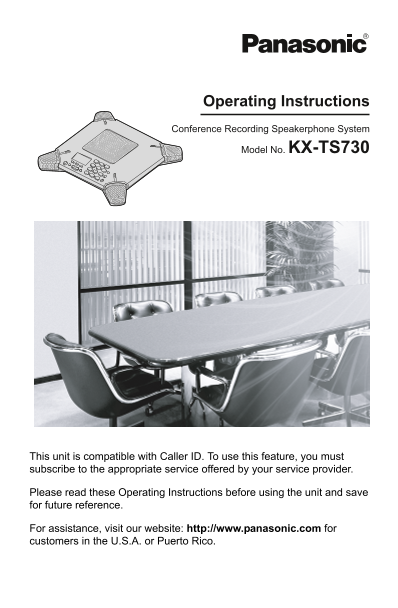
TS730S.book 1 ページ 2005年7月19日 火曜日 午後1時59分 Operating Instructions Conference Recording Speakerphone System Model No. KX-TS730 This unit is compatible with Caller ID. To use this feature, you must subscr...
Page 2
TS730S.book 2 ページ 2005年7月19日 火曜日 午後1時59分 Table of Contents Introduction Ringer settings . . . . . . . . . . . . . . . . . . . Ringer volume . . . . . . . . . . . . . . . . . Accessory information . . ...
Page 3
TS730S.book 3 ページ 2005年7月19日 火曜日 午後1時59分 Introduction Thank you for purchasing a Panasonic Conference Recording Speakerphone System. We recommend keeping a record of the following information for futu...
Page 4
TS730S.book 4 ページ 2005年7月19日 火曜日 午後1時59分 Introduction Incorrect reassembly can cause electric shock when the unit is Important safety subsequently used. instructions 12. Unplug this unit from power ou...
Page 5
TS730S.book 5 ページ 2005年7月19日 火曜日 午後1時59分 Introduction LDo not touch the plug with wet hands. LThe AC adaptor is used as the main For best performance disconnect device. Ensure that the AC outlet is in...
Page 6
TS730S.book 6 ページ 2005年7月19日 火曜日 午後1時59分 Preparation Connections Interface box Interface cable To disconnect the interface cable, pull out the cable while pushing the tabs. To power outlet (120 V AC, ...
Page 7
TS730S.book 7 ページ 2005年7月19日 火曜日 午後1時59分 Preparation Controls and displays Controls REPEAT AUDIO OUT (page 21) KX-TS730 FLASH Display {FLASH} REDIAL /PAUSE {REDIAL} SP-PHONE STOP SET {PAUSE} SKIPREPEA...
Page 8
TS730S.book 8 ページ 2005年7月19日 火曜日 午後1時59分 Preparation Function keys ({F1}, {F2}, {F3}) Setting the unit before By pressing a function key, you can select the function displayed directly above it. use L...
Page 9
TS730S.book 9 ページ 2005年7月19日 火曜日 午後1時59分 Making/Answering Calls Press {s} or {CALL} ({F1} key). Making calls When finished talking, press {s} to hang up. Speaker To redial the last number dialed Press...
Page 10
TS730S.book 10 ページ 2005年7月19日 火曜日 午後1時59分 Making/Answering Calls For Call Waiting service users Answering calls To use Call Waiting, you must subscribe to Call Waiting service from your telephone When...
Page 11
TS730S.book 11 ページ 2005年7月19日 火曜日 午後1時59分 Phonebook Available character entries Using the phonebook 2 character entry modes (Alphabet character and Extended character) are The phonebook allows you to ...
Page 12
TS730S.book 12 ページ 2005年7月19日 火曜日 午後1時59分 Phonebook Phonebook items can be searched for Key Characters alphabetically by scrolling through the phonebook items. Press {k} ({F3} key). {4} G H I Ì Í Î Ï ...
Page 13
TS730S.book 13 ページ 2005年7月19日 火曜日 午後1時59分 Phonebook Press {<} or {>} repeatedly to display Press {MENU} ({F2} key). any name with the initial “S”. Press {SELECT} ({F3} key) at “All LTo dial the ...
Page 14
TS730S.book 14 ページ 2005年7月19日 火曜日 午後1時59分 Caller ID Service Using Caller ID service Caller list This unit is Caller ID compatible. To use Caller information for the last 50 different Caller ID feature...
Page 15
TS730S.book 15 ページ 2005年7月19日 火曜日 午後1時59分 Caller ID Service Displayed symbols Caller ID number auto edit feature If the same caller calls more than once, it Once you call back an edited number (see wi...
Page 16
TS730S.book 16 ページ 2005年7月19日 火曜日 午後1時59分 Caller ID Service Press {<} or {>} to enter the caller list. Storing caller information into Press {ERASE} ({F1} key). the phonebook “All erase?” will b...
Page 17
TS730S.book 17 ページ 2005年7月19日 火曜日 午後1時59分 Programmable Settings Programming via direct commands You can program features using “direct commands”– special codes that take you directly to the feature yo...
Page 18
TS730S.book 18 ページ 2005年7月19日 火曜日 午後1時59分 Programmable Settings Feature Feature code Setting code Page Set flash time {1} {2} {1} {1}: 900 ms {2}: 700 ms* page {3}: 600 ms {4}: 400 ms {5}: 300 ms {6}:...
Page 19
TS730S.book 19 ページ 2005年7月19日 火曜日 午後1時59分 Programmable Settings During programming: LTo exit programming, press {STOP} at Display options any time. LYou can press {SET} instead of LCD contrast pressin...
Page 20
TS730S.book 20 ページ 2005年7月19日 火曜日 午後1時59分 Programmable Settings Telephone settings Other options Flash time Caller ID Number Auto Edit The flash time depends on your telephone You can turn the Caller ...
Page 21
TS730S.book 21 ページ 2005年7月19日 火曜日 午後1時59分 Recording a conversation conversations without using the unit’s recording memory. Recording a conversation LRecorded conversations are also routed The total r...
Page 22
TS730S.book 22 ページ 2005年7月19日 火曜日 午後1時59分 Recording a conversation LThe unit will play back the new recorded Key Command conversations. {*} (<) Repeat conversation LWhen you have no new recorded If...
Page 23
TS730S.book 23 ページ 2005年7月19日 火曜日 午後1時59分 Useful Information Display messages One of the following messages will be displayed in the condition described below. Display message Cause & solution Pho...
Page 24
TS730S.book 24 ページ 2005年7月19日 火曜日 午後1時59分 Useful Information Problem Cause & solution Short silences, echoes, LAt the beginning of a call, both parties should speak or speech cuts occur. alternate...
Page 25
TS730S.book 25 ページ 2005年7月19日 火曜日 午後1時59分 Useful Information Caller ID Problem Cause & solution The unit does not display LYou have not subscribed to Caller ID service. Contact the caller’s name a...
Page 26
TS730S.book 26 ページ 2005年7月19日 火曜日 午後1時59分 Useful Information FCC and other information This equipment complies with Part 68 of notify the customer as soon as possible. the FCC rules and the requiremen...
Page 27
TS730S.book 27 ページ 2005年7月19日 火曜日 午後1時59分 Useful Information This device complies with Part 15 of the FCC Rules. Operation is subject to the Specifications following two conditions: (1) This device ma...
Page 28
TS730S.book 28 ページ 2005年7月19日 火曜日 午後1時59分 Index Redial: 9 Redial list: 9 Index Ringer tone: 19 A Accessories: 3 Ringer volume: 19 Answering calls: 10 Rotary service, tone dialing: 10 Audio output: 21 ...
Page 29
TS730S.book 29 ページ 2005年7月19日 火曜日 午後1時59分 Warranty PANASONIC CONSUMER PANASONIC PUERTO RICO, INC. ELECTRONICS COMPANY, DIVISION San Gabriel Industrial Park, OF PANASONIC CORPORATION OF Ave. 65 de Infa...
Page 30
TS730S.book 30 ページ 2005年7月19日 火曜日 午後1時59分 Limited Warranty Limits And Exclusions This Limited Warranty ONLY COVERS failures due to defects in materials or workmanship, and DOES NOT COVER normal wear a...
Page 31
TS730S.book 31 ページ 2005年7月19日 火曜日 午後1時59分 Customer services Customer Services Directory Obtain Product Information and Operating Assistance; locate your nearest Dealer or Servicenter; purchase Parts a...
Page 32
TS730S.book 32 ページ 2005年7月19日 火曜日 午後1時59分 If you need assistance with setup or operation; Visit our website: http://www.panasonic.com/consumersupport Contact us via the web at: http://www.panasonic.co...