# A B C D E F G H I J K L M N O P Q R S T U V W X Y Z

Panasonic KX-T7720 T7730 T7731 T7735 T7736 T7750 User Guide and Manual

Summary

Streamline your professional communications with the Panasonic KX-T77 series proprietary telephone system. This quick reference guide serves as a comprehensive manual detailing every advanced feature, crucial for optimizing office connectivity. It provides detailed instructions on core functions like one-touch dialing, speed calling, call waiting, three-party conferencing, and message handling. Essential reading for all users and administrators managing business communication protocols within a modern enterprise environment.
📄 Preview PAGE OF 16

Page 1 Text Content

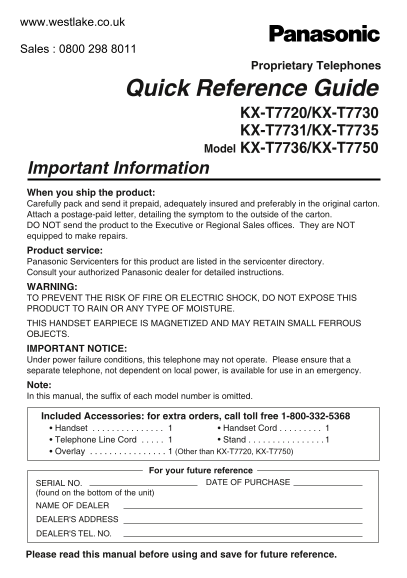
Proprietary Telephones

Quick Reference Guide

KX-T7720/KX-T7730 KX-T7731/KX-T7735 Model KX-T7736/KX-T7750

Important Information When you ship the product: Carefully pack and send it prepaid, adequately insured and preferably in the original carton. Attach a postage-paid letter, detailing the symptom to the outside of the carton. DO NOT send the product to the Executive or Regional Sales offices. They are NOT equipped to make repairs. Product service: Panasonic Servicenters for this product are listed in the servicenter directory. Consult your authorized Panasonic dealer for detailed instructions. WARNING: TO PREVENT THE RISK OF FIRE OR ELECTRIC SHOCK, DO NOT EXPOSE THIS PRODUCT TO RAIN OR ANY TYPE OF MOISTURE. THIS HANDSET EARPIECE IS MAGNETIZED AND MAY RETAIN SMALL FERROUS OBJECTS. IMPORTANT NOTICE: Under power failure conditions, this telephone may not operate. Please ensure that a separate telephone, not dependent on local power, is available for use in an emergency. Note: In this manual, the suffix of each model number is omitted.

Included Accessories: for extra orders, call toll free 1-800-332-5368 Handset . . . . . . . . . . . . . . . Handset Cord . . . . . . . . . Telephone Line Cord . . . . . Stand . . . . . . . . . . . . . . . . 1 Overlay . . . . . . . . . . . . . . . . 1 (Other than KX-T7720, KX-T7750)

For your future reference

SERIAL NO. DATE OF PURCHASE

(found on the bottom of the unit) NAME OF DEALER DEALER'S ADDRESS DEALER'S TEL. NO.

Please read this manual before using and save for future reference.

Page Summary Contents For Panasonic KX-T7720 T7730 T7731 T7735 T7736 T7750 User Guide and Manual

Page 1 Proprietary Telephones Quick Reference Guide KX-T7720/KX-T7730 KX-T7731/KX-T7735 Model KX-T7736/KX-T7750 Important Information When you ship the product: Carefully pack and send it prepaid, adequately...
Page 2 Features List Outside (CO) Line button Programmable Feature button Feature number On-hook Talk Off-hook * "Location of Controls" is shown on page 8. Desired Feature Operation Making Calls To...
Page 3 Features List Desired Feature Operation Receiving Calls While on-hook Handsfree answerback (Other than KX-T7750) Outside (CO) Line (KX-TA1232 only) Directed Picking up extension no. KX-TA624 a call KX...
Page 4 Features List Desired Feature Operation When the Dialed Extension is Busy/No Answer While hearing a busy tone Sender Wait for an answer. KX-TA624 For outside calls Cancel For intercom calls Call Waiti...
Page 5 Features List Desired Feature Operation Useful Features To page All extensions Group group no. KX-TA624 All external speakers All extensions & external speakers Announce. KX-TA1232 All external sp...
Page 6 Features List Desired Feature Operation Useful Features KX-TA624 For Log-In For Log-Out Log-In/Log-Out KX-TA1232 For Log-In For Log-Out (Check the type of your Main Unit.) KX-TA624 All calls extension...
Page 7 Features List Desired Feature Operation Useful Features KX-TA624 Set Cancel Do Not Disturb (DND) KX-TA1232 Set Cancel (Check the type of your Main Unit.) KX-TA624 (Lock code is 4 digits.) lock code lo...
Page 8 Location of Controls RINGER BACKLIGHT LCD (Liquid Crystal Display) RINGER Volume Selector/ BACKLIGHT Illumination Selector Headset Jack Microphone * The KX-T7750 does not have a microphone. * The back...
Page 9 Location of Controls DIALING BUTTONS WITH BACKLIGHT Flexible Outside (CO) Line Button: (KX-T7731/36): Dialing buttons are backlit Used to make or receive an outside call. when (1) you receive a call, ...
Page 10 Connection To the main unit ( )The telephone line cord TO MAIN UNIT /PABX (included) < Back view> Headset CAUTION Ensure the cord is inserted in the groove to prevent damage to the connector. Wa...
Page 11 Exhibit J - Customer Information This equipment complies with Part 68 of the ACTA rules and the requirements adopted by the ACTA. On the exterior of the cabinet of this equipment is a label that conta...
Page 12 Exhibit J - Customer Information Data Equipment The table below shows which jacks are associated with which modes of operation: USOC Jack Mode of Operation KX-TA624 KX-TA1232 Permissive RJ11 RJ11 and ...
Page 13 Important Safety Instructions When using this unit, basic safety 11. Unplug this unit from the main unit, precautions should always be followed to and refer servicing to an authorized reduce the risk ...
Page 14 FCC and Other Information NOTE: This equipment has been tested and foundto comply with the limits for a Class B digital device, pursuant to Part 15 of theFCC Rules. These limits are designed to prov...
Page 16 Panasonic Consumer Electronics Panasonic Sales Company ("PSC"), Company, Division of Matsushita Division of Matsushita Electric of Electric Corporation of America Puerto Rico, Inc. One Panas...

Manual Details

Brand Panasonic
Pages 16
File Size 3.08 MB
Published May 31, 2026
74 views

Enter the captcha to get the download link:

captcha

Frequently Asked Questions

What should I do if I ship this product for repair?

Pack it carefully, insure it, and send it prepaid. Attach a letter detailing the symptom to the outside of the carton. Do not send it to sales offices.

Is there an emergency contact option if power goes out?

Yes, ensure a separate telephone that does not rely on local power is available for use during an emergency.

How do I clean the unit safely?

Wipe the cabinet with a soft cloth. Do not use gasoline, thinner, or abrasive powder.

What hazards should I be aware of when operating this phone?

Do not expose it to rain or moisture. Also, keep it away from heating appliances and electrical noise generating devices.