Page 1
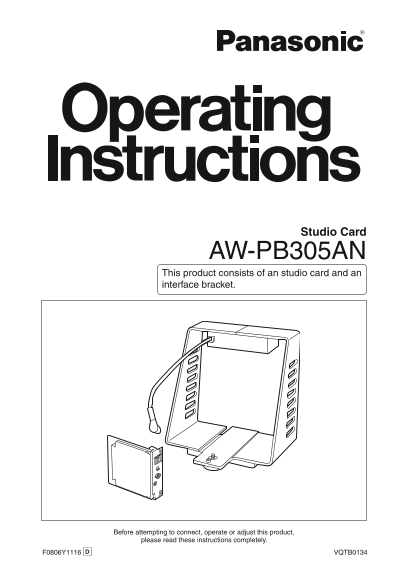
Studio Card AW-PB305AN This product consists of an studio card and an interface bracket. Before attempting to connect, operate or adjust this product, please read these instructions completely. F0806Y...
Page 2
Safety precautions CAUTION RISK OF ELECTRIC SHOCK DO NOT OPEN CAUTION: TO REDUCE THE RISK OF ELECTRIC SHOCK, DO NOT REMOVE COVER (OR BACK). NO USER SERVICEABLE PARTS INSIDE. REFER TO SERVICING TO QUAL...
Page 3
Safety precautions WARNING: • TO REDUCE THE RISK OF FIRE OR SHOCK HAZARD, DO NOT EXPOSE THIS EQUIPMENT TO RAIN OR MOISTURE. • TO REDUCE THE RISK OF FIRE OR SHOCK HAZARD, KEEP THIS EQUIPMENT AWAY FROM ...
Page 4
Safety precautions IMPORTANT SAFETY INSTRUCTIONS Read these operating instructions carefully before using the unit. Follow the safety instructions on the unit and the applicable safety instructions li...
Page 5
Contents Configuration ........................................ Connections ........................................ When configuring a system Accessories .......................................... w...
Page 6
Introduction Installing the studio card in a convertible Notes camera (such as the AW-E350, AW-E650, The AW-PB305A cannot be installed AW-E655, AW-E750 and AW-E860) and to the following models; moun...
Page 7
Major operating controls and their functions Studio card EVF connector [EVF] 4 Inter-communications jack (M3) The EVF cable 7 from the interface [INCOM] bracket is connected here. The inter-communi...
Page 8
Major operating controls and their functions Interface bracket 5 EVF connector 1 [EVF1] The viewfinder (WV-VF65B, AW-VF80) is connected here. 6 EVF connector 2 [EVF2] The viewfinder AW-VF64 is connec...
Page 9
Installing the studio card Always ask your local dealer to install the studio card. Before installing the studio card: Release the static carried in the body of the person to perform the installatio...
Page 10
Interface bracket mountings Mounting the bracket Mounting the viewfinder on a tripod on a bracket Mount the interface bracket on the Mount the mounting base that is tripod. (Screw: 1/4 – �0 UNC) s...
Page 11
Connections When configuring a system with the remote control unit Convertible camera: Inter-communications headset AW-E350, AW-E650, AW-E655, Video monitor AW-E750, AW-E860, etc. Use the RCU cable...
Page 12
Connections When configuring a system with the remote operation panel Convertible camera: Use the control cable (AW-CA50T8G) to AW-E350, AW-E650, AW-E655, connect the remote operation panel to AW-E...
Page 13
Setting and changing of menu items Camera settings to match the system configuration and filming conditions can be made using the menu screens. See the convertible camera operating instructions for ...
Page 14
Setting and changing of menu items Select “Option Card 1” to display the Return to filming mode. submenu. When performing the settings with When performing the settings with the convertible camera: th...
Page 15
Setting and changing of menu items Optional card settings submenu 3 Safety zone (1 to 4, OFF) This selects the type of safety zone that is displayed in the viewfinder. If “OFF” is selected, a safety ...
Page 16
Appearance Unit: inch (mm)Studio card
Page 17
Appearance Unit: inch (mm)Interface bracket
Page 18
Specifications Source voltage: 1� V DC (supplied from convertible camera) Power consumption: 15 W (When WV-VF65B, AW-VF80 is connected) indicates safety information. Ambient operating temperature: +14...
Page 20
PANASONIC BROADCAST & TELEVISION SYSTEMS COMPANY UNIT COMPANY OF PANASONIC CORPORATION OF NORTH AMERICA Executive Office: One Panasonic Way 4E-7, Secaucus, NJ 07094 (�01) 348-7000 EASTERN ZONE: On...