Page 1
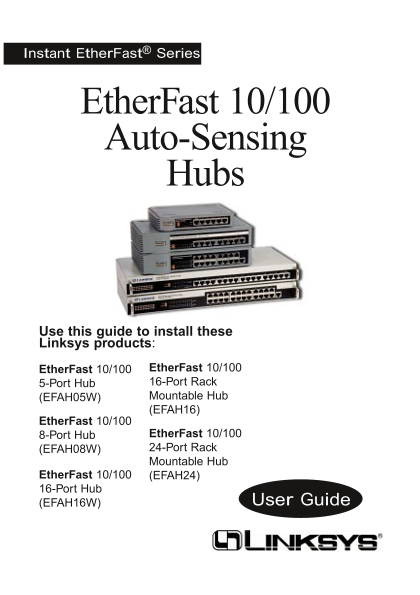
Instant Ether Fast® Series Ether Fast 10/100 Auto-Sensing Hubs Use this guide to install these Linksys products: Ether Fast 10/100 Ether Fast 10/100 5-Port Hub 16-Port Rack (EFAH05W) Mountable Hub (EF...
Page 2
COPYRIGHT & TRADEMARKS Copyright © 1998 Linksys, All Rights Reserved. Instant Ether Fast is a registered trade- mark of Linksys. Microsoft, Windows, and the Windows logo are registered trademarks ...
Page 3
Contents Introduction About Fast Ethernet Planning Your Network Installing the Hub LED Indicators Optional Fiber Optic Expansion Modules Mounting the Hub Connecting Nodes to the Hub Uplinking the Hub ...
Page 4
Introduction The Ether Fast 10/100 Auto-Sensing series of hubs from Linksys is the fastest, most economical way to build or expand an enterprise 100Mbps network! Ready to run right out of the box, eac...
Page 5
About Fast Ethernet As the demand for desktop video, multimedia development, imaging, and other speed-intensive applications continues to rise, the need for high per- formance, fault tolerant LAN tech...
Page 6
Planning Your Network The rules that govern how nodes and hubs are distributed across a network are important to ensure the integrity of your data. Cabling specifications, distance limits, and other t...
Page 7
Installing the Hub Carefully remove the hub from its packaging. Make sure that you received all of the items listed below. If any items are missing or damaged, contact your Linksys dealer for replacem...
Page 8
LED Indicators Power Indicates that the hub is receiving power. 100/10 Col Indicates if collisions are being encountered at 100Mbps and/or 10Mbps. Some collisions are normal. If your network seems to ...
Page 9
Optional Fiber Optic Expansion Module The Auto-Sensing 16 and 24-Port rack mountable hubs each come with a fiber optic expansion slot which accepts an optional 100Base FX fiber optic module for connec...
Page 10
Connecting the Auto-Sensing Hubs to Other Hubs, Switches, or Routers Like most hubs, the Auto-Sensing Hubs can be uplinked to 10Mbps or 100Mbps hubs, stackable hubs, switches, or routers. The front of...
Page 11
Uplinking the 5-Port Hub The Ether Fast 5-Port Auto-Sensing Hub has a special switched uplink port with it’s own distance extension capabilities. If you are mixing 10Mbps and 100Mbps hardware on your ...
Page 12
Powering On the Hub Desktop Model The hub comes with both a power adapter and in some instances, an AC electrical cord. Plug the power adapter’s plug into the hub’s power jack. Plug the provided AC el...
Page 13
Appendix Twisted Pair Cabling There are different grades, or categories, of twisted-pair cabling. Category 5 is the most reliable and widely compatible, and is required for Fast Ethernet. You can buy ...
Page 14
How To Install An Add-On Module Follow the following steps to install the add-on modules in the Ether Fast 10/100 Auto-Sensing Hub (EFAH16 or EFAH24). 1. Power off the hub and remove the AC power cord...
Page 15
Fiber Optic Modules Six different Fiber Optic modules are available for the rack mountable Auto-Sensing hubs (EFAH16 and EFAH24): FFOSC1: 100Base FX 1-Port Transceiver Module (SC) FFOSC2: 100Base FX 2...
Page 16
A maximum of 2 Transceivers can be connected together in one segment. When two hubs are connected via Transceivers together, the same rule of cascading two 100Mb hubs applies to them. To cascade anoth...
Page 17
The following illustration is an example of how to connect four Rack Mountable Ether Fast 10/100 Auto-Sensing hubs together using fiber optic cabling. Notice that the hubs at the top and the bottom ar...
Page 18
100Base TX Distance Extender Module This module has a special distance extending port that sends data at 100Mbps over regular 100Base TX Category 5 cabling. The distance exten- der module sends your d...
Page 19
The following illustration is an example of how to connect four Ether Fast 10/100 Auto-Sensing hubs together using the Single-Port 100Base TX Distance Extender Module. Note that, without the distance ...
Page 20
Specifications Models EFAH05W EFAH08W EFAH16W EFAH16 EFAH24 Standards IEEE 802.3 IEEE 802.3u Ports 5, 8, 16, or 24, depending on model; 16 and 24-Port models each also include two 100Base FX fiber opt...
Page 21
Customer Support For help with the installation or operation of your Ether Fast 10/100 Auto- Sensing Hub, contact Linksys Customer Support at one of the phone num- bers or Internet addresses below. Cu...
Page 22
http: /www.l inksys.com © Copyright 1999 Linksys, All Rights Reserved. Printed in the USA.