Page 1
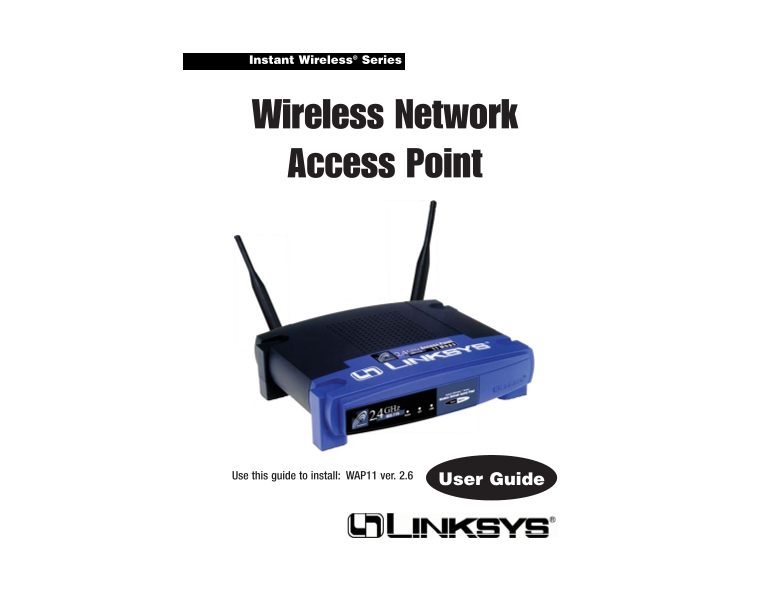
Instant Wireless® Series Wireless Network Access Point Use this guide to install: WAP11 ver. 2.6 User Guide
Page 2
COPYRIGHT & TRADEMARKS FCC STATEMENT Copyright © 2003 Linksys, All Rights Reserved. Instant Wireless, Linksys, and the This product has been tested and complies with the specifications for a Class...
Page 3
Wireless Network Access Point Belgique B L’utilisation en extérieur est autorisé sur le canal 11 (2462 MHz), 12 (2467 MHz), et 13 (2472 MHz). Table of Contents Dans le cas d’une utilisation privée, à ...
Page 4
Instant Wireless® Series Wireless Network Access Point Chapter 1: Introduction The Instant Wireless Network Access Point Set your network free! The Wireless Access Point from Linksys connects wire- Ap...
Page 5
Instant Wireless® Series Wireless Network Access Point If the wireless network is relatively small and needs to share resources only Chapter 2: Planning Your with the other computers on the wireless n...
Page 6
Instant Wireless® Series Wireless Network Access Point he Wireless Network Access Point’s LEDs Chapter 3: Getting to Know the Wireless Network Access Point The Wireless Network Access Point’s Ports Th...
Page 7
Instant Wireless® Series Wireless Network Access Point Chapter 4: Connecting the Chapter 5: Setting Up the Wireless Network Access Point Wireless Network Access Point Have You: Connected the Access Po...
Page 8
Instant Wireless® Series Wireless Network Access Point 4. The next screen to appear, shown in Figure 5-3, will display a list of access points on your network, along with the status information for ea...
Page 9
Instant Wireless® Series Wireless Network Access Point 6. As shown in Figure 5-5, the IP Settings screen will appear next. Enter an IP 7. As shown in Figure 5-6, the Basic Settings screen will now app...
Page 10
Instant Wireless® Series Wireless Network Access Point 8. The Security Settings screen (Figure 5-7) will appear next. From this 9. The second Security Settings screen, shown in Figure 5-8, shows the W...
Page 11
Instant Wireless® Series Wireless Network Access Point 10. The next screen (Figure 5-9) will allow you to review your settings. If these settings are correct, click the Yes button to save these settin...
Page 12
Instant Wireless® Series Wireless Network Access Point Obtain an IP Address Automatically. Click this radio button to allow the SSID. The SSID is the unique name shared among all points in a wireless ...
Page 13
Instant Wireless® Series Wireless Network Access Point Access Point Client - When set to Access Point Client mode, the Access Point Client is able to talk to one remote access point within its range. ...
Page 14
Instant Wireless® Series Wireless Network Access Point Wireless Bridge Point to Multi Point - If you are trying to make a wireless To configure a Wireless Repeater environment, click Wireless Repeater...
Page 15
Instant Wireless® Series Wireless Network Access Point The Status Tab The Password Tab The Password tab, shown in Figure 6-8, allows you to change the Access Point’s The Status tab, shown in Figure 6-...
Page 16
Instant Wireless® Series Wireless Network Access Point Gateway. This displays the IP address of your network’s Gateway. The Log Tab Send and Recv. The Send and Recv fields display the number of succes...
Page 17
Instant Wireless® Series Wireless Network Access Point The Help Tab New firmware versions are posted at www.linksys.com and can be downloaded for free. If the Access Point is not experiencing difficul...
Page 18
Instant Wireless® Series Wireless Network Access Point The Wireless Tab Figure 6-12 Then, type the MAC Address(es) you wish to filter in the MAC Address fields. When you’ve completed making any change...
Page 19
Instant Wireless® Series Wireless Network Access Point RTS Threshold. This value should remain at its default setting of 2346. SSID Broadcast. For security purposes, this selection can be disabled, Sh...
Page 20
Instant Wireless® Series Wireless Network Access Point What IEEE 802.11b features are supported? Appendix A: Troubleshooting The product supports the following IEEE 802.11 functions: CSMA/CA plus Ackn...
Page 21
Instant Wireless® Series Wireless Network Access Point As the user moves on, the end node’s RF transmitter regularly checks the sys- Would the information be intercepted while transmitting on air? tem...
Page 22
Instant Wireless® Series Wireless Network Access Point The following instructions are provided as examples for reference only. For Appendix B: Setting Up the TCP/IP complete instructions on installing...
Page 23
Instant Wireless® Series Wireless Network Access Point TCP/IP Setup for Windows XPTCP/IP Setup for Windows 2000 1. At the Windows 2000 desktop, right-click My Network Places. Then, 1. At the Windows X...
Page 24
Instant Wireless® Series Wireless Network Access Point being held up by the other. In order for a buffer to be effective, the size of the Appendix C: Glossary buffer and the algorithms for moving data...
Page 25
Instant Wireless® Series Wireless Network Access Point DHCP supports static addresses for computers containing Web servers that 10 Mbps. Forms the underlying transport vehicle used by several upper-le...
Page 26
Instant Wireless® Series Wireless Network Access Point Infrastructure Network - An infrastructure network is a group of computers Network - A system that transmits any combination of voice, video and/...
Page 27
Instant Wireless® Series Wireless Network Access Point Software - Instructions for the computer. A series of instructions that performs between network devices over a LAN or WAN. While IP takes care o...
Page 28
Instant Wireless® Series Wireless Network Access Point Appendix D: Specifications Appendix E: Warranty Information Standards 802.11b, 802.3 BE SURE TO HAVE YOUR PROOF OF PURCHASE AND A BARCODE FROM TH...
Page 29
Instant Wireless® Series Appendix F: Contact Information For help with the installation or operation of this product, contact Linksys Technical Support at one of the phone numbers or Internet addresse...