Lexmark X9350 User Guide
Summary
Streamline your professional office workflow with this powerful All-in-One wireless printer. Featuring high-speed printing, automatic duplex two-sided printing, and built-in fax capabilities, it handles every need from photo copies to large document scans. The manual provides comprehensive details on setup, compatibility (including various memory cards), advanced features like OCR, and optimal performance for modern businesses requiring connectivity, efficiency, and superior quality output.
Page 1 Text Content
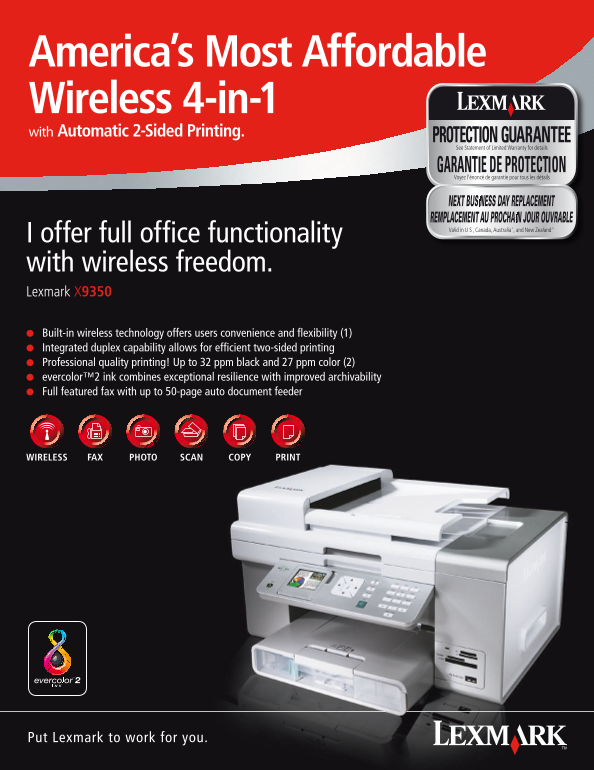
America’s Most Affordable Wireless 4-in-1 with Automatic 2-Sided Printing.
I offer full office functionality with wireless freedom. Lexmark X9350 l Built-in wireless technology offers users convenience and flexibility (1) l Integrated duplex capability allows for efficient two-sided printing l Professional quality printing! Up to 32 ppm black and 27 ppm color (2) l evercolor™2 ink combines exceptional resilience with improved archivability l Full featured fax with up to 50-page auto document feeder
WIRELESS SCAN COPYPHOTOFAX PRINT
Put Lexmark to work for you.
Page Summary Contents For Lexmark X9350 User Guide
Manual Details
| Brand | Lexmark |
|---|---|
| Pages | 2 |
| File Size | 3.02 MB |
| Published | May 30, 2026 |
Enter the captcha to get the download link:

Frequently Asked Questions
What are the maximum black and color print speeds?
The printer can achieve up to 32 ppm for black prints and 27 ppm for color printing.
Does the device support wireless connectivity?
Yes, it supports built-in 802.11g wireless technology and also connects via Ethernet networking.
Can I scan hard copy text from physical documents?
Yes, Optical Character Recognition (OCR) software allows you to easily convert scanned hard copy text into a soft copy format.
What kind of memory cards can this printer read?
It is compatible with various card types including CompactFlash I & II, SD Card, MMC, and xD Card.