Lexmark X4550 User Guide
Summary
Experience effortless multifunctionality with this high-performance wireless AIO printer, perfect for home users and small businesses needing flexible printing solutions. The X4550 offers reliable photo and document needs through integrated 802.11g wireless, fast copying, and a professional flatbed scanner. This manual provides comprehensive technical details, setup guides, supported operating systems, and full specifications on advanced features like PC-free copying and OCR scanning.
Page 1 Text Content
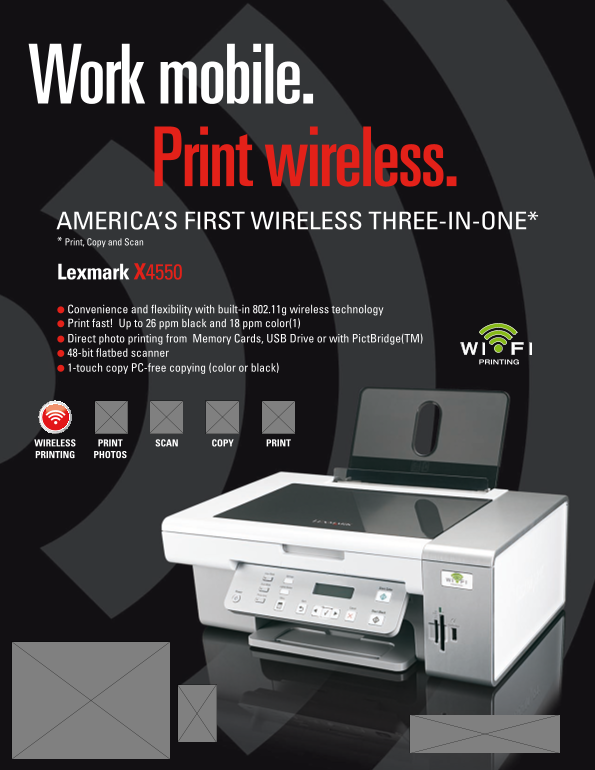
Work mobile. Print wireless. Americ A’s First Wireless three-in-One* * Print, copy and scan lexmark X4550 l convenience and flexibility with built-in 802.11g wireless technology l Print fast! Up to 26 ppm black and 18 ppm color(1) l Direct photo printing from memory cards, Us B Drive or with Pict Bridge(tm) l 48-bit flatbed scanner
PRINTING
l 1-touch copy Pc-free copying (color or black)
WIRele SS PRINT COPY PRINTSCAN PRINTINg PHOTOS
Page Summary Contents For Lexmark X4550 User Guide
Manual Details
| Brand | Lexmark |
|---|---|
| Pages | 2 |
| File Size | 1.16 MB |
| Published | May 25, 2026 |
Enter the captcha to get the download link:

Frequently Asked Questions
What operating systems are supported by the X4550 All-in-One?
It supports Microsoft Windows XP, Vista, Windows 2000, Apple Mac OS X (10.4.4-10.4.x Intel), and OS X (10.3.x-10.4.x Power PC).
Does the printer support wireless printing?
Yes, it features built-in 802.11g wireless technology, also compatible with 802.11b.
What is the maximum print resolution and what types of media are supported for scanning?
It provides a print resolution up to 4800x1200 dpi. The flatbed scanner handles A4, Letter, Legal, and more through OCR software.
How do I print photos using this device?
You can print photos directly from memory cards, USB flash drives, or via PictBridge(tm) for borderless printing in popular sizes.