Lexmark C522n User Guide
Summary
This guide provides comprehensive documentation for the compact Lexmark C522n color laser printer, designed for small workgroups needing professional quality results. Discover how to achieve brilliant, photo-realistic prints up to 1200x1200 dpi on various media types. The manual details system setup, cartridge usage with Smart Management Technology, optional connectivity hardware, and all functional specifications, enabling users—from IT professionals to office administrators—to easily maximize printing efficiency and minimize color costs in their shared workspace.
Page 1 Text Content
Lexmark C522n Lexmark C522n
Additional Accessories Connectivity External Print Servers
Mark Net N4050e 802.11g Wireless Print Adapter1 14T0145 802.11g Wireless Print Adapter2
Application Solutions Korean Font Card
Traditional Chinese Font Card Simplified Chinese Font Card Japanese Font Card
Cable Options 6-foot USB Cable 12A2405
Print Media Professional Color Laser Transparencies – letter (50 sheets) 12A8240
Soft Gloss paper – letter (200 sheets) 12A5950
Uses USB connection Uses Ethernet connection
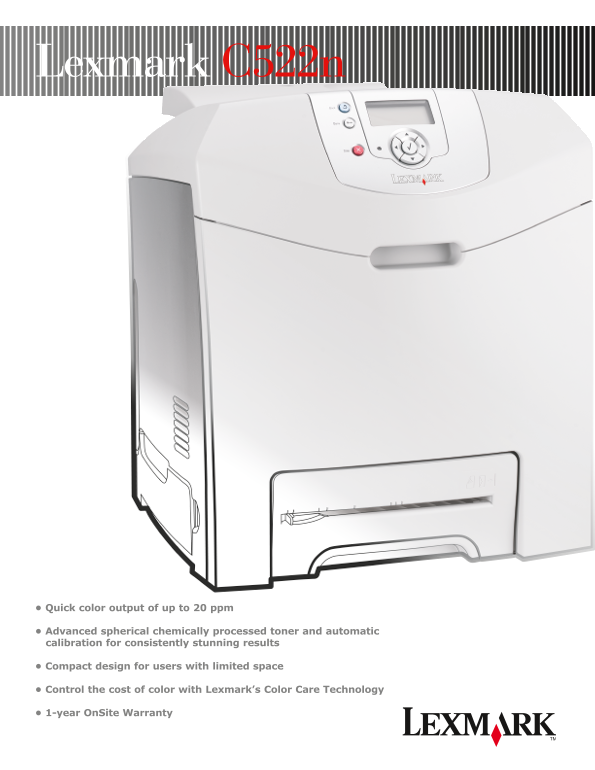
• Quick color output of up to 20 ppm
• Advanced spherical chemically processed toner and automatic calibration for consistently stunning results
• Compact design for users with limited space
Lexmark and Lexmark with diamond design are trademarks of
• Control the cost of color with Lexmark’s Color Care Technology
Lexmark International, Inc., registered in the United States and/or other countries. Pantone is a trademark of Pantone, Inc. PCL is a
registered trademark of Hewlett-Packard Company. The USB-IF • 1-year On Site Warranty
logo is a trademark of Universal Serial Bus Implementers Forum, Inc. All other trademarks are the property of their respective owners. © 2005 Lexmark International, Inc. All rights reserved. 71K1160
Page Summary Contents For Lexmark C522n User Guide
Manual Details
| Brand | Lexmark |
|---|---|
| Pages | 4 |
| File Size | 301.27 KB |
| Published | May 25, 2026 |
Enter the captcha to get the download link:

Frequently Asked Questions
What connection options does the C522n support?
It supports Standard USB and Ethernet connectivity.
What is the maximum paper capacity of the printer?
The maximum input capacity is 751 sheets (250 sheet standard drawer + 1 single-sheet slot + 500 sheet optional drawer).
Can I use this printer with different operating systems?
Yes, it supports Windows, Linux, UNIX, Mac, NetWare, and O/S 400.
How high is the print resolution of the C522n?
It offers a high resolution of 1200 x 1200 dpi for brilliant photo-realistic color printing.