Lexmark Pro715 User Guide
Summary
This multifunction device provides professional-grade printing, copying, scanning, and faxing capabilities in one integrated unit. Designed for efficient office environments, it offers advanced features like automatic document feeders (ADF), wireless/Ethernet connectivity, and eco-friendly two-sided printing. Simplify workflows with custom productivity shortcuts and handle various media types from standard paper to envelopes. Ideal for professionals who require a high-volume, versatile imaging solution that boosts productivity and saves time.
Page 1 Text Content
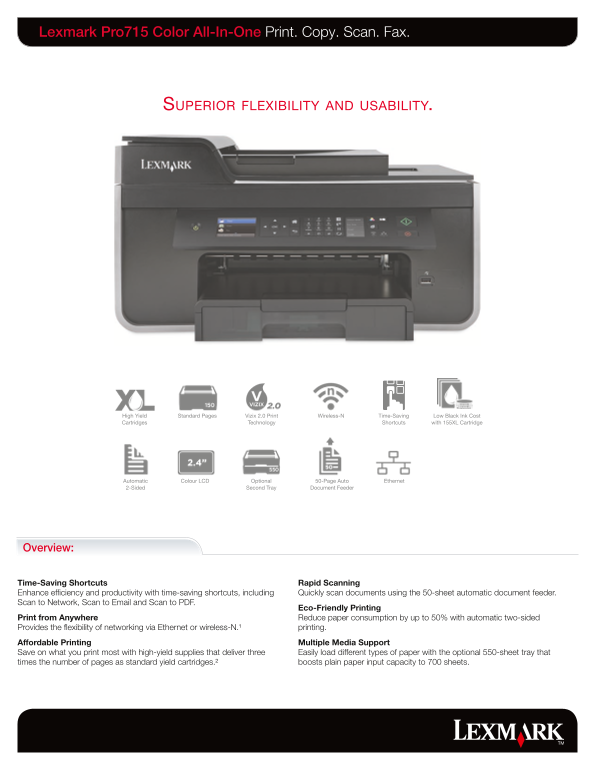
Lexmark Pro715 Color All-In-One Print. Copy. Scan. Fax.
Superior flexibility and u Sability.
High Yield Standard Pages Vizix 2.0 Print Wireless-N Time-Saving Low Black Ink Cost Cartridges Technology Shortcuts with 155XL Cartridge
Automatic Colour LCD Optional 50-Page Auto Ethernet 2-Sided Second Tray Document Feeder
Overview:
Time-Saving Shortcuts Rapid Scanning Enhance efficiency and productivity with time-saving shortcuts, including Quickly scan documents using the 50-sheet automatic document feeder. Scan to Network, Scan to Email and Scan to PDF.
Eco-Friendly Printing
Print from Anywhere Reduce paper consumption by up to 50% with automatic two-sided Provides the flexibility of networking via Ethernet or wireless-N.¹ printing. Affordable Printing Multiple Media Support Save on what you print most with high-yield supplies that deliver three Easily load different types of paper with the optional 550-sheet tray that times the number of pages as standard yield cartridges.² boosts plain paper input capacity to 700 sheets.
Page Summary Contents For Lexmark Pro715 User Guide
Manual Details
| Brand | Lexmark |
|---|---|
| Pages | 2 |
| File Size | 1.79 MB |
| Published | May 29, 2026 |
Enter the captcha to get the download link:

Frequently Asked Questions
How can I connect this printer wirelessly and via cable?
It supports wireless-N printing with an IEEE 802.11 b/g/n router, or it can be connected using Ethernet (RJ-45) or USB 2.0.
What is the maximum paper capacity for general use?
The standard input capacity is up to 150 pages, but with the optional feeder, it can boost plain paper input to 700 sheets.
What types of media and papers are supported?
It supports various media including Card Stock, Envelopes, Labels, Plain Paper, Transparencies, Photo Paper, and more.
How do I automate my scanning process?
You can scan multiple documents efficiently using the built-in 50-sheet automatic document feeder (ADF).