Lexmark X5250 User Guide
Summary
The Lexmark X5250 All-In-One printer is a professional-grade multi-function device designed for exceptional high-volume printing, scanning, and copying of both photos and documents. It ensures precise results with features like up to 4800 x 1200 dpi resolution and customizable print modes. This manual provides comprehensive guidelines on setup, advanced specifications (including connectivity details, driver installation, and maintenance), making it an essential resource for professionals needing efficient, high-quality office output.
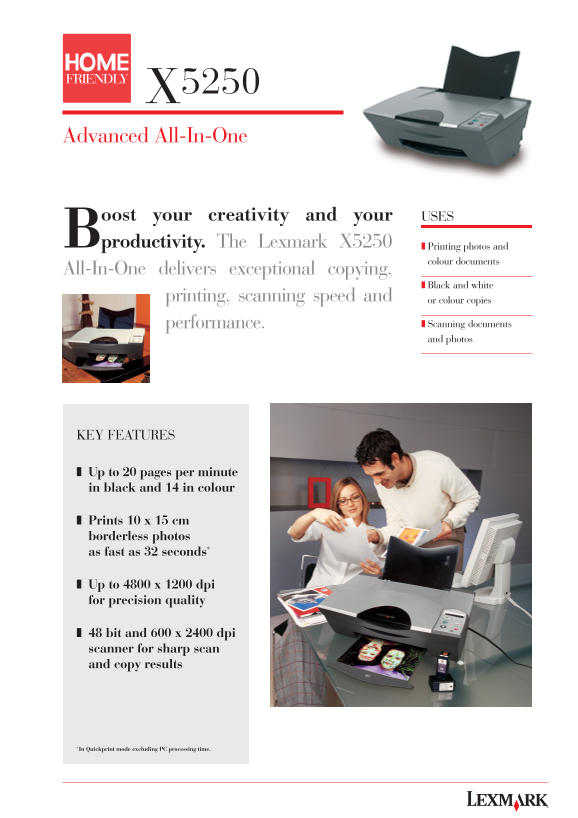
Page 1 Text Content
X5250 Advanced All-In-One
Boost your creativity and your productivity. The Lexmark X5250 Printing photos and
colour documents
All-In-One delivers exceptional copying,
Black and white
printing, scanning speed and or colour copies
performance. Scanning documents and photos
KEY FEATURES
❚ Up to 20 pages per minute in black and 14 in colour
❚ Prints 10 x 15 cm borderless photos as fast as 32 seconds*
❚ Up to 4800 x 1200 dpi for precision quality
❚ 48 bit and 600 x 2400 dpi scanner for sharp scan and copy results
* In Quickprint mode excluding PC processing time.
Page Summary Contents For Lexmark X5250 User Guide
Manual Details
| Brand | Lexmark |
|---|---|
| Pages | 2 |
| File Size | 1.19 MB |
| Published | May 30, 2026 |
Enter the captcha to get the download link:

Frequently Asked Questions
What is the printing speed for photos?
It can print 10 x 15 cm borderless photos as fast as 32 seconds.
Does this printer handle different types of paper and media?
Yes, it supports up to a maximum paper weight of 500 gsm and includes features like Accu-Feed for handling.
What are the power requirements for setup?
The unit requires a power supply that operates on 220v – 240v input voltage.
How is wireless connectivity handled, or what ports are available?
It has a USB (USB 2.0 full speed compatible) interface but no mention of Wi-Fi or network capabilities.