Lexmark X4650 User Guide
Summary
The Lexmark X4650 is a professional all-in-one color printer, copier, and scanner designed for versatile home or small office use. This guide details how to maximize its wireless connectivity, high-resolution capabilities, and seamless operation. Enjoy effortless functionality with photo printing directly from memory cards, fast copying, and advanced scanning with OCR, making it the perfect multi-functional centerpiece for your connected workspace.
Page 1 Text Content
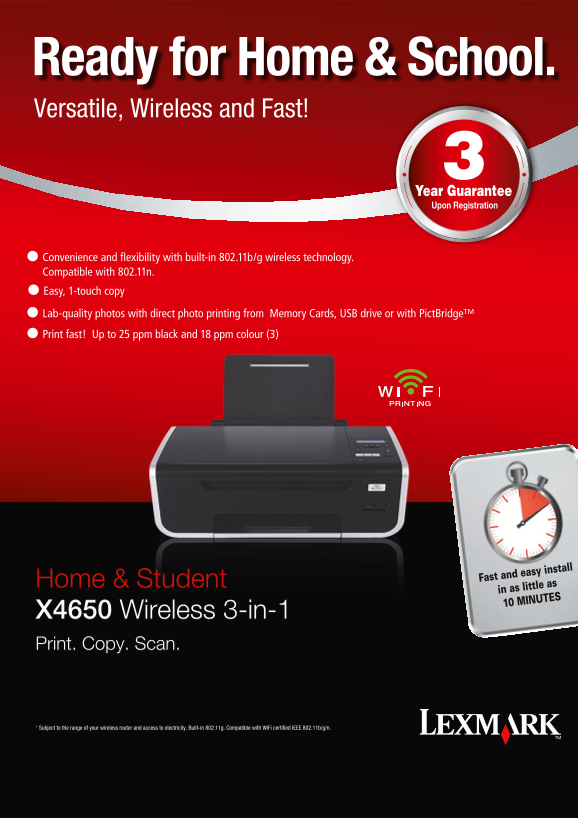
Ready for Home & School. Versatile, Wireless and Fast!
l Convenience and flexibility with built-in 802.11b/g wireless technology. Compatible with 802.11n. l Easy, 1-touch copy l Lab-quality photos with direct photo printing from Memory Cards, USB drive or with Pict Bridge™ l Print fast! Up to 25 ppm black and 18 ppm colour (3)
Home & Student Fast and easy install in as little as 10 MINUTES
X4650 Wireless 3-in-1 Print. Copy. Scan.
Subject to the range of your wireless router and access to electricity. Built-in 802.11g. Compatible with Wi Fi certified IEEE 802.11b/g/n.
Page Summary Contents For Lexmark X4650 User Guide
Manual Details
| Brand | Lexmark |
|---|---|
| Pages | 2 |
| File Size | 1019.68 KB |
| Published | May 30, 2026 |
Enter the captcha to get the download link:

Frequently Asked Questions
How can I connect this printer wirelessly?
It supports built-in 802.11b/g wireless connectivity, or you can connect via USB cable.
What maximum speeds can I expect when printing?
The machine prints up to 25 ppm for black and 18 ppm for color.
What types of digital memory cards are compatible?
It supports various media, including CompactFlash, Sony Memory Stick, Secure Digital (SD) card, and MultiMediaCard (MMC).
Can I scan physical documents into digital files?
Yes, you can easily scan things like books or reports, and use OCR software to preserve text as a soft copy format.
How difficult is the initial setup process?
Setup is designed to be fast and easy using guided instructions in Lexmark installation software.