Lexmark Pro901 User Guide
Summary
Streamline your professional workflow with this advanced All-in-One MFP featuring a vibrant 4.3” touchscreen interface. It provides versatile printing, copying, scanning, and faxing capabilities, making it ideal for businesses needing reliable, efficient solutions. Enjoy connectivity via wireless networking or Ethernet, automatic duplex printing, and low-cost ink cartridges designed to maximize operation time. Built with professional-grade quality and backed by a 5-year guarantee, this printer simplifies complex tasks into effortless processes.
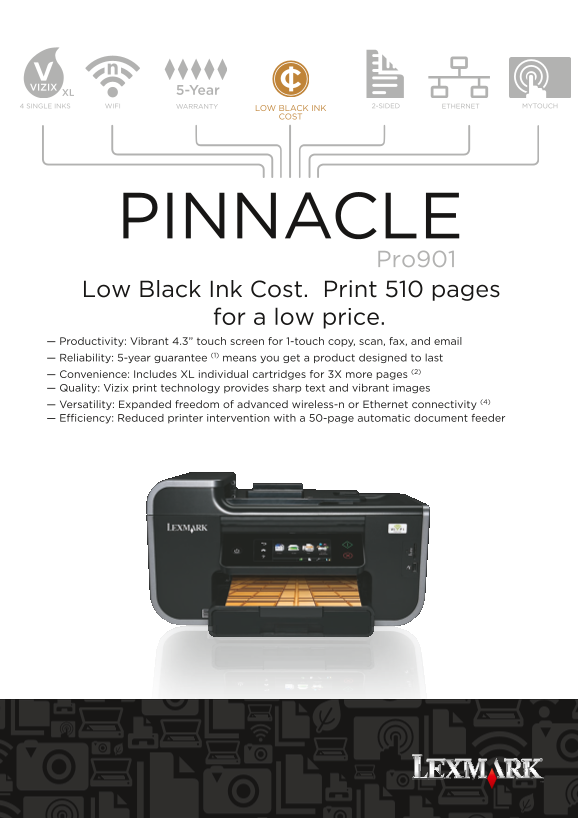
Page 1 Text Content
5-Year
4 SINGLE INKS WIFI WARRANTY 2-SIDED ETHERNET MYTOUCH
LOW BLACK INK COST
PINNACLE Pro901 Low Black Ink Cost. Print 510 pages for a low price. — Productivity: Vibrant 4.3” touch screen for 1-touch copy, scan, fax, and email — Reliability: 5-year guarantee (1) means you get a product designed to last — Convenience: Includes XL individual cartridges for 3X more pages (2) — Quality: Vizix print technology provides sharp text and vibrant images — Versatility: Expanded freedom of advanced wireless-n or Ethernet connectivity (4) — Efficiency: Reduced printer intervention with a 50-page automatic document feeder
Page Summary Contents For Lexmark Pro901 User Guide
Manual Details
| Brand | Lexmark |
|---|---|
| Pages | 2 |
| File Size | 1.66 MB |
| Published | May 29, 2026 |
Enter the captcha to get the download link:

Frequently Asked Questions
What operating systems are supported by the device?
It supports XP, Vista, Windows 7, Mac OS X (10.3.9), and more.
What is the maximum monthly duty cycle?
The maximum monthly duty cycle is up to 10,000 pages per month with a multishift operation.
What copy/scan resolution can I expect?
The scanner type supports Optical Scan Resolution up to 1200 x 4800 dpi.
Does the machine support duplex printing and what is its max paper capacity?
Yes, it includes integrated Duplex (2-sided) Printing and has a 150-sheet automatic document feeder input. See also optional second tray details.