# A B C D E F G H I J K L M N O P Q R S T U V W X Y Z

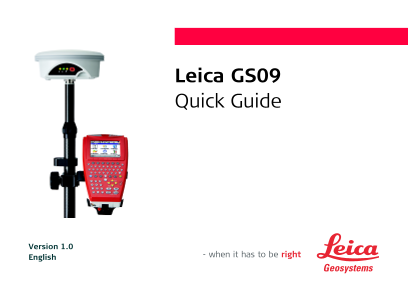
Leica GS09 Quick Guide

Summary

Equip yourself with precision mapping capabilities using this comprehensive guide for the Leica GS09 GNSS system and field controller. Designed for surveying professionals, site engineers, and geospatial specialists, this manual provides expert instructions on real-time kinematic (RTK) setup, data management protocols, and advanced survey applications. Learn how to accurately configure reference stations, perform GPS resection, manage complex job datasets (including ASCII, GSI, and DXF import/export), and ensure reliable field operation in any environment.
📄 Preview 📖 Table of Contents Contents PAGE OF 12

Page 1 Text Content

Leica GS09 Quick Guide

Version 1.0 English

Page Summary Contents For Leica GS09 Quick Guide

Page 1 Leica GS09 Quick Guide Version 1.0 English
Page 2 To use the product in a permitted manner, please refer to the detailed safety instructions in the User Manual. Hardware Real-time reference setup a) GNSS antenna (GS09) b) Height hook c) Transport con...
Page 3 Real-time rover setup BT Rover setup TRK PWR a) GS09 GNSS antenna with LED indica- tors OFF ON TR BT PW b) Battery (GEB211/GEB212) c) Telescopic pole d) Clamp (GHT63) to attach the GHT56 holder to the...
Page 4 Screen Display & Main Menu Icons hg a) Position status Screen Display da b) Visible satellites a) Title c) Contributing satellites b) Screen area / Main Menu d) Real-time status c) Message line e)...
Page 5 Data Transfer To transfer data to or from the office computer, connect the CS09 field controller with cable to the office computer using Microsoft Active Sync (Windows XP) or Windows Mobile Device Cen...
Page 6 Importing Data to a Job Description It is possible to import ASCII, GSI or DXF data from a file stored on the CF card to a job on the CS09 field controller. As example for the importing procedure the ...
Page 7 3. Configuring the DXF Importer. Ensure that the File Units are correct. DXF files have no defined units and therefore the units must be defined within the DXF importer. Confirm the configuration sett...
Page 8 Real-time Reference Setup Description Setup Reference is a program to configure GS09 as a real-time reference station. After completing the program, the reference station is operating and CS09 field c...
Page 9 3. Setting the Radio Channel Enter the radio channel for the radio at the reference and continue (CONT (F1)). Ensure that the radio at the reference and the radio at the rover are set to the same freq...
Page 10 GPS Resection Description GPS Resection is used to orientate and calibrate the active job. The program is designed to provide an orien- tation to a GPS job in a similar method to a TPS resection. Star...
Page 11 3. Matching the local points to WGS84 coordinates for position and/or height Select the type of match between the measured WGS84 and the known local point (MATCH (F5)). Survey another WGS84 point (ADD...
Page 12 Total Quality Management: Our commitment to total customer satisfaction. Leica Geosystems AG, Heerbrugg, Switzerland, has been certified as being equipped with a quality system which meets the Interna...

Manual Details

Brand LEICA
Pages 12
File Size 734.12 KB
Published June 03, 2026
47 views

Enter the captcha to get the download link:

captcha

Frequently Asked Questions

How can I transfer data to a computer?

Use the GEV234 USB cable and Microsoft ActiveSync (Windows XP) or Windows Mobile Device Center (Windows Vista). The CF card can also be used in an OMNI drive.

What kind of data formats can be imported into a job?

You can import ASCII, GSI, or DXF data from files stored on the CompactFlash (CF) card.

How do I set up the device as a real-time reference station?

Go to Main Menu > Programs > Setup Reference. You must ensure the radio frequencies match between both the reference and rover radios.

What is required for importing DXF data accurately?

Ensure that at least one file with the *.dxf extension is stored in the DATA directory of the CF card, and you must manually define correct File Units.