Page 1
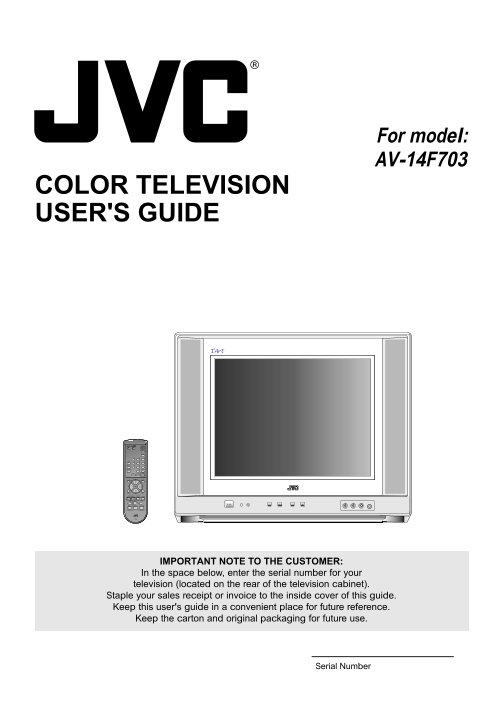
For model: AV-14F703 COLOR TELEVISION USER'S GUIDE TV CATV VCR DVD POWER STANDARD INPUT DISPLAY SLEEP TIMER RETURN0 C.C. AUDIO SELECT LIGHT RM-C309G MUTING ENTER VOL VOL EXITMENU ÐVCR PREV CHANNEL+ NE...
Page 2
The lightning flash with arrowhead symbol, within an equilateral triangle is intended to alert the user to the presence of uninsulated dangerous voltage within the product's enclosure that may be of s...
Page 3
13. LIGHTNING To protect your unit during a lightning storm, or when it is left unattended and unused for long periods of time, unplug it from the wall outlet and disconnect the antenna or cable syste...
Page 4
IMPORTANT RECYCLING INFORMATION This product utilizes both a Cathode Ray Tube (CRT) and other com- ponents that contain lead. Disposal of these materials may be regu- lated in your community due to en...
Page 5
LOCATION OF CONTROLS BACKFRONT ANT(75) OUTIN VIDEO VIDEO L/MONO PB L/MONO S-VIDEO AUDIO PR AUDIO VIDEO 2VIDEO 1 VIDEO 3 IN POWER ON TIMER CHANNEL VOLUME VIDEO L/MONO AUDIO R 1. POWER Button - Press to...
Page 6
REMOTE CONTROL 1. TV/CATV Switch - Used to select the TV or Cable TV CATV DVDVCR Box to be operated. (You can operate your cable box POWER after you have programed the remote control.) STANDARD 2. VCR...
Page 7
REMOTE CONTROL BASICS BATTERY PRECAUTIONS Before you can operate the remote control, you must The precautions below should be followed when using first install the batteries (included). See “Changing ...
Page 8
REMOTE CONTROL (CONTINUED) REMOTE PROGRAMMING Setting the CATV, VCR and DVD Codes You can program your remote to operate your cable box, satellite receiver, VCR or DVD player by using the instructions...
Page 9
VCR setup The remote control is programmed with VCR codes for power on, power off, play, stop, fast-forward, rewind, pause, record, channel up, and channel down operation. 1) Find the VCR brand from t...
Page 10
REMOTE CONTROL (CONTINUED) DVD setup The remote control is programmed with DVD codes for power on, power off, play, stop, fast-forward, rewind, previous chapter, next chapter, tray open/close, and sti...
Page 11
ANTENNA/CATV CONNECTIONS Combination VHF/UHF Antenna This television has an Single 75 ohm Cable extended tuning range and can tune most cable channels without using a cable 300 ohm Twin-lead Wire comp...
Page 12
CONNECTION TO OTHER EQUIPMENT The exact arrangement you use to interconnect various video and audio components to the TV is dependent on the model and features of each component. Check the User’s Guid...
Page 13
SETTING LANGUAGE This TV can display the channel number, on-screen displays and picture adjustments on the screen in English, Spanish or French. On-screen language selection (step 3) will automaticall...
Page 14
TO MEMORIZE CHANNELS This TV is equipped with a channel memory feature which AUTOMATIC CHANNEL MEMORY allows channels to skip up or down to the next channel set into memory, skipping over unwanted cha...
Page 15
TO MEMORIZE CHANNELS (CONTINUED) CH LABEL You can labal every channel up to 4 characters. Channel labels will appear over the channel number display each time you select a channel. Select a channel yo...
Page 16
SETTING V-CHIP (CONTINUED) for U.S. TV RATING MOVIE RATING VOL – ( VOL + ( VOL – ( VOL + ( OFF TV–Y TV-Y7 TV-G TV-PG TV-14 TV-MA OFF PG PG-13 NC-17 XG TV-Y : all children TV-PG : parental guidance all...
Page 17
TV BASIC OPERATION Before operate your TV select TV position of the TV/CATV RETURN button switch on the remote to control the TV with the remote. Returns to the channel viewed just before the channel ...
Page 18
INPUT button Selects the signal input source for the The input source changes as below. television or Video1,2,3 or Component VIDEO1 VIDEO2TV VIDEO3VIDEO 1 for video devices like VCR's, DVD players, o...
Page 19
PICTURE ADJUSTMENTS You can adjust the settings for color, sharpness, con- Press the VOL + ( ) or – ( ) button to adjust the trast, brightness, tint and component. setting. Press the MENU button. BRIG...
Page 20
CLOSED CAPTION WHAT IS CLOSED CAPTIONING? Most other shows provide two or three lined Captions This television has the capability to decode and display placed near the character who is speaking so the...
Page 21
ON/OFF TIMER ON TIMER SETTING This feature allows you to have the TV automatically turn "ON" at predetermined time. If you program the "ON" timer once the timer will turn "ON&...
Page 22
By correcting the phase delay and distortion naturally gen- BBE is a registered trademark of BBE Sound, Inc. For erated by speaker systems, BBE ensures that the sound U.S., licensed from BBE Sound, In...
Page 23
TROUBLESHOOTING GUIDE Before requesting service, please refer to the following chart for the symptom and possible solution. SYMPTOMS POSSIBLE SOLUTIONS Make sure the power cord is plugged in. Try anot...
Page 24
SPECIFICATIONS AC Power Input: 120 V, 60 Hz AC Power Consumption: 80W Picture Tube: 14" (measured diagonally) Audio Power Output Rating: 2.5 W + 2.5 W Speaker: 1-5/8" (4 cm) x 2-13/16" ...