HP OfficeJet Pro 8020 Series Reference Guide for Multi-Function Printer
Summary
This comprehensive reference guide is designed for new owners of the HP OfficeJet Pro 8020 series printer, ensuring a smooth setup experience. It provides clear, step-by-step instructions on connecting your device wirelessly and troubleshooting common network issues. The manual also explains advanced features like Wi-Fi Direct printing and fax setup, helping users connect easily whether in an existing Wi-Fi environment or autonomously with mobile devices.
Page 1 Text Content
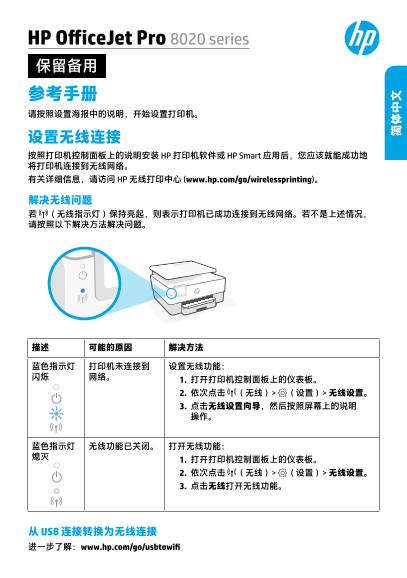
HP Office Jet Pro 8020 series 保留备用 参考手册 请按照设置海报中的说明,开始设置打印机。 设置无线连接 按照打印机控制面板上的说明安装 HP 打印机软件或 HP Smart 应用后,您应该就能成功地 将打印机连接到无线网络。 有关详细信息,请访问 HP 无线打印中心 (www.hp.com/go/wirelessprinting)。 解决无线问题 若 (无线指示灯)保持亮起,则表示打印机已成功连接到无线网络。若不是上述情况, 请按照以下解决方法解决问题。
从 USB 连接转换为无线连接 进一步了解:www.hp.com/go/usbtowifi
Page Summary Contents For HP OfficeJet Pro 8020 Series Reference Guide for Multi-Function Printer
Manual Details
| Brand | HP |
|---|---|
| Pages | 4 |
| File Size | 555.76 KB |
| Published | June 16, 2026 |
Enter the captcha to get the download link:

Frequently Asked Questions
What is the first step to setting up the printer?
Follow the instructions provided in the relevant setup poster or reference manual.
How can I troubleshoot a disconnected wireless status?
Open the Dashboard and navigate through Wireless > Settings > Wireless Setup Settings, then use the Wireless Setup Wizard.
Can I print if I don't have an existing Wi-Fi network?
Yes, you can use Wi-Fi Direct to connect your computer or mobile device directly to the printer without a network.
What supplies must be used for safe operation and setup?
You must only use the cartridges supplied with the printer and power cords/adapters provided by HP.