HP L7010t 10.1-inch Retail Touch Display Quick Installation Guide
Summary
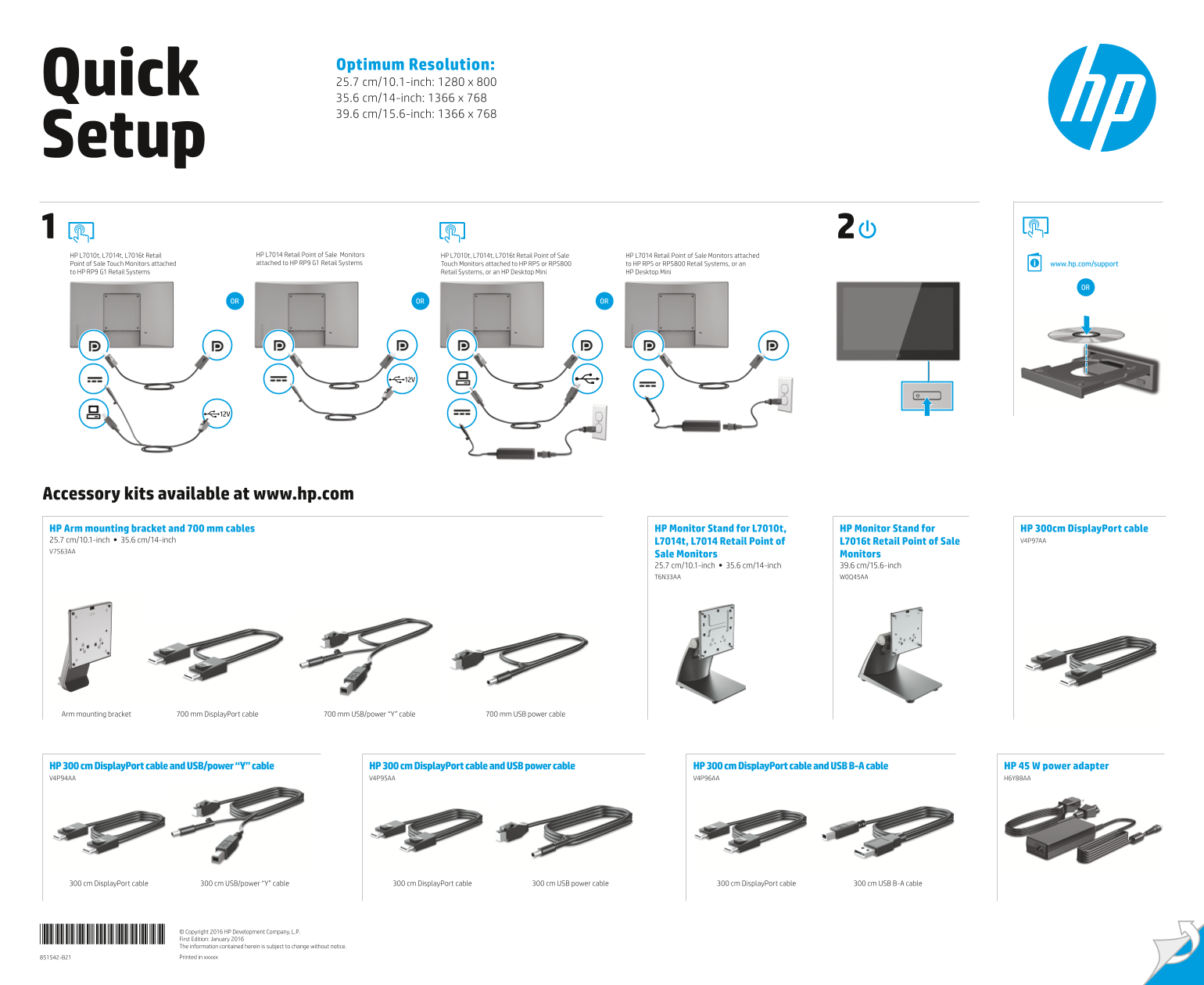
Designed for retail environments, this manual provides essential safety guidelines and comprehensive support information for HP Point of Sale (PoS) monitors and associated retail systems. It covers safe installation practices, proper grounding procedures, setup instructions, and details on accessing necessary drivers, software, and warranty information via CD/DVD or the official HP website. Ideal for store management and IT professionals setting up commercial Point-of-Sale technology.
Manual Details
| Brand | HP |
|---|---|
| Pages | 2 |
| File Size | 4.83 MB |
| Published | June 06, 2026 |
15 views
Enter the captcha to get the download link:

Frequently Asked Questions
如何进行设备设置和安装?
请参阅随附的 CD/DVD 获取有关 设置、驱动程序、软件以及法规和安全注意事项的详细信息。
使用电源时有什么安全警告需要注意吗?
务必接地,并将电源线插入容易获得的接地的插座,以防止触电或设备损坏。
该系列监视器支持哪些规格尺寸?
可选尺寸包括 10.1英寸 (25.7 cm)、14英寸 (35.6 cm) 和 15.6英寸 (39.6 cm)。
是否可以远程连接和设置设备?
可在 www.hp.com/support 网站上查找支持信息,或选择 HP Desktop Mini。