HP Pavilion 32-inch Monitor Quick Installation Guide
Summary
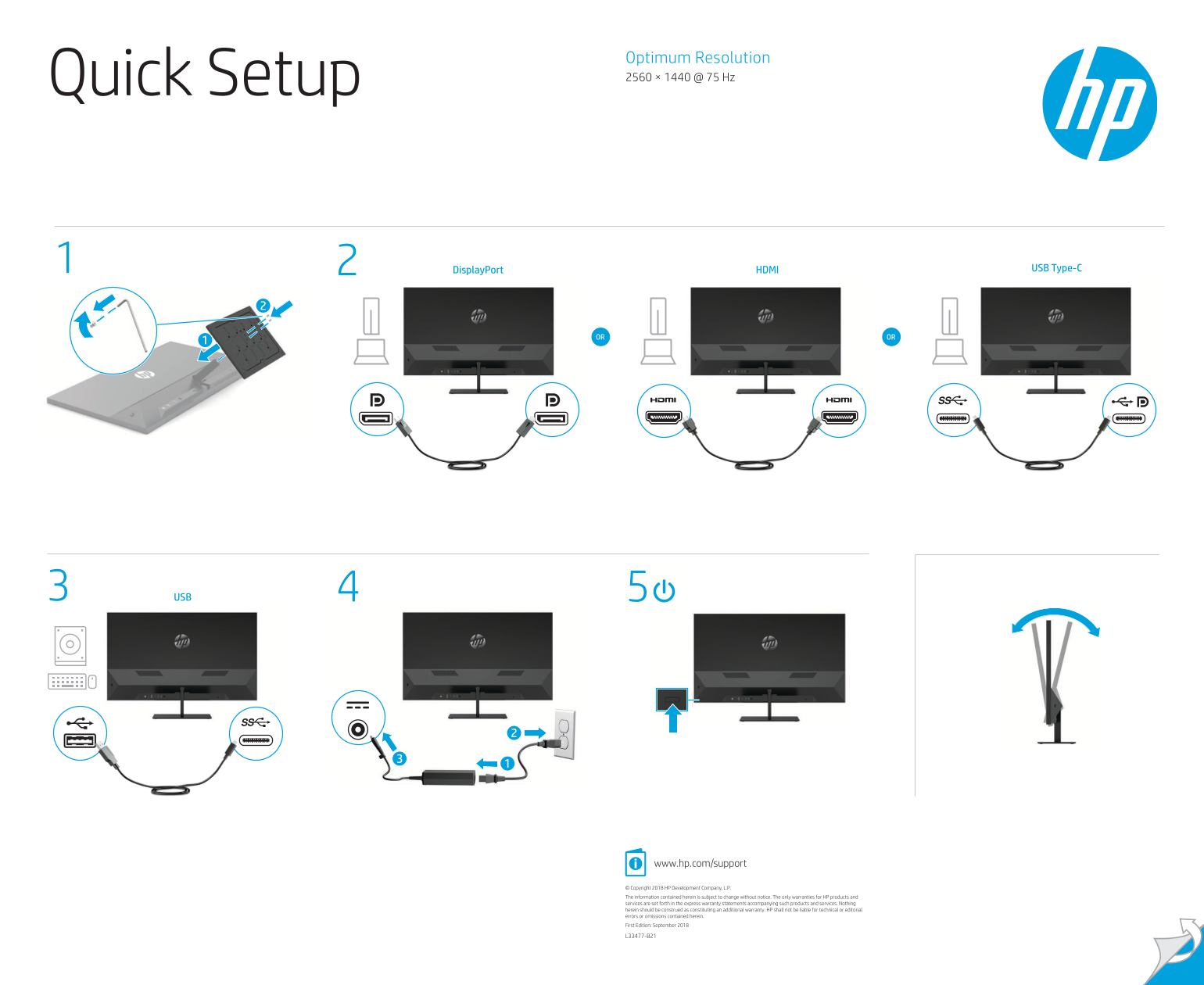
Ensure safe operation with comprehensive guidance designed for all HP device owners. This manual details critical electrical safety warnings, proper setup procedures, and ongoing maintenance tips. You will find instructions on troubleshooting power connections and accessing vital product support, including drivers, software updates, and detailed warranty information via our dedicated support portal.
Manual Details
| Brand | HP |
|---|---|
| Pages | 2 |
| File Size | 2.09 MB |
| Published | June 05, 2026 |
Enter the captcha to get the download link:

Frequently Asked Questions
What is the optimum viewing resolution for this monitor?
The optimum resolution provided is 2560 × 1440 at 75 Hz.
What types of ports are included on the device?
It supports USB Type-C, DisplayPort, and HDMI connections, along with additional USB ports
Where should I go to download drivers and manuals?
Visit www.hp.com/support for user guides, drivers, software, and product notices.
What safety precaution must be taken when unplugging the power cord?
Always use a grounded 3-pin outlet and disconnect by unplugging the cord from the AC outlet.