HP EliteDisplay E243d23.8-inch QHD Monitor Quick Setup Guide
Summary
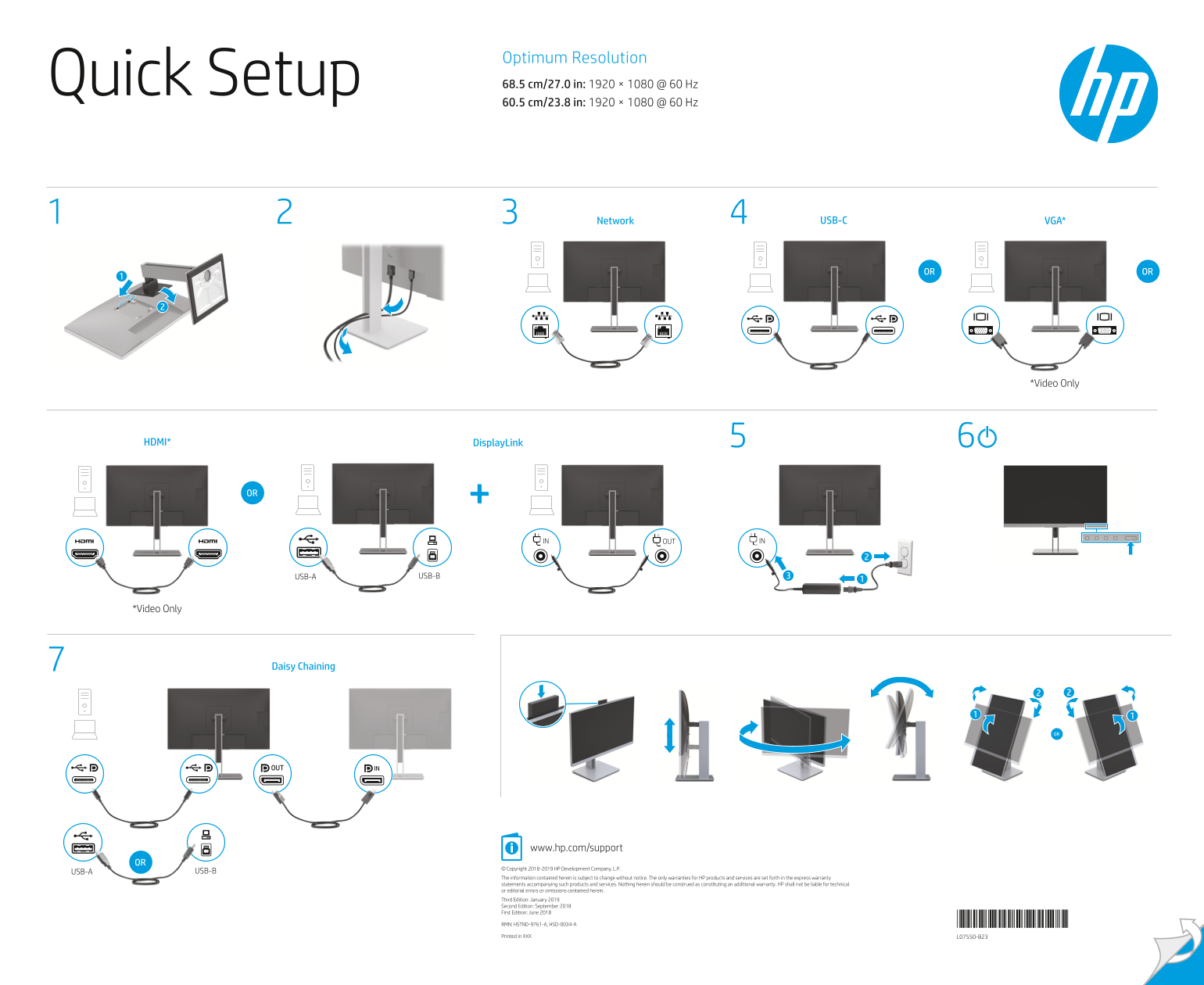
Designed for users needing high-resolution visual displays with extensive connectivity options, this product provides robust performance via multiple ports including USB-C, HDMI, and VGA. The accompanying documentation offers comprehensive safety guidelines and clear setup instructions across various languages, ensuring that all owners can safely connect and operate their monitor while adhering to best practices for power management and installation.
Manual Details
| Brand | HP |
|---|---|
| Pages | 2 |
| File Size | 2.90 MB |
| Published | June 18, 2026 |
Enter the captcha to get the download link:

Frequently Asked Questions
What is the optimum resolution for this monitor model?
The Optimum Resolution is 1920 × 1080 @ 60 Hz, corresponding to a size of 68.5 cm/27.0 in.
What happens if I connect two host PCs to the monitor simultaneously?
Connecting two host PCs may result in system shutdown, loss of power, and require you to restart the monitor.
How do I safely disconnect the monitor from the power source?
Always unplug the power cord by pulling it directly out of a grounded AC outlet.
Where can I locate the user manual, drivers, and software for this product?
You can find all digital resources at hp.com/support.