HP Healthcare HC241Clinical Review Monitor Quick Install Guide
Summary
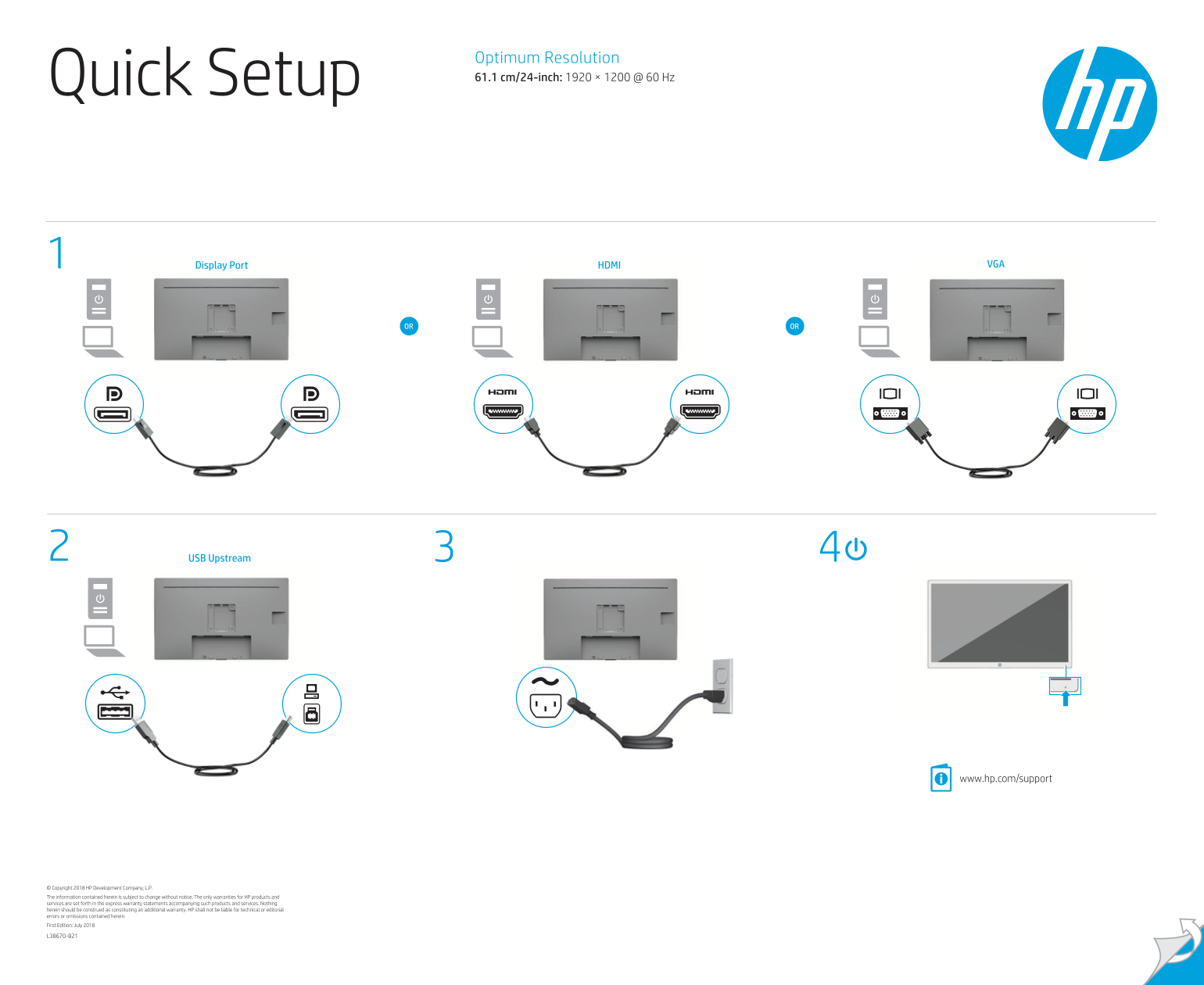
This comprehensive manual provides detailed instructions for setting up and safely using your monitor display. It covers crucial topics including power connection procedures, grounding safety practices across multiple languages, operational guidelines, and navigating product warranties globally. Designed for first-time users and system integrators, this guide ensures correct installation and safe maintenance of the hardware while directing you to support resources and localized documentation.
Manual Details
| Brand | HP |
|---|---|
| Pages | 2 |
| File Size | 2.07 MB |
| Published | May 31, 2026 |
Enter the captcha to get the download link:

Frequently Asked Questions
What are the display specifications of this monitor?
It features an optimum resolution of 1920 × 1200 at 60 Hz, and supports VGA, Display Port, or HDMI inputs.
Why must I plug the power cord into a grounded outlet?
Failure to use a grounded (earthed) 3-pin outlet can prevent vital safety functions, raising the risk of electric shock or damage.
Where should I go for drivers and manuals?
You should visit www.hp.com/support to find your user guide, drivers, and software.
How do I seek warranty support outside the US region?
Mail a request to HP at POD, PO Box 161, Kitchener Road Post Office, Singapore 912006, including product details.