HP Pro 8 Bluetooth Keyboard Skin Quick Install Guide
Summary
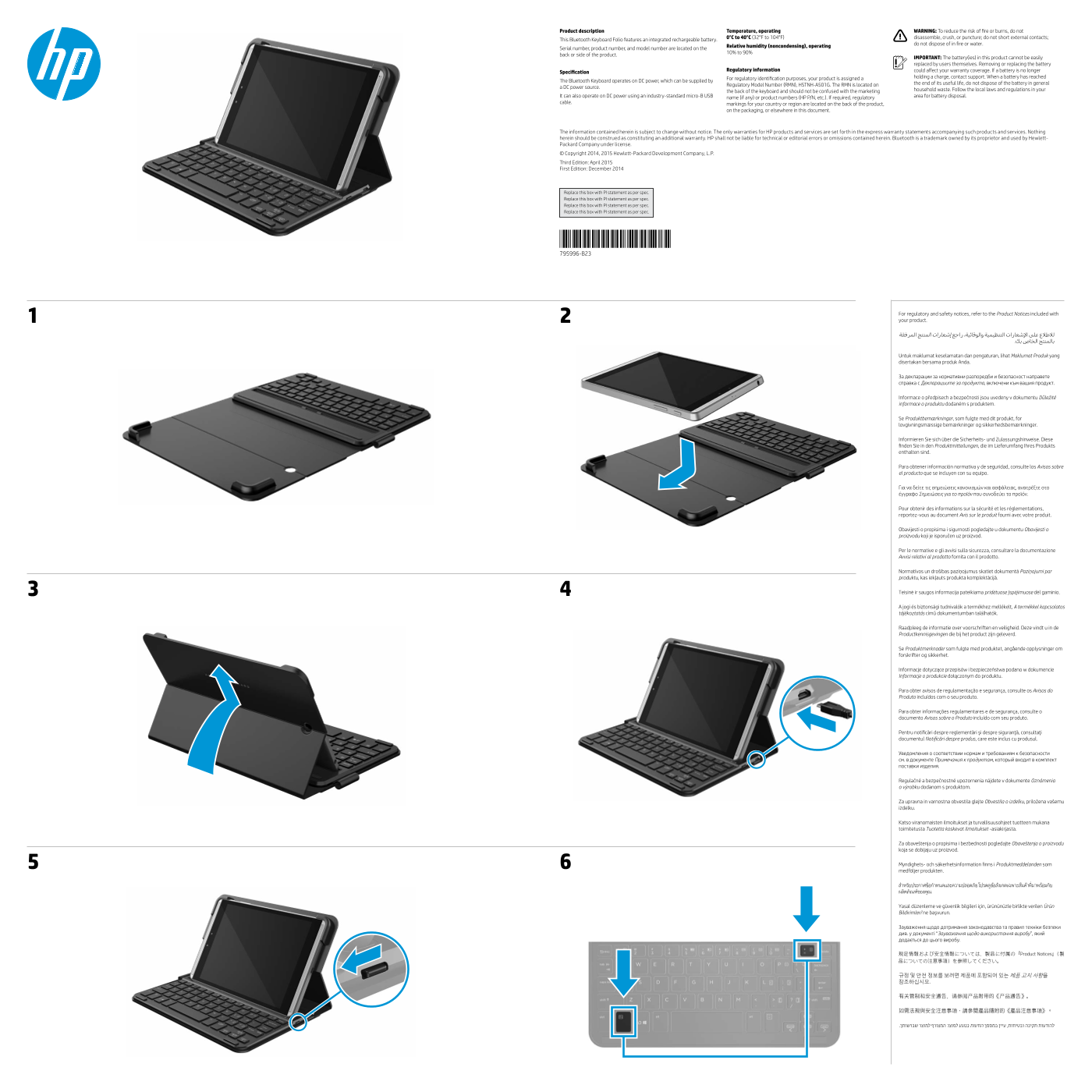
Introducing the versatile Bluetooth Keyboard Folio, designed to provide reliable typing experience across various devices. This comprehensive manual provides essential information for the end-user, covering everything from initial setup and operation to advanced maintenance. Inside, you will find crucial safety warnings, optimal operating specifications, guidelines on charging and proper battery disposal, as well as detailed regulatory compliance notes ensuring safe and worry-free use.
Manual Details
| Brand | HP |
|---|---|
| Pages | 2 |
| File Size | 1.37 MB |
| Published | June 18, 2026 |
Enter the captcha to get the download link:

Frequently Asked Questions
Where can I find the model or serial number for support?
The serial number, product number, and model number are located on the back or side of the product.
What power source does the keyboard require for operation and charging?
It operates on DC power, which can be supplied by a DC power source using an industry-standard micro-B USB cable.
How should I properly dispose of the rechargeable batteries?
Do not dispose of the battery in household waste; follow the local laws and regulations for battery disposal.
What are the primary safety warnings when handling the device?
Users must avoid disassembling, crushing, or puncturing the unit, and they should never short external contacts.