# A B C D E F G H I J K L M N O P Q R S T U V W X Y Z

HP Deskjet D4200 Series Printer User's Guide Reference Manual

Summary

This comprehensive reference guide provides new and existing users of the Deskjet D4200 series with everything needed for successful operation. It covers detailed setup instructions for Windows and Mac, advanced usage tips, and robust troubleshooting solutions for issues like paper jams, connection errors, and print queue problems. This documentation ensures you can maximize your printer's potential while providing guidance on maintenance and regulatory compliance.
📄 Preview PAGE OF 16

Page 1 Text Content

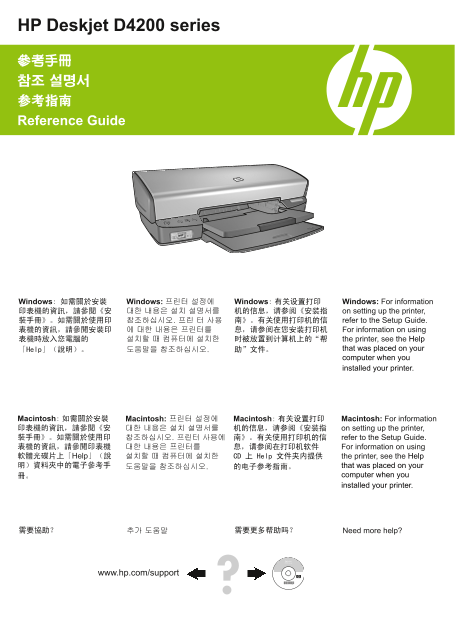
HP Deskjet D4200 series 參考手冊 참조 설명서 参考指南 Reference Guide

Windows: 如需關於安裝 Windows: 프린터 설정에 Windows: 有关设置打印 Windows: For information 印表機的資訊,請參閱《安 대한 내용은 설치 설명서를 机的信息,请参阅《安装指 on setting up the printer, 裝手冊》。如需關於使用印 참조하십시오. 프린 터 사용 南》。有关使用打印机的信 refer to the Setup Guide. 表機的資訊,請參閱安裝印 에 대한 내용은 프린터를 息,请参阅在您安装打印机 For information on using 表機時放入您電腦的 설치할 때 컴퓨터에 설치한 时被放置到计算机上的“帮 the printer, see the Help

「Help」(說明)。 도움말을 참조하십시오. 助”文件。 that was placed on your computer when you installed your printer.

Macintosh: 如需關於安裝 Macintosh: 프린터 설정에 Macintosh: 有关设置打印 Macintosh: For information 印表機的資訊,請參閱《安 대한 내용은 설치 설명서를 机的信息,请参阅《安装指 on setting up the printer, 裝手冊》。如需關於使用印 참조하십시오. 프린터 사용에 南》。有关使用打印机的信 refer to the Setup Guide. 表機的資訊,請參閱印表機 대한 내용은 프린터를 息,请参阅在打印机软件 For information on using 軟體光碟片上「Help」(說 설치할 때 컴퓨터에 설치한 CD 上 Help 文件夹内提供 the printer, see the Help 明)資料夾中的電子參考手 도움말을 참조하십시오. 的电子参考指南。 that was placed on your

冊。 computer when you installed your printer.

需要協助? 추가 도움말 需要更多帮助吗? Need more help?

www.hp.com/support

Page Summary Contents For HP Deskjet D4200 Series Printer User's Guide Reference Manual

Page 1 HP Deskjet D4200 series 參考手冊 참조 설명서 参考指南 Reference Guide Windows: 如需關於安裝 Windows: 프린터 설정에 Windows: 有关设置打印 Windows: For information 印表機的資訊,請參閱《安 대한 내용은 설치 설명서를 机的信息,请参阅《安装指 on setting up the printer, 裝...
Page 2 通告 通告 本文件中包含的資訊如有變更,恕不另行通知。版權所有。 本文档所含信息如有更改,恕不另行通知。保留所有权利。 除版權法允許之外,未經 Hewlett-Packard 事先書面許可, 除非版权法允许,否则在未经 Hewlett-Packard 预先书面许 不得對本手冊進行複製、改編或翻譯。HP 產品與服務的唯一 可的情况下,严禁转载、改编或翻译本手册的内容。HP 产品 擔保已在這些產品與服...
Page 3 Windows 安裝說明 無法即插即用? 確定印表機已連接並開啟。 確定僅在系統提示後,才使用 USB 纜線連接印表機和 電腦。 確定 USB 纜線已穩固地連接至電腦和印表機。 不透過 USB 集線器,直接將 USB 纜線連接至電腦。 印表機一次列印多張紙 印表機無法進紙 如果出現這種情況,請檢查以下各項: 嘗試下列一或多種方案: 紙張重量: 請使用建議規格範圍內的紙張。 減少進紙匣中的紙張數量。...
Page 4 卡紙 停滯在佇列中的列印工作 (Windows) 如果印表機在工作完成前停止列印,則列印工作可能停滯在列 如果無法清除卡紙,請嘗試以下操作: 印佇列中。 1. 關閉印表機並從電源插座斷開電源線。 確認您使用預設印表機列印文件。檢查電腦上的「印表 2. 拉出背面存取擋門。 機」或「印表機和傳真」資料夾,確定印表機圖示旁邊有 一個核取標記。如果同一台印表機具有多個圖示,則刪除 多餘的圖示。 確定印表機...
Page 5 Windows 설치 도움말 플러그 앤 플레이가 아닙니까? 프린터가 연결되어 있는지, 켜져 있는지 확인하십시오. 생각나면 프린터와 컴퓨터 사이의 USB 케이블을 연결 하였는지 확인하십시오. USB 케이블이 컴퓨터와 프린터에 확실히 장착되어 있 는 지 확인하십시오. USB 허브를 통하는 대신 컴퓨터에 직접 USB 케이블을 장착하십시오. 레터 용지: 65에서 9...
Page 6 습니다. (Windows) 지 확인하십시오. 동일한 프린터의 여러 아이콘이 있다 면 나머지 아이콘들을 삭제하십시오. 프린터가 인쇄를 중지하도록 설정되어 있는지 확인하십 시오. 프린터 아이콘을 오른쪽 클릭하고 단축 메뉴를 확 인하십시오. 인쇄 작업이 반응하지 않는다면 컴퓨터의 관리도구 폴 더를 찾아 인쇄 스풀러를 더블 클릭하십시오. Stop을 클 릭한 다음 ...
Page 7 Windows 安装帮助 不能即插即用? 确保打印机已连接并且已开启。 确保仅在得到提示后,才使用 USB 电缆连接打印机和 计算机。 确保 USB 电缆已牢固地连接到计算机和打印机。 不通过 USB 集线器,直接将 USB 电缆连接到计算机。 打印机一次打印多张纸 打印机不进纸 如果出现这种情况,请检查以下各项: 尝试下列的一种或多种解决方法: • 纸张重量:请使用推荐规格范围内的纸张。 减少进...
Page 8 卡纸 打印作业停留在队列中 (Windows) 确保打印机未设置成“暂停打印”。右键单击打印机图标 并查看快捷菜单。 如果打印机服务已经停止响应,则找到计算机上的“管 理工具”文件夹,双击“服务”,然后双击“Print Spooler”。单击“停止”,然后单击“启动”重新启动 打印服务。 前端 USB 端口 算机时,打印机的前端 USB 端口才有效。 使用前端 USB 端口,可以将照片从数码相机、...
Page 9 English Installation help No power? Verify the following: The printer power cord is connected to an electrical outlet. The power cord is firmly connected to the power supply or adapter. The power supp...
Page 10 En gl is Paper jam Print job stuck in queue (Windows) Press the Resume button. If the printer stops printing before the job is complete, the print job might be stalled in the print queue. If the paper...
Page 11 HP Deskjet D4200 series HP Deskjet D4200 series 0957-2231 100 至 240 VAC 50/60 Hz 0957-2231 100 到 240 VAC 50/60 Hz (± 10%) (± 3 Hz) (± 10%) (± 3 Hz) 操作環境 工作环境 建議的操作條件 推荐工作条件 溫度:15°C 至 30°C (59°F 至 86°F...
Page 12 HP 印表機有限保固聲明
Page 13 HP 프린터 유한 보증서
Page 14 HP 打印机有限保修声明
Page 15 HP printer limited warranty statement HP product Duration of limited warranty Software Media 90 days Printer 1 year Print or Ink cartridges Until the HP ink is depleted or the “end of warranty” date p...
Page 16 法規資訊 规范声明 法規機型識別號碼 标准型号 為了管理辨識的目的,您的產品會被指派一個管理機型號碼。本 为便于管制识别,您的产品已指定了一个标准型号。本产品的标准 產品的法規機型識別號碼為 VCVRA-0705。請勿將此法規號碼與 型号是 VCVRA-0705。不要将标准型号与产品名称 (HP Deskjet 行銷名稱 (HP Deskjet D4200) 或產品序號 (CB641A 等) 混淆...

Manual Details

Brand HP
Pages 16
File Size 3.67 MB
Published June 16, 2026
6 views

Enter the captcha to get the download link:

captcha

Frequently Asked Questions

What should I check if my printer has no power?

Ensure that the power cord is securely connected to the power outlet, and double-check connections at both the adapter/power source and the printer itself.

How do I restart stuck print jobs or cleared queues on Windows?

You can either press the 'Restart' button if printing was interrupted, or manually restart the 'Print Spooler' service through the computer's Services utility.

What are the recommended paper weight guidelines for different media types?

Letter paper is 65 to 90 g/m², Legal paper is 70 to 90 g/m², and cardstock supports up to 200 g/m².

Does the front USB port support direct printing from a digital camera?

No, while you can use the front USB port to transfer photos from external devices like cameras or flash drives, it does not support directly printing images from those sources.