Page 1
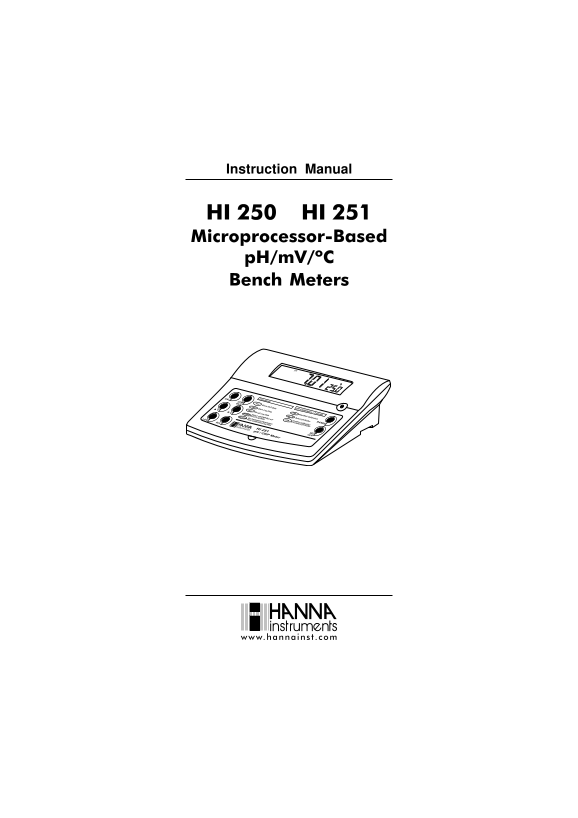
Instruction Manual HI 250 HI 251 Microprocessor-Based p H/m V/ºC Bench Meters www.hannains com
Page 2
Dear Customer, Thank you for choosing a Hanna Instruments product. Please read this instruction manual carefully before using the instruments. This manual will provide you with the necessary informati...
Page 3
PRELIMINARY EXAMINATION Remove the instrument from the packing material and examine it carefully to make sure that no damage has occurred during shipping. If there is any damage, notify your Dealer or...
Page 4
FUNCTIONAL DESCRIPTION Primary LCD Front Panel Secondary LCD CAL LOG m V p H TIME% DATE INTV BUFFER p H CFM READY BUFWRONG Functions p H Calibration - 3 points GLP Show GLP Data Start/Exit Calibration...
Page 5
HI 250 SPECIFICATIONS Hp0.61ot0.2 Hp00.61ot00.2 EGNAR Cº0.021ot9.9 Hp1.0 Hp10.0 NOITULOSER Hp1.0± Hp10.0± YCARUCCA F°86/C°02@ Cº4.0± )rorreeborpgnidulcxe( ecafretniretupmo C 232SRdetalosi-otpo sref...
Page 6
HI 251 SPECIFICATIONS Hp0.61ot0.2 Hp00.61ot00.2 EGNAR Vm9.996± Vm0002± Cº0.021ot9.9 Hp1.0 Hp10.0 NOITULOSER )Vm9.996±(Vm1.0 )Vm0002±(Vm1 Cº1.0 Hp1.0± Hp10.0± YCARUCCA )Vm9.996±(Vm2.0± F°86/C°02@ )V...
Page 7
OPERATIONAL GUIDE POWER CONNECTION Plug the 12 VDC adapter into the power supply socket. Note: These instruments use non volatile memory to retain the p H, m V, temperature calibrations and all other ...
Page 8
If measurements are taken successively in different samples, it is recommended to rinse the electrode thoroughly with deionized water or tap water and then with some of the next sample to prevent cros...
Page 9
RELATIVE m V MEASUREMENTS (HI 251 only) Press RANGE until r EL message will be displayed on the secondary LCD line for about one second and m V tag will blink. After one second the temperature wil...
Page 10
p H CALIBRATION Calibrate the instrument frequently, especially if high accuracy is required. The instrument should be recalibrated : Whenever the p H electrode is replaced. At least once a week. Afte...
Page 11
The tag will blink on the LCD until the reading is stable. When the reading is stable and close to the selected buffer, READY tag will be displayed and CFM tag will blink. Press CFM to confirm...
Page 12
Note: If the value measured by the instruments is not close to the selected buffer, WRONG BUF and WRONG tags will blink alternately. In this case, check if the correct buffer has been used...
Page 13
GOOD LABORATORY PRACTICE (GLP) GLP is a set of functions that allows storage and retrieval of data regarding the maintenance and status of the electrode. All data regarding last calibration (one, two ...
Page 14
The calibration buffers in calibrating order. The first p H calibration buffer: CAL p H The second p H calibration buffer: CAL p H The third p H calibration buffer: CAL p H Note: The OLd message dis...
Page 15
The instrument ID. Note: Press GLP at any moment and the instruments will return to measurement mode. If calibration has not been performed, the instruments display no CAL message blinking. CAL LO...
Page 16
VIEW LOGGED DATA Press RCL while in measurement mode to retrive the stored information. If no data were logged, the instruments display: Otherwise, the instruments will display the p H or relative m V...
Page 17
The date on the primary LCD, along with DATE tag. LOG DATE The calibration offset on the primary LCD and OFS message on the secondary LCD. LOG m V The calibration slope on the primary LCD and S...
Page 18
SETUP Setup mode allows viewing and modifying the following parameters: Current Time Current Date p H Resolution Beep Status Baud Rate (serial communication) Command prefix (serial communication) Cali...
Page 19
CURRENT DATE SET Press CAL when the current date is displayed. The year will start blinking. Press the ARROW keys to change the year. Press RANGE. The month will start blinking. Press the ARROW keys t...
Page 20
Press the ARROW keys to change the beep status (On or OFF). Press CFM to save the modified beep status. Press CAL to escape without saving. BAUD RATE SET Press CAL when the baud rate is displayed. The...
Page 21
INSTRUMENT ID PARAMETER SET Press CAL when the instrument ID is displayed. The instrument ID (0000 to 9999) will start blinking. Press the ARROW keys to change the instrument ID value. Press CFM to sa...
Page 22
TEMPERATURE CALIBRATION(for technical personnel only) All the instruments are factory calibrated for temperature. Hannas temperature probes are interchangeable and no temperature calibration is neede...
Page 23
Use the ARROW keys to set the reading on the secondary LCD to that of the hot water. When the reading is stable and close to the selected calibration point, READY tag will appear and CFM tag will ...
Page 24
Note: If the reading is not close to the selected calibration point, WRONG tag will blink. Verify calibration condition or contact your vendor if you can not calibrate. Press CAL in any moment of th...
Page 25
PC INTERFACE Data transmission from the instrument to the PC can be done with the HI 92000 Windows® compatible software (optional). HI 92000 also offers graphing and on-line help feature. Data can be ...
Page 26
CHR n Change the instrument range according with the parameter value (n): n=1 p H range/0.01 resolution n=2 p H range/0.1 resolution n=3 m V range (HI 251 only) n=4 Relative m V range (HI 251 only) CO...
Page 27
p H VALUES AT DIFFERENT TEMPERATURES The temperature has an effect on p H. The calibration buffer solutions are affected by temperature changes to a lesser degree than normal solutions. During calibra...
Page 28
ELECTRODE CONDITIONING & MAINTENANCE PREPARATION PROCEDURE Remove the protective cap of the p H electrode. DO NOT BE ALARMED IF SALT DEPOSITS ARE PRESENT. This is normal with electrodes. They will...
Page 29
For refillable electrodes: If the filling solution (electrolyte) is more than 2½ cm (1) below the fill hole, add HI 7082 or HI 8082 3.5M KCl Electrolyte Solution for double junction or HI 7071 or HI ...
Page 30
CLEANING PROCEDURE General Soak in Hanna HI 7061 or HI 8061 General Cleaning Solution for approximately ½ hour. Protein Soak in Hanna HI 7073 or HI 8073 Protein Cleaning Solution for 15 minutes. ...
Page 31
TROUBLESHOOTING GUIDE SMOTPMYS MELBORP NOITULOS evissecxe/esnoperwol S .edortcele Hpytri D nipitedortceleehtkao S .tfird 1608IHro1607IH setunim03rofnoitulos ehtnaelcnehtdna .edortcele puetautculfsgnid...
Page 32
TEMPERATURE CORRELATION FOR p H SENSITIVE GLASS The resistance of glass electrodes partially depends on the temperature. The lower the temperature, the higher the resistance. It takes more time for th...
Page 33
ACCESSORIES p H BUFFER SOLUTIONS HI 70004P p H 4.01 Buffer Sachets, 20 m L, 25 pcs HI 70007P p H 7.01 Buffer Sachets, 20 m L, 25 pcs HI 70010P p H 10.01 Buffer Sachets, 20 m L, 25 pcs HI 7001L p H 1.6...
Page 34
ORP PRETREATMENT SOLUTIONS HI 7091L Reducing Pretreatment Solution, 460 m L HI 7092L Oxidizing Pretreatment Solution, 460 m L p H ELECTRODES All electrodes part numbers ending in B are supplied with a...
Page 35
HI 1330B Glass-body, semimicro, single junction, refillable, combination p H electrode. Use: laboratory, vials. 5mm DIA 5mm 0.2" 0.2" mm 4.7" "S" VERSION HI 1331B Glass-body, ...
Page 36
FC 100B Plastic-body (Kynar®), double junction, refillable, combination p H electrode. Use: general purpose for food industry. mm 0.5" mm 4.7" FC 200B Plastic-body (Kynar®), open junction, c...
Page 37
HI 1413B Glass-body, single junction, flat tip, Viscolene, non-refillable, combination p H electrode. Use: surface measurement. mm 0.5" mm 4.3" ORP ELECTRODES HI 3131B Glass-body, refillable...
Page 38
EXTENSION CABLE FOR SCREW-TYPE ELECTRODES (SCREW TO BNC ADAPTER) HI 7855/1 Extension cable 1 m (3.3') long HI 7855/3 Extension cable 3 m (9.9') long HI 7855 SERIES CABLE CONNECTORS CONNECTOR AND 3.0 m...
Page 39
RECOMMENDATIONS FOR USERS Before using these products, make sure they are entirely suitable for the environment in which they are used. Operation of these instruments in residential areas could cause ...
Page 40
SALES AND TECHNICAL SERVICE CONTACTS Australia: Tel. (03) 9769.0666 Fax (03) 9769.0699 China: Tel. (10) 88570068 Fax (10) 88570060 Egypt: Tel. & Fax (02) 2758.683 Germany: Tel. (07851) 9129-0 ...