Dell TeraScale to ExaScale Upgrade Procedure Manual - User Guide
Summary
The TeraScale to ExaScale Upgrade Procedure outlines the necessary components and procedures to upgrade Force10 Networks E1200i systems to E-Series ExaScale with FTOS version 8.1.1.0. It lists supported hardware including chassis, power supplies, route processor modules, switch fabric modules, and 10GE line cards with minimum software versions. The document covers ESD precautions, power safety, SFM requirements, and hardware installation procedures. Target users are network engineers and data center administrators managing Force10 E-Series switches.
Page 1 Text Content
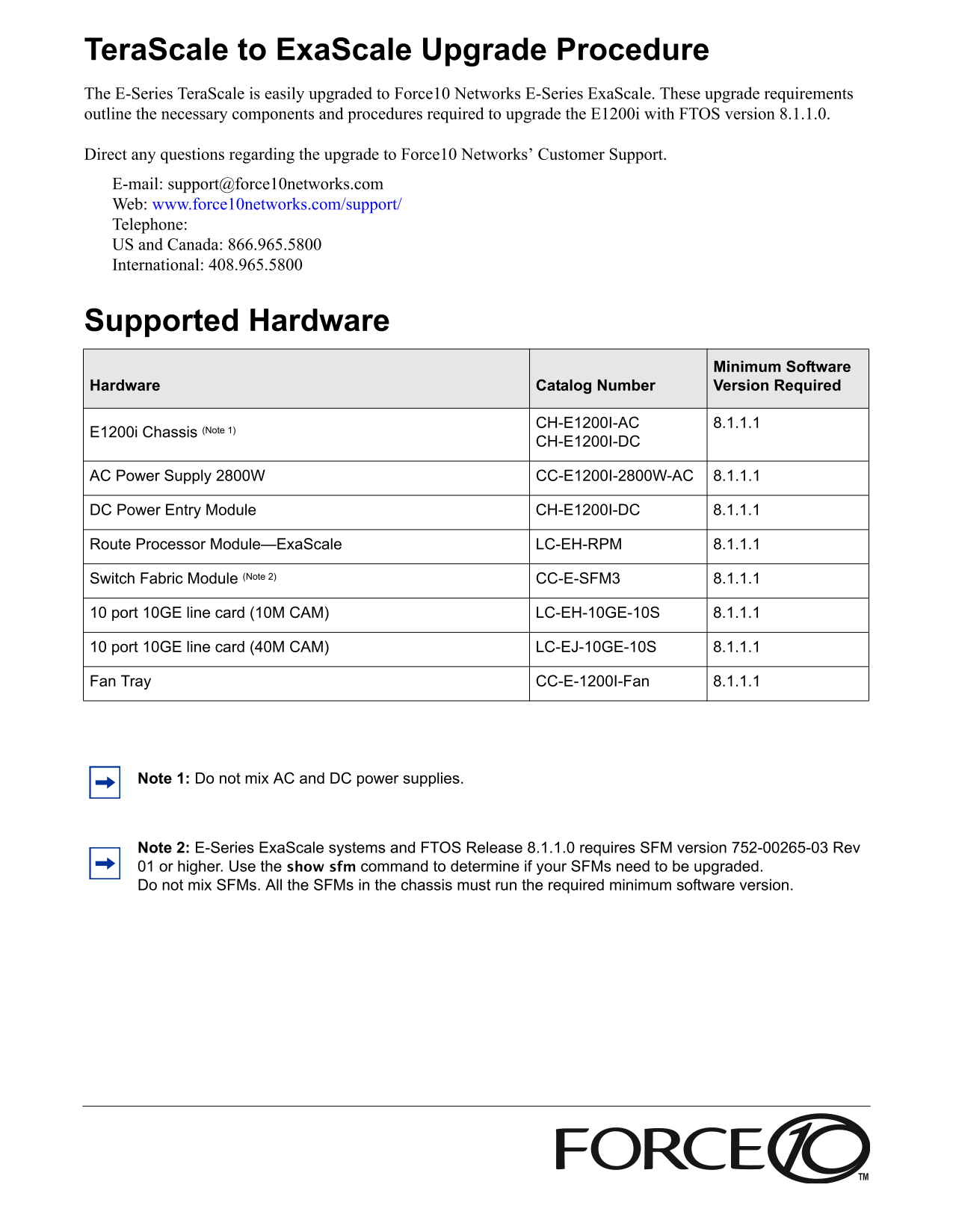
Tera Scale to Exa Scale Upgrade Procedure The E-Series Tera Scale is easily upgraded to Force10 Networks E-Series Exa Scale. These upgrade requirements outline the necessary components and procedures required to upgrade the E1200i with FTOS version 8.1.1.0.
Direct any questions regarding the upgrade to Force10 Networks’ Customer Support. E-mail: [email protected] Web: www.force10networks.com/support/ Telephone: US and Canada: 866.965.5800 International: 408.965.5800
Supported Hardware
Minimum Software Hardware Catalog Number Version Required
CH-E1200I-AC 8.1.1.1
E1200i Chassis (Note 1)
CH-E1200I-DC
AC Power Supply 2800W CC-E1200I-2800W-AC 8.1.1.1
DC Power Entry Module CH-E1200I-DC 8.1.1.1
Route Processor Module—Exa Scale LC-EH-RPM 8.1.1.1
Switch Fabric Module (Note 2) CC-E-SFM3 8.1.1.1
10 port 10GE line card (10M CAM) LC-EH-10GE-10S 8.1.1.1
10 port 10GE line card (40M CAM) LC-EJ-10GE-10S 8.1.1.1
Fan Tray CC-E-1200I-Fan 8.1.1.1
Note 1: Do not mix AC and DC power supplies.
Note 2: E-Series Exa Scale systems and FTOS Release 8.1.1.0 requires SFM version 752-00265-03 Rev 01 or higher. Use the show sfm command to determine if your SFMs need to be upgraded. Do not mix SFMs. All the SFMs in the chassis must run the required minimum software version.
Page Summary Contents For Dell TeraScale to ExaScale Upgrade Procedure Manual - User Guide
Manual Details
| Brand | Dell |
|---|---|
| Pages | 8 |
| File Size | 191.28 KB |
| Published | June 29, 2026 |
Enter the captcha to get the download link:

Frequently Asked Questions
What hardware is required for an E-Series TeraScale upgrade to ExaScale?
Components include the E1200i Chassis, specific power supplies (AC/DC), Route Processor Module (RPM), Switch Fabric Module (SFM), and various line cards.
What precautions should be taken when handling components during an upgrade?
Always wear an ESD-preventive ground strap. Place RPMs, SFMs, and line cards on an antistatic surface.
How do I determine if my Switch Fabric Modules (SFMs) need upgrading?
Use the 'show sfm' command to check the version. ExaScale systems require SFM version 752-00265-03 Rev 01 or higher.
What is the warning about unused slots during installation?
To prevent chassis over-temperature, you must install blanking panels for all RPMs, SFMs, and line card slots that are not in use.