Dell Statement of Volatility - Dell OptiPlex 7040 Small Form Factor Owner's Manual
Summary
Statement of Volatility for Dell OptiPlex 7040 Small Form Factor documenting all volatile and non-volatile components on the system board including BIOS flash memory, TPM module, DDR4 DIMM memory, SPD EEPROMs, RTC CMOS battery, and Intel ME firmware. Intended for security and compliance officers assessing data persistence in this business desktop.
Page 1 Text Content
Statement of Volatility Dell Opti Plex 7040 Small Form Factor CAUTION: A CAUTION indicates either potential damage to hardware or loss of data and tells you how to avoid the problem.
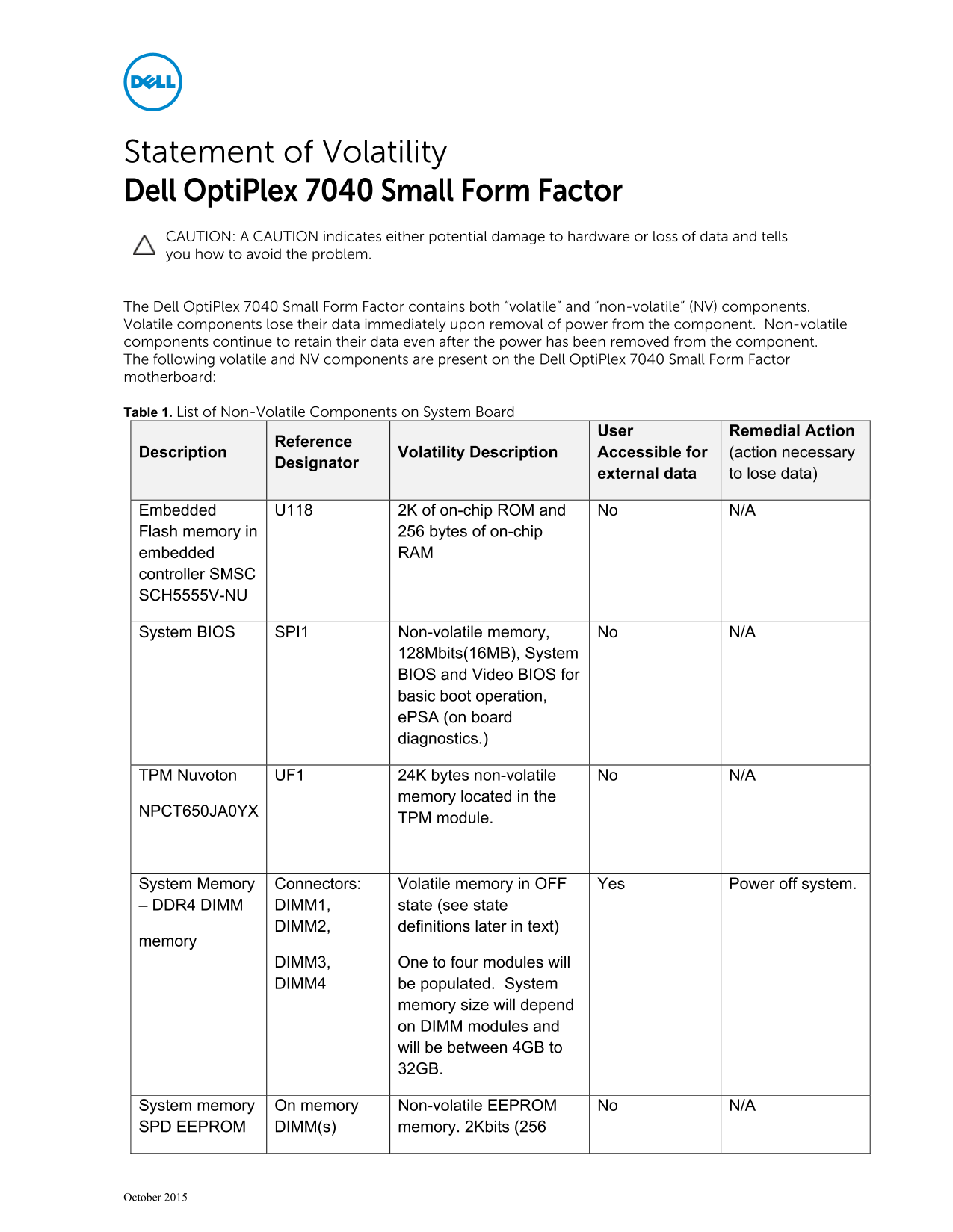
The Dell Opti Plex 7040 Small Form Factor contains both “volatile” and “non-volatile” (NV) components. Volatile components lose their data immediately upon removal of power from the component. Non-volatile components continue to retain their data even after the power has been removed from the component. The following volatile and NV components are present on the Dell Opti Plex 7040 Small Form Factor motherboard:
Table 1. List of Non-Volatile Components on System Board
User Remedial Action
Reference
Description Volatility Description Accessible for (action necessary
Designator
external data to lose data)
Embedded U118 2K of on-chip ROM and No N/A Flash memory in 256 bytes of on-chip embedded RAM controller SMSC SCH5555V-NU
System BIOS SPI1 Non-volatile memory, No N/A
128Mbits(16MB), System BIOS and Video BIOS for basic boot operation, e PSA (on board diagnostics.)
TPM Nuvoton UF1 24K bytes non-volatile No N/A
memory located in the
NPCT650JA0YX
TPM module.
System Memory Connectors: Volatile memory in OFF Yes Power off system. – DDR4 DIMM DIMM1, state (see state
DIMM2, definitions later in text)
memory
DIMM3, One to four modules will DIMM4 be populated. System
memory size will depend on DIMM modules and will be between 4GB to 32GB.
System memory On memory Non-volatile EEPROM No N/A SPD EEPROM DIMM(s) memory. 2Kbits (256
October 2015
Page Summary Contents For Dell Statement of Volatility - Dell OptiPlex 7040 Small Form Factor Owner's Manual
Manual Details
| Brand | Dell |
|---|---|
| Pages | 3 |
| File Size | 41.14 KB |
| Published | June 25, 2026 |
Enter the captcha to get the download link:

Frequently Asked Questions
What is the difference between volatile and non-volatile components?
Volatile components lose data immediately upon removal of power, while non-volatile components retain data even after power is removed.
What happens to data during a primary power loss?
All user data on the memory (DDR4) is destroyed, and system configuration information is lost.
How does the S3 power state affect system memory?
The dynamic RAM is maintained in the S3 (suspend to RAM) state, allowing the system to maintain its context.
Which operating systems support the S4 suspend to disk state?
Windows 7 supports the S4 state.
What data is stored in the RTC CMOS battery?
The 256-byte RTC CMOS memory stores system configuration and time-of-day information.