Dell S2718D Arc Guide User Manual
Summary
This dimensional outline drawing provides the physical measurements and specifications for the Dell S2718D monitor. It details the monitor's overall dimensions including width, height, depth, stand dimensions, swivel range (45 degrees left and right), tilt angle, and VESA mounting compatibility in both millimeters and inches. The drawing serves as a reference for workspace fit assessment, wall-mount planning, and multi-monitor deployment configuration by IT administrators and end users.
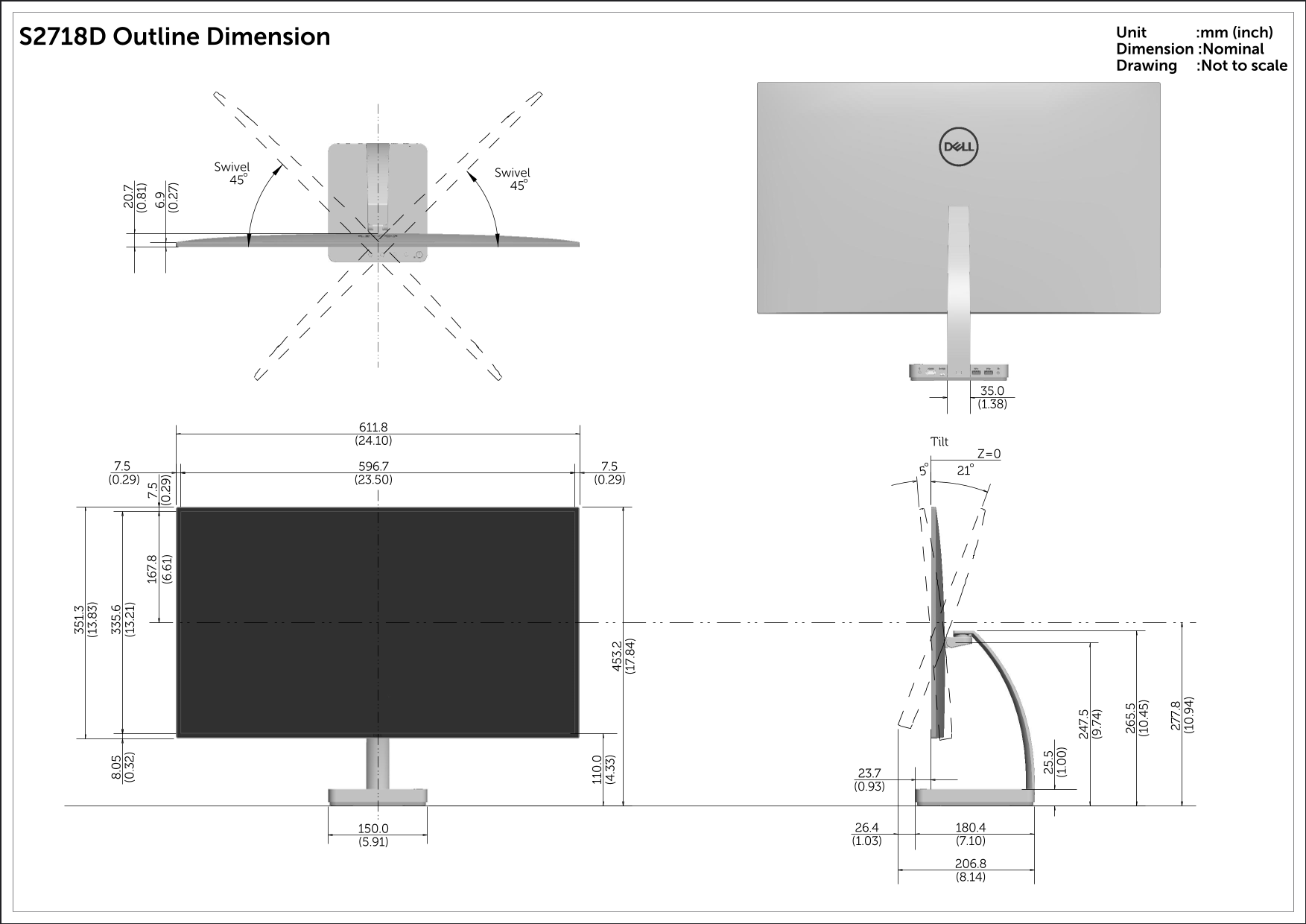
Page 1 Text Content
Unit :mm (inch)
S2718D Outline Dimension
Dimension :Nominal Drawing :Not to scale
Swivel (6 .6 1) (0 .2 9)
Swivel (0 .2 7)
611.8 (24.10) Tilt
Page Summary Contents For Dell S2718D Arc Guide User Manual
Manual Details
| Brand | Dell |
|---|---|
| Pages | 1 |
| File Size | 337.51 KB |
| Published | July 01, 2026 |
Enter the captcha to get the download link:

Frequently Asked Questions
What are the full dimensions of the S2718D unit?
The length is 351.3mm (13.83 in), and the width is 247.5mm (9.74 in).
How do I adjust the swivel and tilt features?
Swivel motion allows for a range of 45 degrees both ways, while the tilt mechanism has specified angles.
What components are included in the dimensional drawing area?
The diagram provides various specific dimensions including joint points (e.g., 35.0mm/1.38in and 7.5mm).