Dell Precision M3800 Connecting Power Adapter and Starting Computer
Summary
This Quick Start Guide for the Dell Precision M3800 mobile workstation provides multilingual setup instructions covering power adapter connection, Windows setup completion, security and update settings, network connectivity, and Microsoft account sign-in. It documents extensive hardware features including dual microphones, ambient light sensor, camera, memory card reader, USB 3.0 with PowerShare, mini DisplayPort, audio connector, and battery status indicators via labeled diagrams. My Dell resou
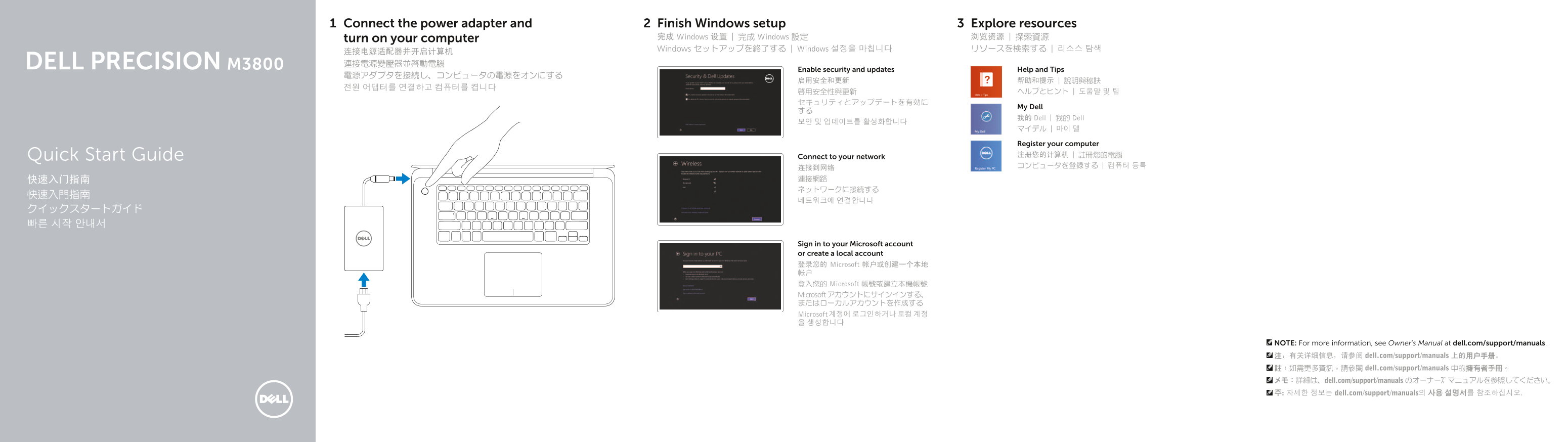
Page 1 Text Content
Connect the power adapter and Finish Windows setup Explore resources
turn on your computer 完成 Windows 设置 | 完成 Windows 設定 浏览资源 | 探索資源 Windows セットアップを終了する | Windows 설정을 마칩니다 リソースを検索する | 리소스 탐색
Enable security and updates Help and Tips
My Dell
我的 Dell | 我的 Dell
Register your computer Quick Start Guide Connect to your network 注册您的计算机 | 註冊您的電腦 连接到网络 コンピュータを登録する | 컴퓨터 등록
Sign in to your Microsoft account or create a local account 登录您的 Microsoft 帐户或创建一个本地 帐户 登入您的 Microsoft 帳號或建立本機帳號 Microsoft アカウントにサインインする、 またはローカルアカウントを作成する Microsoft 계정에 로그인하거나 로컬 계정 을 생성합니다
NOTE: For more information, see Owner’s Manual at dell.com/support/manuals. 注:有关详细信息,请参阅 dell.com/support/manuals 上的用户手册。 註:如需更多資訊,請參閱 dell.com/support/manuals 中的擁有者手冊。 メモ:詳細は、dell.com/support/manuals のオーナーズマニュアルを参照してください。 주: 자세한 정보는 dell.com/support/manuals의 사용 설명서를 참조하십시오.
Page Summary Contents For Dell Precision M3800 Connecting Power Adapter and Starting Computer
Manual Details
| Brand | Dell |
|---|---|
| Pages | 2 |
| File Size | 254.10 KB |
| Published | July 02, 2026 |
Enter the captcha to get the download link:

Frequently Asked Questions
What video ports are available for connecting external displays?
The unit is equipped with an HDMI connector and a Mini DisplayPort connector.
Which USB ports offer charging capabilities for accessories?
Both the USB 3.0 and USB 2.0 connectors include PowerShare functionality.
What physical security measures can be used on this model?
The device has a Noble security slot to secure it.