Dell Latitude 15 3580 Quick User Guide - Windows 10
Summary
Quick start guide for the Dell Latitude 15 3588 3000 Series rugged business laptop (regulatory model P79G, type P79G002, January 2017), covering power adapter connection, Windows 10 setup, SupportAssist, and network connectivity. Hardware features include camera with optional infrared version for Windows Hello, optional fingerprint reader, SIM card slot, USB 3.0 with PowerShare, USB 2.0, HDMI, VGA, network port, and Noble Wedge security-cable slot for enterprise deployment scenarios.
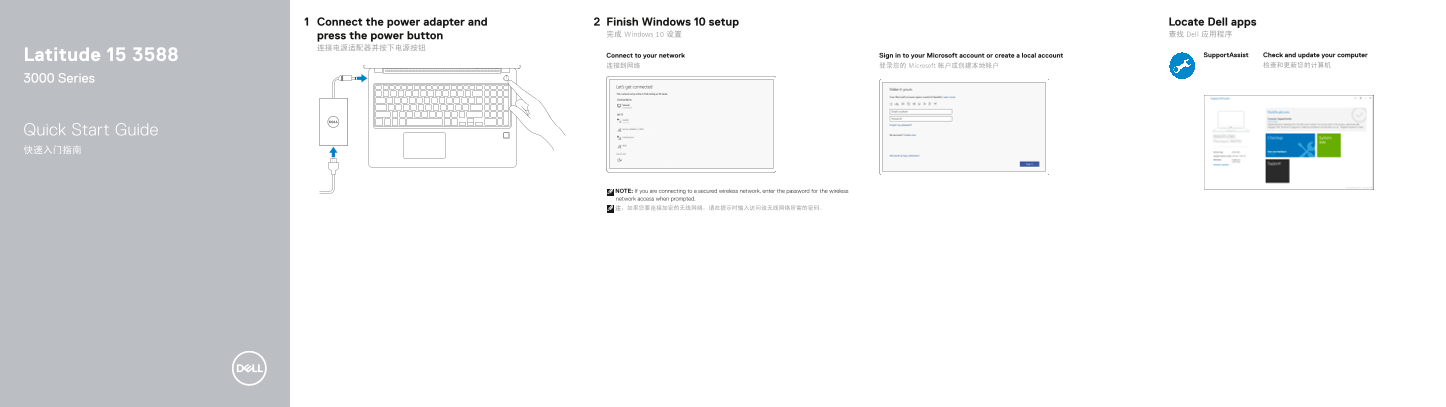
Page 1 Text Content
Connect the power adapter and Finish Windows 10 setup Locate Dell apps press the power button 完成 Windows 10 设置 查找 Dell 应用程序
Latitude 15 3588 Connect to your network Sign in to your Microsoft account or create a local account Support Assist Check and update your computer
连接到网络 登录您的 Microsoft 帐户或创建本地帐户 检查和更新您的计算机
3000 Series
Quick Start Guide 快速入门指南
NOTE: If you are connecting to a secured wireless network, enter the password for the wireless network access when prompted. 注:如果您要连接加密的无线网络,请在提示时输入访问该无线网络所需的密码。
Page Summary Contents For Dell Latitude 15 3580 Quick User Guide - Windows 10
Manual Details
| Brand | Dell |
|---|---|
| Pages | 2 |
| File Size | 515.24 KB |
| Published | June 18, 2026 |
Enter the captcha to get the download link:

Frequently Asked Questions
What should I do if the wireless network is secured?
When prompted, you must enter the password required for access to the encrypted wireless network.
Does this model include biometric security features?
Yes, it includes an optional Fingerprint reader.
What external display ports are available on the laptop?
The device features both a VGA port and an HDMI port.