# A B C D E F G H I J K L M N O P Q R S T U V W X Y Z

Dell C9010, C1048P, N20xx, and N30xx Systems Release Notes, OS Version 9.14.1.10 Owner's Manual

Summary

This release notes document details the new features, enhancements, and resolved issues for Dell C9010 network director, C1048P, N20xx, and N30xx series port extenders running OS version 9.14(1.10). It covers hardware shipped with each system, new capabilities added in this release, known behaviors, CLI syntax changes, restrictions, deferred and fixed issues, as well as installation and update instructions. The document is designed for network engineers and system administrators managing Dell networking infrastructure.
📄 Preview PAGE OF 23

Page 1 Text Content

Rev. A00 September 2021

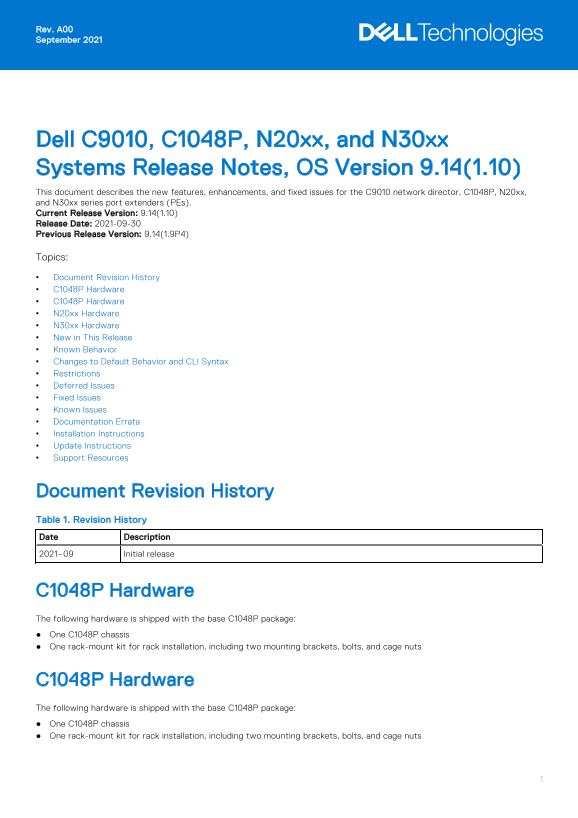
Dell C9010, C1048P, N20xx, and N30xx Systems Release Notes, OS Version 9.14(1.10) This document describes the new features, enhancements, and fixed issues for the C9010 network director, C1048P, N20xx, and N30xx series port extenders (PEs). Current Release Version: 9.14(1.10) Release Date: 2021-09-30 Previous Release Version: 9.14(1.9P4) Topics: Document Revision History C1048P Hardware C1048P Hardware N20xx Hardware N30xx Hardware New in This Release Known Behavior Changes to Default Behavior and CLI Syntax Restrictions Deferred Issues Fixed Issues Known Issues Documentation Errata Installation Instructions Update Instructions Support Resources

Document Revision History Table 1. Revision History Date Description 2021–09 Initial release

C1048P Hardware The following hardware is shipped with the base C1048P package: One C1048P chassis One rack-mount kit for rack installation, including two mounting brackets, bolts, and cage nuts

C1048P Hardware The following hardware is shipped with the base C1048P package: One C1048P chassis One rack-mount kit for rack installation, including two mounting brackets, bolts, and cage nuts

Page Summary Contents For Dell C9010, C1048P, N20xx, and N30xx Systems Release Notes, OS Version 9.14.1.10 Owner's Manual

Page 1 Rev. A00 September 2021 Dell C9010, C1048P, N20xx, and N30xx Systems Release Notes, OS Version 9.14(1.10) This document describes the new features, enhancements, and fixed issues for the C9010 network...
Page 2 N20xx Hardware The following hardware is shipped in the base N20xx package: One N2024, N2024P, N2048, or N2048P chassis One rack-mount kit for rack installation, including two mounting brackets, bolts...
Page 3 Transceiver in slot 8 port 4 unrecognized, putting interface in operational-down state. To verify the error-disabled status of an interface, enter any of the following show commands. The command outpu...
Page 4 Changes to Default Behavior and CLI Syntax The following default behavior and CLI syntax changes occurred during the Dell EMC Networking OS release: To enhance security, the default RSA key size has b...
Page 5 To verify the error-disabled status of an interface, enter any of the following show commands. The command outputs show examples of error-disabled 40Gb E ports 8/0 and 8/4. Dell EMC# show inventory me...
Page 6 Category Description PR# Problem Report number that identifies the issue. Severity S1 — Crash: A software crash occurs in the kernel or a running process that requires a restart of AFM, the router, sw...
Page 7 The following issues are fixed in Dell EMC Networking OS version 9.14(1.10): PR#170115 Severity: Sev 3 Synopsis: The switch may encounter an exception when an incorrect length field is specified in a ...
Page 8 Release Notes: When a switch with scaled VLANs is reloaded, traffic drop may occur due to a delay in VLAN programming. Workaround: None Known Issues Known issues are reported using the following defin...
Page 9 Installation Instructions To install and perform the initial software configuration of the C9010 network director, C1048P, N20xx, and N30xx port extenders, see the Dell EMC Networking C9010 Getting St...
Page 10 Destination file name [startup-config]: startup-config User name to login remote host: host Password to login remote host: xxxx 5179 bytes successfully copied Dell EMC# 3. Upgrade the Dell EMC Network...
Page 11 Type Boot Type A B rpm 0 (CP) FLASH BOOT 9.14.1.10[boot] 9.14(1.9P4) rpm 1 (CP) FLASH BOOT 9.14.1.10[boot] 9.14(1.9P4) rpm 0 (RP) FLASH BOOT 9.14.1.10[boot] 9.14(1.9P4) rpm 1 (RP) FLASH BOOT 9.14.1.10...
Page 12 Sep 24 15:25:13: %RPM0-P:CP %BRM-5-PE_UNIT_DOWN: PE:0 Unit:0 Unit MAC:ab:cd:ef:00:01:02 is operationally down. Sep 24 15:25:14: %RPM0-P:CP %BRM-5-BRM_LOG_PE_UNIT_VALIDATE_ERROR: PE:0 Unit:0 is in erro...
Page 13 upgrade bootflash-image all booted Dell EMC# upgrade bootflash-image all booted Current Boot information in the system: Card Boot Flash Current Version New Version rpm 1 (CP) Boot Flash 3.3.1.18 3.3.1...
Page 14 upgrade bootselector-image all booted Dell EMC# upgrade bootselector-image all booted Current Boot information in the system: Card Boot Selector Current Version New Version rpm 1 (CP) Boot Selector 3....
Page 15 reload Dell EMC# reload System configuration has been modified. Save? [yes/no]: y Sep 24 06:22:25: %STKUNIT0-M:CP %FILEMGR-5-FILESAVED: Copied running-config to startup-config in flash by default Proc...
Page 16 * only be attempted when necessary. A failure at this upgrade may * * cause a board RMA. Proceed with caution ! * Upgrade image for rpm 0 [yes/no]: y IAP upgrade in progress!!! Please do NOT power off...
Page 17 * Warning - Upgrading IAP is inherently risky and should * * only be attempted when necessary. A failure at this upgrade may * * cause a board RMA. Proceed with caution ! * Upgrade image for rpm 1 [ye...
Page 18 Upgrading the MSS FPGA, MSS IAP, and CPLD on C9010 Line Cards 1. From the primary RPM, upgrade the MSS FPGA image on C9010 line cards. This operation takes 10 minutes to complete. EXEC Privilege mode ...
Page 19 Linecard1 CPLD 3.0 3.1 Linecard2 CPLD 3.0 3.1 * Warning - Upgrading CPLD is inherently risky and should * * only be attempted when necessary. A failure at this upgrade may * * cause a board RMA. Proce...
Page 20 * only be attempted when necessary. A failure at this upgrade may * * cause a board RMA. Proceed with caution ! * Upgrade image for rpm 0 [yes/no]: y FPGA upgrade in progress!!! Please do NOT power of...
Page 21 Upgrade Po E Controller Firmware for pe 0 stack-unit 0 ? [yes/no]: yes Po E Controller upgrade in progress. Please do NOT POWER-OFF the card. Upgrade result : PE 0 Slot 0 Po E Controller Firm Ware upg...
Page 22 Dell EMC Networking N20xx and N30xx Series Switch Getting Started Guide Dell EMC Networking C9010 Installation Guide Dell EMC Networking C1048P Installation Guide Dell EMC Networking N20xx and N30xx S...
Page 23 Notes, cautions, and warnings NOTE: A NOTE indicates important information that helps you make better use of your product. CAUTION: A CAUTION indicates either potential damage to hardware or loss of d...

Manual Details

Brand Dell
Pages 23
File Size 238.18 KB
Published May 19, 2026
151 views

Enter the captcha to get the download link:

captcha

Frequently Asked Questions

What hardware comes with the N20xx package?

One chassis, rack-mount kit, and self-adhesive rubber pads are included.

How many port extenders can connect to a C9010?

Up to 40 C1048P, N20xx, or N30xx port extenders can connect.

What happens with non-Dell qualified 40G transceivers?

The port becomes error-disabled and the system generates a syslog message.

How do I identify a specific PE stack unit?

Use the location-led pe pe-id stack-unit unit-number command to blink the Power/Locator LED.