Dell Active Pen PN557W Quick Start Guide for Dell Devices
Summary
Quick start guide for the Dell Active Pen PN557W, an active stylus designed for Dell 2-in-1 and tablet devices. Provides brief setup instructions including powering the pen on/off, pairing with the host device, and configuring pen settings through the Active Pen Control Panel application. Includes basic usage diagrams showing button functions and pen features. Intended for end-users setting up and configuring their Dell Active Pen for note-taking, drawing, and navigation on compatible Dell touchscreen devices.
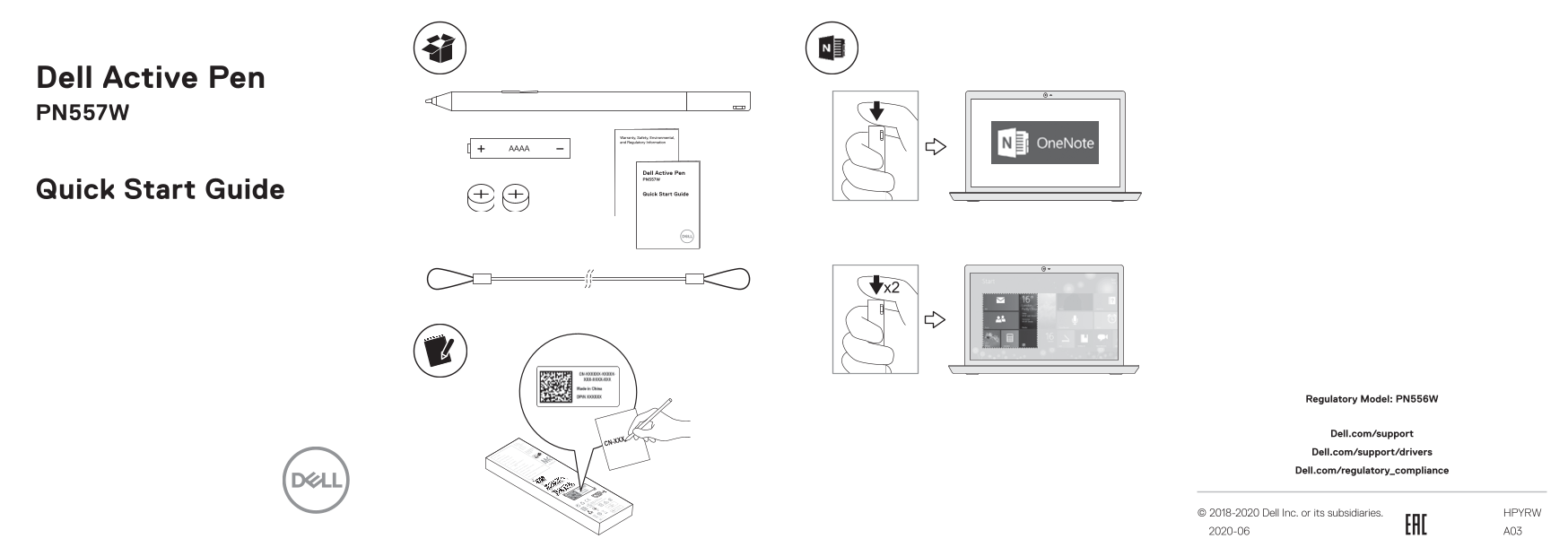
Page 1 Text Content
Dell Active Pen PN557W
Quick Start Guide
Regulatory Model: PN556W
Dell.com/support Dell.com/support/drivers Dell.com/regulatory_compliance
© 2018-2020 Dell Inc. or its subsidiaries. HPYRW 2020-06 A03
Page Summary Contents For Dell Active Pen PN557W Quick Start Guide for Dell Devices
Manual Details
| Brand | Dell |
|---|---|
| Pages | 2 |
| File Size | 1.22 MB |
| Published | June 25, 2026 |
Enter the captcha to get the download link:

Frequently Asked Questions
How do I turn the pen on and off?
Press the top button once to turn the pen on, press it again to turn it off.
What are the button functions on the pen?
The top button acts as a Windows Ink shortcut, while the bottom button functions as an eraser.
Where can I find support and driver downloads?
Visit Dell.com/support for drivers and Dell.com/regulatory_compliance for compliance information.