ASUS Server Workstations Motherboard Z97-WS Intel 2013 Desktop Responsiveness Technologies User's Manual
Summary
Boost your PC's performance and speed with Intel Desktop Responsiveness Technologies. This guide provides comprehensive instructions on setting up three powerful features—Intel Smart Response, Rapid Start, and Smart Connect—designed to optimize data retrieval, energy efficiency, and overall system responsiveness. Users can follow the manual to configure hardware requirements (SSD/HDD), implement acceleration modes, and manage smart background updates for a noticeably faster computing experience. Ideal for users with compatible Intel core processors looking to maximize hardware potential.
Page 1 Text Content
DE139
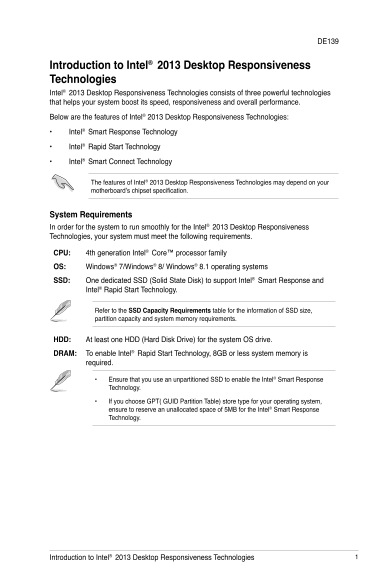
Introduction to Intel® 2013 Desktop Responsiveness Technologies Intel® 2013 Desktop Responsiveness Technologies consists of three powerful technologies that helps your system boost its speed, responsiveness and overall performance. Below are the features of Intel® 2013 Desktop Responsiveness Technologies: • Intel® Smart Response Technology • Intel® Rapid Start Technology • Intel® Smart Connect Technology
The features of Intel® 2013 Desktop Responsiveness Technologies may depend on your motherboard’s chipset specification.
System Requirements In order for the system to run smoothly for the Intel® 2013 Desktop Responsiveness Technologies, your system must meet the following requirements.
CPU: 4th generation Intel® Core™ processor family
OS: Windows® 7/Windows® 8/ Windows® 8.1 operating systems
SSD: One dedicated SSD (Solid State Disk) to support Intel® Smart Response and
Intel® Rapid Start Technology.
Refer to the SSD Capacity Requirements table for the information of SSD size, partition capacity and system memory requirements.
HDD: At least one HDD (Hard Disk Drive) for the system OS drive.
DRAM: To enable Intel® Rapid Start Technology, 8GB or less system memory is
required.
Ensure that you use an unpartitioned SSD to enable the Intel® Smart Response Technology.
• If you choose GPT( GUID Partition Table) store type for your operating system, ensure to reserve an unallocated space of 5MB for the Intel® Smart Response Technology.
Introduction to Intel® 2013 Desktop Responsiveness Technologies
Page Summary Contents For ASUS Server Workstations Motherboard Z97-WS Intel 2013 Desktop Responsiveness Technologies User's Manual
Manual Details
| Brand | Server |
|---|---|
| Pages | 16 |
| File Size | 1.54 MB |
| Published | June 02, 2026 |
Enter the captcha to get the download link:

Frequently Asked Questions
What operating systems are compatible with the technologies?
The system must run on Windows 7, Windows 8, or Windows 8.1.
Do I need specific hardware for this technology?
Yes, you require a 4th generation Intel Core processor, an SSD (Solid State Disk), and at least one HDD (Hard Disk Drive) for the OS drive.
Can I create a RAID set on the SSD?
No. You must use an unconfigured SSD and DO NOT create a RAID set on it.
How do I install the Intel Smart Response Technology?
Place the support DVD, click the Drivers tab, then select the Intel Rapid Storage Technology Driver software, and follow the onscreen instructions.