ASUS Server Workstation Motherboard Z97-WS-Intel 2013 Desktop Responsiveness Technologies User's Manual
Summary
Enhance your desktop experience with Intel 2013 Desktop Responsiveness, a comprehensive suite of technologies designed to maximize speed and efficiency. This system significantly improves boot times and application responsiveness through three core features: Intel Smart Response Technology, Intel Rapid Start Technology, and Intel Smart Connect Technology. Ideal for users seeking peak performance on systems equipped with compatible Core processors, SSDs, and HDDs (Windows 7/8), this solution ensures quick transitions between tasks and instant access to your most-used applications. The technology optimizes overall system speed, providing a noticeably faster and smoother computing experience.
Page 1 Text Content
DC139
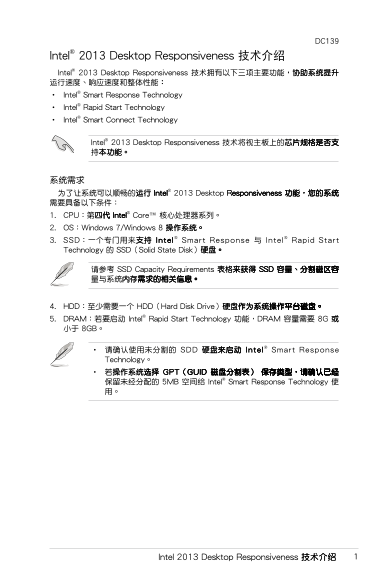
Intel® 2013 Desktop Responsiveness 技術介紹 Intel® 2013 Desktop Responsiveness ��擁有以下三項主要功能������� 運行速度、響應速度和整體性能� • Intel® Smart Response Technology • Intel® Rapid Start Technology • Intel® Smart Connect Technology
Intel® 2013 Desktop Responsiveness ��將視主板上�������� ���功能�
���� �了讓��可以順暢�運行 Intel ® 2013 Desktop Responsiveness 功能����� �要具備以下條件� 1. C���第��� Intel ® Core™ 核心處理器�列� 2. OS�Windows 7/Windows 8 ����� 3. SSD�一個專門用���� Inte l ® Smart Response 與 Inte l® Rap id Start Technology � SSD(Solid State Disk)���
請參考 SSD Capacity Requirements ������ SSD ��、����� �與������������
4. HDD�至少�要一個 HDD(Hard Disk Drive)������������� 5. DRAM�若要啟動 Intel® Rapid Start Technology 功能�DRAM ���要 8G � 小於 8GB�
• 請確認使用未��� SDD ���啟動 Inte l ® Smart Response Technology� • 若������� G�T(G�ID �����) �����請確認�� �留未��配� 5MB 空間給 Intel® Smart Response Technology 使 用�
Intel 2013 Desktop Responsiveness ����
Page Summary Contents For ASUS Server Workstation Motherboard Z97-WS-Intel 2013 Desktop Responsiveness Technologies User's Manual
Manual Details
| Brand | Server |
|---|---|
| Pages | 16 |
| File Size | 3.77 MB |
| Published | June 02, 2026 |
Enter the captcha to get the download link:

Frequently Asked Questions
What are the minimum system requirements for this feature?
The system must have an Intel Core processor (7th Gen or later), Windows 7/8, SSD, at least one HDD, and DRAM (at least 8GB for rapid start).
How do I enable Intel Smart Response Technology?
Use the Intel Rapid Storage Technology utility: Open the software > Click 'Open Intel Smart Response Technology' > Select Device > Check Accelerate Disk or Volume, then click OK.