Page 1
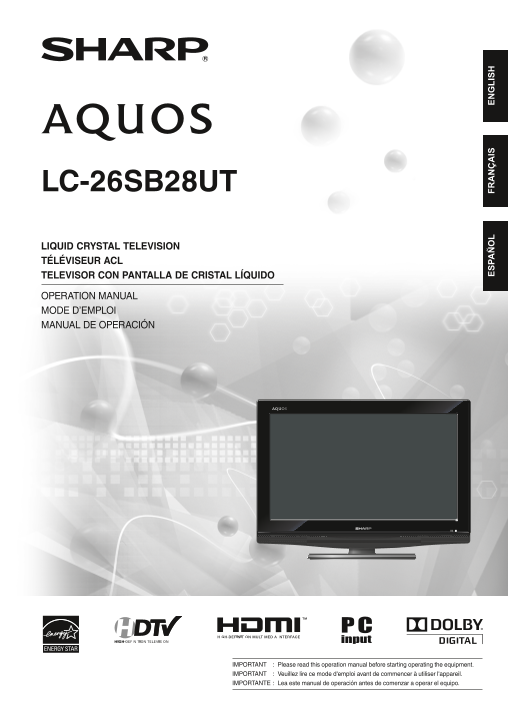
LC-26SB28UT LIQUID CRYSTAL TELEVISION TÉLÉVISEUR ACL TELEVISOR CON PANTALLA DE CRISTAL LÍQUIDO OPERATION MANUAL MODE D’EMPLOI MANUAL DE OPERACIÓN ES PA FR IS EN LI SH IMPORTANT : Please read this oper...
Page 2
3BX0131A.indb 2 4/7/2010 6:39:55 PM
Page 3
LC-26SB28UT LIQUID CRYSTAL TELEVISION ENGLISH OPERATION MANUAL IMPORTANT: To aid reporting in case of loss or theft, please record the Model No.: TV’s model and serial numbers in the space provided. T...
Page 4
IMPORTANT INFORMATION CAUTION: TO PREVENT ELECTRIC SHOCK, MATCH WIDE BLADE OF PLUG TO WIDE SLOT, FULLY INSERT. WARNING: FCC Regulations state that any unauthorized changes or modifications to this equ...
Page 5
DEAR SHARP CUSTOMER Thank you for your purchase of the Sharp Liquid Crystal Television. To ensure safety and many years of trouble-free operation of your product, please read the Important Safety Inst...
Page 6
IMPORTANT SAFETY INSTRUCTIONS EXAMPLE OF ANTENNA GROUNDING AS PER NATIONAL • Outdoor Antenna Grounding — If an outside antenna is ELECTRICAL CODE, ANSI/NFPA 70 connected to the television equipment, b...
Page 7
IMPORTANT SAFETY INSTRUCTIONS Caring for the Liquid Crystal panel • Turn off the main power and unplug the AC cord from the wall outlet before handling. • Gently wipe the surface of the display panel ...
Page 8
Supplied accessories Make sure the following accessories are provided with the product. Remote control unit (X1) “AA” size battery (X2) AC cord (X1) Stand unit (X1) Operation manual (X1) • Always use ...
Page 9
QUICK REFERENCE QUICK INSTALLATION TIPS Attach your antenna to the back of the TV. (See page 12.) Connect the AC plug for the TV into the wall outlet. AC outlet • Place the TV close to the AC outlet, ...
Page 10
QUICK REFERENCE If the remote control fails to operate TV functions, replace the batteries in the remote control unit. 1 Open the battery cover. 2 Insert two “AA” size batteries 3 Close the battery co...
Page 11
Contents IMPORTANT INFORMATION ................................... How to temporarily release the V-Chip block ..... License information ................................................ Other convenie...
Page 12
Part names TV (Front) TV (Left) Volume (VOL–/+)/ ◀/▶buttons POWER indicator Remote control sensor Channel /▲ button Channel /▼ button MENU button INPUT/ENTER button POWER button • The buttons on the m...
Page 13
Part names Remote control unit 1 POWER: Switch the power on or enters standby mode. (See page 18.) 2 0–9: Set the channel. (See page 18.) 3 • (DOT): (See page 18.) 4 FREEZE: Set the still image. Press...
Page 14
Preparation Using the remote control unit Use the remote control unit by pointing it towards the remote control sensor on the TV. Objects between the remote control unit and the remote control sensor ...
Page 15
Using external equipment Experiencing HD images An HDTV without an HD source is just an ordinary TV. To enjoy HD images on the TV, you should get HD programming from the following: Over-the-air broadc...
Page 16
Connecting to External Equipment You can connect many types of external equipment to your TV. To view external source images, select the input source from INPUT on the remote control unit or on the TV...
Page 17
Connecting to External Equipment ■ When using Component cable (INPUT 3): Blu-ray disc player DVD player Pb (Blue)Y (Green) HD cable/satellite set-top box Rear of the TV Component video cable Pr (Red) ...
Page 18
Connecting to External Equipment Connecting an Audio Amplifier ■ When using coaxial cable: It is possible to output audio through the DIGITAL AUDIO COAXIAL terminal. Coaxial cable Rear of the TV COAXI...
Page 19
Connecting to External Equipment ■ When using DVI-HDMI conversion cable (INPUT 4): Rear of the TV Ø 3.5 mm stereo minijack cable AUDIO DVI OUT DVI-HDMI conversion cable NOTE When using an DVI-HDMI con...
Page 20
Watching TV Preparation Turning off the power Perform the following steps before you press POWER Press POWER on the TV, or POWER on the remote on the remote control unit. control. • The TV enters stan...
Page 21
Watching TV Auto Ch Memory Display the channel information Auto Ch Memory makes the TV look for all channels Press DISPLAY to display the current channel (or viewable in the set area. input source) in...
Page 22
Watching TV Selecting the digital audio language View mode for HD programs When two or more audio languages are included in a Stretch mode is available for HD programs. digital signal, you can select ...
Page 23
Watching TV Favorite channel setting This function allows you to program 4 favorite channels in 4 different categories. By setting the favorite channels in advance, you can select your favorite channe...
Page 24
Watching TV Tune the TV to the desired program. Closed captions and digital closed Press CC and the Closed Caption screen displays. captions Press ◀ or ▶ to setting the “CC Setting” to “On”. NOTE Pres...
Page 25
Watching TV Caption setup Password setting for parental control This function allows you to adjust the closed caption screen appearance to suit your preference. Allows you to use a password to protect...
Page 26
Watching TV Parental control (V-CHIP) V-CHIP might not function according to the condition of the signal from the broadcasting station. V-CHIP is an electronic filtering device built into your TV. Thi...
Page 27
Watching TV Canadian rating systems • The TV rating systems in Canada are based on the Canadian Radio-Television and Telecommunications Commission (CRTC) policy on violence in television programming. ...
Page 28
Other convenience functions Menu operation buttons Quick guide for MENU operation Use the following buttons on the remote control to example : Select Language operate the menu. Press MENU and the MENU...
Page 29
Other convenience functions Icon Selected item Description Picture Picture Setting Brightness / Contrast / You can adjust the picture quality to your preference. Sharpness / Color / Tint Color Tempera...
Page 30
Appendix Troubleshooting Problem Possible Solution • No power • Check if you pressed POWER on the TV, or on the remote control unit. (See page 18.) • Is the AC cord disconnected? (See page 7.) • Has t...
Page 31
Appendix Specifications Item Model: LC-26SB28UT LCD panel 26” Class (26 Diagonal) Active Matrix (a-Si TFT LCD) Resolution 1,049,088 pixels (1366 x 768) TV TV-standard (CCIR) American TV Standard ATSC/...
Page 32
Calling for Service For location of the nearest Sharp Authorized Service, or to obtain product literature, accessories, supplies, or customer assistance, please call 1-800-BE-SHARP. LIMITED WARRANTY C...
Page 33
Dimensional drawings Unit: inch (mm) Unité: pouce (mm) Unidad: pulgada (mm) 3BX0131A.indb 33 4/7/2010 6:40:09 PM
Page 34
Printed in Thailand Imprimé en Thaïlande Impreso en Tailandia 9JDJ3BX0131A 10P04-TH-NOJ3BX0131ASH10/04 3BX0131A.indb 34 4/7/2010 6:40:09 PM