Page 1
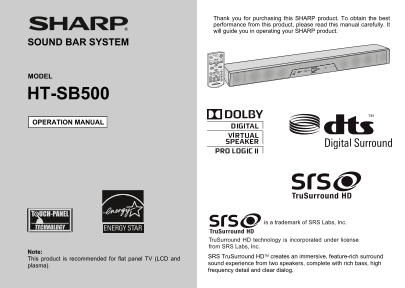
Thank you for purchasing this SHARP product. To obtain the best performance from this product, please read this manual carefully. It will guide you in operating your SHARP product. SOUND BAR SYSTEM MO...
Page 2
HT-SB500 SPECIAL NOTES Im po rt an t I ns tr uc tio NOTE This equipment has been tested and found to comply with the limits for a Class B digital device, pursuant to Part 15 of the FCC Rules. These li...
Page 3
IMPORTANT SAFETY INSTRUCTIONS HT-SB500 Electricity is used to perform many useful functions, but it can 12) Use only with the cart, stand, tripod, bracket, or table also cause personal injuries and pr...
Page 4
IMPORTANT SAFETY INSTRUCTIONS (continued) HT-SB500 Im po rt an t I ns tr uc tio 18) Damage Requiring Service - Unplug this product from the 22) Power Lines - An outside antenna system should not be wa...
Page 5
Accessories HT-SB500 Please confirm that only the following accessories are included. ENERGY STAR® Program Information Remote control x 1 RCA cable (2 pins - 2 pins) x 1 Products that have earned (RRM...
Page 6
Precautions HT-SB500 en er al In fo rm at io Warning: General Please ensure that the equipment is positioned in a well- The voltage used must be the same as that specified on this ventilated area and ...
Page 7
Controls and indicators HT-SB500 Front Panel Reference page Reference page 1. Remote Sensor . . . . . . . . . . . . . . . . . . . . . . . . . . . . . . 11. Left Front Speaker 2. Information Display. ....
Page 8
HT-SB500 en er al In fo rm at io Rear Panel Reference page 1. Audio Line In 2 Jack . . . . . . . . . . . . . . . . . . . . . . . . . . 2. Line In 1 Jacks . . . . . . . . . . . . . . . . . . . . . . . ...
Page 9
Controls and indicators (continued) HT-SB500 Remote Control Reference page 1. Remote Control Transmitter . . . . . . . . . . . . . . . . . . . 14 2. Dolby Virtual Speaker Button . . . . . . . . . . . ...
Page 10
Speaker preparation HT-SB500 Pr ep ar at io fo r U se Caution: Make sure to unplug the AC power cord before installing When using these spikes on glossy or slippery table such as on the speaker or cha...
Page 11
Speaker preparation (continued) HT-SB500 Wall mount angle fixed to the wall (Horizontal position)To mount the speaker on the wall Caution: Fix the pattern paper to the wall in horizontal position Be v...
Page 12
HT-SB500 Pr ep ar at io fo r U se Installing the speaker Screw the wall mount angle to the wall as shown in the illustration. (Total screw is 8 pieces) Align the wall mount slot at the speaker to the ...
Page 13
Placing the speaker HT-SB500 Installation image: Using other subwoofer You can connect a subwoofer with an amplifier to the SUBWOOFER PRE-OUT jack. Commercially available Audio cable subwoofer (commer...
Page 14
Falling prevention Speaker connections to TVs HT-SB500 Pr ep ar at io fo r U se Safety wires (not supplied) are useful to prevent the speaker Caution: from falling off the table. Turn off all other eq...
Page 15
Speaker connections to TVs (continued) HT-SB500 Connecting to a TV Connecting to a TV (with Headphone jack) If the TV/monitor has an audio output, connect it to the LINE IN If the TV/monitor has headp...
Page 16
HT-SB500 Connecting a digital tuner, etc. Pr ep ar at io fo r U se To coaxial digital audio Connect to the digital tuner, etc. using an optical digital audio To optical digital output jack cable or a ...
Page 17
AC power connection HT-SB500 Using with the AC/DC adaptor Plug the AC power cord into the AC/DC adaptor. Plug the AC/DC adaptor cable into the DC IN jack on AC/DC Adaptor Cable the speaker. Plug the A...
Page 18
Remote control HT-SB500 Pr ep ar at io fo r U se Caution: Battery installation Insert pin into the hole as shown and pull to open the Do not use rechargeable battery (nickel-cadmium battery, etc.). Da...
Page 19
General control HT-SB500 Volume auto fade-in If you turn off and on the speaker with the volume set to 40 or higher, the volume starts at 20 and fades in to the last set level. Volume control Speaker ...
Page 20
HT-SB500 Dolby Virtual Speaker (DVS) sound mode as ic pe ra tio The Dolby Virtual Speaker (DVS) creates virtual surrounds The Dolby Virtual Speaker creates multichannel-like comparable to the 5.1ch so...
Page 21
General control (continued) HT-SB500 Subwoofer level control Function The speaker level can be adjusted. On the speaker: To increase the level, press the When the FUNCTION pad on speaker LINE 1 SUBWOO...
Page 22
Troubleshooting chart HT-SB500 ef er en ce Many potential problems can be resolved by the owner without calling Remote control a service technician. Symptom Possible cause If something is wrong with t...
Page 23
HT-SB500 Condensation Factory reset, clearing all setting Sudden temperature changes, storage or operation in an extremely Can be operated on the remote control only. humid environment may cause conde...
Page 24
Maintenance Error indicators and warnings HT-SB500 ef er en ce When you fail to perform operations properly, the following Cleaning the cabinet messages are displayed on the speaker. Periodically wipe...
Page 25
Specifications HT-SB500 As part of our policy of continuous improvement, SHARP Speaker 3.1-way Speaker System reserves the right to make design and specification changes for Front speakers: 1-9/16&quo...
Page 26
MEMO/MEMORÁNDUMEMO 2009 September 3 MEMOS.fm
Page 27
MEMO/MEMORÁNDUMEMO 2009 September 3 MEMOS.fm
Page 28
CONSUMER LIMITED WARRANTY SHARP ELECTRONICS CORPORATION warrants to the first consumer purchaser that this Sharp brand product (the “Product”), when shipped in its original con- tainer, will be free f...