Page 1
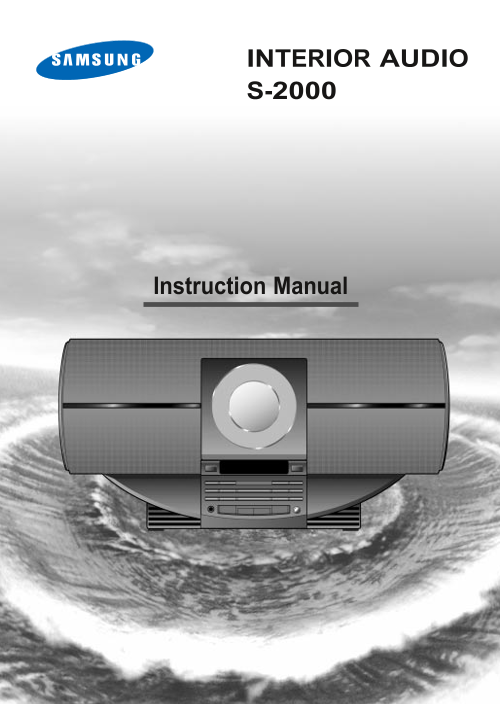
INTERIOR AUDIO S-2000ELECTR Instruction Manual
Page 2
Safety Warnings GB Use of controls, adjustments or performance of procedures other CLASS 1 LASER PRODUCT than those specified herein may result in hazardous radiation KLASSE 1 LASER PRODUKT exposure. ...
Page 3
Thank you for buying this Contents SAMSUNG Audio system. Please take time to read these instructions. They will allow you to operate your GB system with ease and take full advantage of its features. S...
Page 4
Front Panel View GB On/Standby Open/Close Timer On/Off – Check Mono/St PTY RDS Display Timer/Clock Band Function /Tuning Mode Prog./Set Sleep Repeat P.Sound Phones Volume Snooze Preset EQ 1. Play/Paus...
Page 5
Rear Panel View ANTENNA (75Ω) FM AM ANTENNA FM AM (75Ω) 1. FM Aerial Connector Terminal 2. AM Aerial Connector Terminal
Page 6
Connecting the AM Aerial GB The AM aerial (for long and medium waves) can be: Placed on a stable surface Fixed to the wall (you must first remove the base) To connect a wire, push the terminal tab dow...
Page 7
Setting the Clock Your system is equipped with a clock which allows you to turn your system on and off automatically. You should set the clock: On/Standby When you purchase the audio system After a po...
Page 8
Listening to a Compact Disc When you have loaded a compact disc into the player, you can 2,4 Open/Close begin playback. Always treat your compact discs with care; refer, if necessary, to the sec- PTY ...
Page 9
Selecting a Track You can select the track you wish to listen to, either when the compact disc player is stopped or when a disc is playing. dby Op To start playback at the beginning of the... Press......
Page 10
Repeat Function You can repeat: A specific track on a compact disc. Open/Close All tracks on the compact disc. PTY RDS Display This function is not available when playing a disc in a random /Tuning Mo...
Page 11
Programming the Order of Playback You can decide: The order in which you listen to the tracks on the discs loaded Open/Close Which tracks you do not wish to listen to You can programme up to 24 tracks...
Page 12
Checking or Changing Programmed Tracks You can check or change your selection of tracks at any time. Open/Close Press Stop ) once if you have started listening to the selection. PTY RDS Display 2,3,4,...
Page 13
Searching for and Storing the Radio Stations You can store up to: 15 FM stations On/Standby 8 MW station 7 LW station Timer On/Off – Check Mono/St Timer/Clock Band /Tu Function Switch the system on by...
Page 14
Selecting a Stored Station You can listen to a stored radio station as follows: On/Standby Timer Switch the system on by pressing On/Standby. On/Off – Check Mono/St Timer/Clock Band /Tuni Function Sel...
Page 15
About RDS broadcasting This unit has the RDS (Radio Data System) function, which enables for the various information such as broadcasting sta- On/Standby tion, radio text, time and 17 types of program...
Page 16
About RDS DISPLAY function About "PS NAME" MODE Open/Close Displays the name of broadcasting station. PTY RDS Display Press the RDS Display button to select the PS NAME. /Tuning Mode Functio...
Page 17
PTY (Program Type) indication and PTY-SEARCH function (Continue) The PTY information is composed of an identification symbol, which helps Open/Close the FM radio to recognize the program type of each ...
Page 18
Timer Function The timer enables you to switch the system on or off at specific times. Example: You wish to wake up to music every morning. 1,9 On/Standby If you no longer want the system to be switch...
Page 19
Cancelling the Timer After having set the timer, it will start automatically as shown by the TIMER indication on the display. If you no longer wish to use the timer, you must cancel it. On/Standby You...
Page 20
Snooze Function While in the Snooze mode, the volume increases 5 levels every 5 minutes. On/Standby 1,8 Example: This feature can be used for a morning call. Timer On/Off – Check Mono/St In 30 minutes...
Page 21
Setting the System to Switch Off Automatically While listening to a compact disc or a cassette, you can set the system to switch off automatically. Example: You wish to go to sleep to music. On/Standb...
Page 22
Connecting Headphones You can connect a set of headphones to your Audio system so that you can listen to music or radio programmes without dis- On/Standby turbing other people in the room. The earphon...
Page 23
Safety Precautions The following diagrams illustrate the precautions to be taken when using or moving your audio system. Ambient operating conditions: Do not expose the unit to direct sun radiation Am...
Page 24
Before Contacting the After-Sales Service GB It always takes a little time to become familiar with a new appliance. If you have any of the problems listed below, try the solutions given. They may save...
Page 25
Technical Specifications SAMSUNG strives to improve its products at all times. Both the design specifications and these user instructions are thus subject to change without notice. RADIO LW Usable sen...
Page 26
THIS APPLIANCE IS MANUFACTURED BY: ELECTRONICS AH68-00214X