Page 1
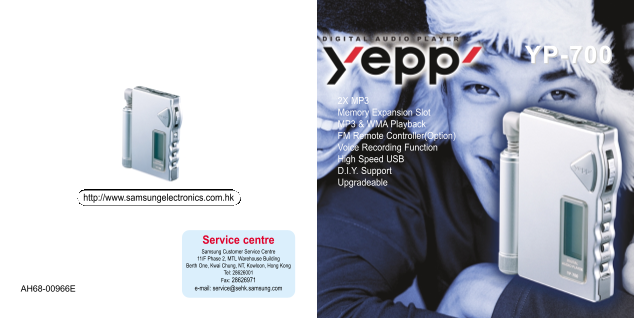
HK-cover 12/23/02 4:54 PM Page 2 YP-700 2X MP3 Memory Expansion Slot MP3 & WMA Playback FM Remote Controller(Option) Voice Recording Function High Speed USB D.I.Y. Support Upgradeable http://www.s...
Page 2
yp-700-eng-HK 12/23/02 4:51 PM Page 2 SAFETY(Charger) Using the Charger - A charger is provided with yepp. Safety symbols information - Use only approved battery and charger. Insert the rechargeable b...
Page 3
yp-700-eng-HK 12/23/02 4:51 PM Page 4 Contents Connecting yepp to PC ........................................................................................................38 Preparations Manual Inst...
Page 4
yp-700-eng-HK 12/23/02 4:51 PM Page 6 Farewell to shortage Polyphagous player 2X MP3 MP3 & WMA Playback MP3 compression technology that allows you to downsize your MP3 is an MPEG1 Layer3 audio for...
Page 5
yp-700-eng-HK 12/23/02 4:51 PM Page 8 Components Powerful yepp' YR-20FS Playing Time This unit uses a NI-MH rechargeable battery Operation can last 20 hours (AAA alkaline battery + rechargeable batter...
Page 6
yp-700-eng-HK 12/23/02 4:51 PM Page 10 Location of Controls (yepp) Hold Switch Remote Controller/Earphone Jack Microphone Auxiliary Battery Pack Connection Port Play/Stop/Pause/ Forward/Backward Butto...
Page 7
yp-700-eng-HK 12/23/02 4:51 PM Page 12 Location of Controls (Remote Controller) Display Models with FM Model without FM (Option) (Option) Remote Controller Connection Earphone Jack Earphone Jack Stop/...
Page 8
yp-700-eng-HK 12/23/02 4:51 PM Page 14 Inserting the Battery Using the Smart Media Card Your yepp player allows you to expand memory capacity by adding a Smart Media card. Inserting the Ejecting the U...
Page 9
yp-700-eng-HK 12/23/02 4:51 PM Page 16 Listening to Music with yepp Setting up Volume/Hold Functions First, insert a battery and connect the earphones and the remote controller to the player. Adjustin...
Page 10
yp-700-eng-HK 12/23/02 4:51 PM Page 18 Changing Modes Recording Voice Press the MODE button on the yepp player or the A-B button on the remote controller in STOP mode. To Record Voice Press the REC bu...
Page 11
yp-700-eng-HK 12/23/02 4:51 PM Page 20 Searching for Music/Voice Files Searching for Specific Parts in PLAY Mode Searching for Music/Voice Searching for Music/Voice Files Press and hold the button whi...
Page 12
yp-700-eng-HK 12/23/02 4:51 PM Page 22 FM Listening Function(Option) Turn on the power of yepp and connect the remote controller. Automatic Searching for Manual Searching for To Save a Radio Station S...
Page 13
yp-700-eng-HK 12/23/02 4:51 PM Page 24 Loop Repeating Setting up MENU Press and hold the MODE button on the yepp player to switch to MENU mode. Loop Function Use the button to select and the button to...
Page 14
yp-700-eng-HK 12/23/02 4:51 PM Page 26 Repeating Tracks Track Repeating Function On the yepp Player On the Remote Controller Each time the EQ/REP button is pressed and held, the mode will change in In...
Page 15
yp-700-eng-HK 12/23/02 4:51 PM Page 28 Setting up EQ EQ Function On the yepp Player On the Remote Controller Each time the EQ/REP button is pressed, briefly, the mode will change in In MENU, select 2....
Page 16
yp-700-eng-HK 12/23/02 4:51 PM Page 30 Managing Files ➡Continued... Editing Play List Listening to Files Selected in Play List In MENU, select 3. Play list1 In MENU, select 3. Play list1 In PLAY LIST,...
Page 17
yp-700-eng-HK 12/23/02 4:51 PM Page 32 Deleting Formatting In MENU, select 4. File1 In MENU, select 4. File1 In FILE, select Delete and In FILE, select Format and the memory to format. the mode (Music...
Page 18
yp-700-eng-HK 12/23/02 4:52 PM Page 34 Customizing Options (Display) ➡Continued... Display ➞ 1. Information Setting Function Play time: displays current play time Compression: displays compression rat...
Page 19
yp-700-eng-HK 12/23/02 4:52 PM Page 36 Searching Quickly For Music/Voice Files Backlight Track function Press the button to set the backlight “ON” time. In MENU, select 6. Track1 When a button is pres...
Page 20
yp-700-eng-HK 12/23/02 4:52 PM Page 38 Connecting yepp to PC ➡Continued... Before connecting yepp to PC, make sure to install yepp Explorer. If “Add New Hardware Wizard” appears, press the [Cancel] bu...
Page 21
yp-700-eng-HK 12/23/02 4:52 PM Page 40 When USB driver is not Installed automatically, Connecting yepp to PC with USB cable refer to next page.4 Insert the battery into yepp and turn on the yepp.1 Whe...
Page 22
yp-700-eng-HK 12/23/02 4:52 PM Page 42 Manual Installation of USB Driver ➡Continued... If yepp does not communicate with PC (USB driver can’t be installed automatically), turn on the power of yepp and...
Page 23
yp-700-eng-HK 12/23/02 4:52 PM Page 44 In Windows 2000 In Windows 98 Click [Next] button in the series of windows that appear. Click [Next] button in the series of windows that appear. Insert installa...
Page 24
yp-700-eng-HK 12/23/02 4:52 PM Page 46 Connecting yepp to Mac ➡Continued... Before connecting yepp to Mac, make sure to install the i Tunes plugin. Installing software Double-click Installation progra...
Page 25
yp-700-eng-HK 12/23/02 4:52 PM Page 48 How to use yepp Explorer File Menu Copy to To copy files between the computer and yepp Format To format the memory of yepp Connecting yepp to Mac with USB cable ...
Page 26
yp-700-eng-HK 12/23/02 4:52 PM Page 50 Copying Files to yepp (PC) Before copying files, turn on the yepp and connect yepp to PC. Run yepp Explorer After selecting files to copy to Click [Copy] Select ...
Page 27
yp-700-eng-HK 12/23/02 4:52 PM Page 52 Downsizing MP3 2X MP3 is needed when there is not enough memory space to save more songs. Before copying, click the Move scroll bar with mouse to After converted...
Page 28
yp-700-eng-HK 12/23/02 4:52 PM Page 54 Copying Files to yepp (Mac) Before copying files to yepp, execute i Tunes. Connect yepp to Mac, turn on the yepp and then proceed. Files are saved. Now you can l...
Page 29
yp-700-eng-HK 12/23/02 4:52 PM Page 56 Deleting Files (PC) Deleting Files (Mac) Before deleting files, execute i Tunes. Before deleting files, turn on the yepp and connect yepp to PC. Connect yepp to ...
Page 30
yp-700-eng-HK 12/23/02 4:52 PM Page 58 Formatting (PC) Formatting (Mac) Before formatting, execute i Tunes. Before formatting, turn on the yepp and connect yepp to PC. Connect yepp to Mac, turn on the...
Page 31
yp-700-eng-HK 12/23/02 4:52 PM Page 60 Uploading Files (PC) Uploading Files (Mac) Before uploading files, execute i Tunes. Connect yepp to Mac, turn on the yepp and then proceed. Before uploading file...
Page 32
yp-700-eng-HK 12/23/02 4:52 PM Page 62 Rearranging Files Installing CD Ripper You can change the order that the files are played. Before rearranging files, turn on the yepp and Insert the Installation...
Page 33
yp-700-eng-HK 12/23/02 4:52 PM Page 64 Description of Buttons (yepp player) Within 5 seconds from the start: Plays the previous track Play Less than 1 Second After 5 seconds from the start: Plays the ...
Page 34
yp-700-eng-HK 12/23/02 4:52 PM Page 66 MENU Table MENU Select with the button and move with the button. Play mode Equalizer Play list File Setting Track Music Play time Normal Normal Music On Delete D...
Page 35
yp-700-eng-HK 12/23/02 4:52 PM Page 68 Precautions Troubleshooting ❈ Keep yepp and all its parts and accessories out of the reach of small children. Backlight does not work. Software does not work. ● ...
Page 36
yp-700-eng-HK 12/23/02 4:52 PM Page 70 Security Specifications You can get legal MP3 files from a growing number of Internet sites. Model YP-700 Internet Site What is Secu Max? Processor 74Mips RISC W...
Page 37
yp-700-eng-HK 12/23/02 4:52 PM Page 72 MEMOMEMO