Roland TD-25 Electronic Drum Sound Module TD-25 Parameter Guide (Version 1.10 support)
Summary
Master the art of modern rhythm with this professional electronic drum module. This comprehensive manual guides users through every advanced feature, enabling deep customization of sound design, percussion response, and overall workflow. Learn everything from detailed pad panning adjustments and reverb processing to complex MIDI integration and multi-effect mastering. Ideal for professional drummers, music producers, and advanced musicians who demand maximum control over their performance and studio setups. Explore recording, kit management, and dedicated practice modes with confidence.
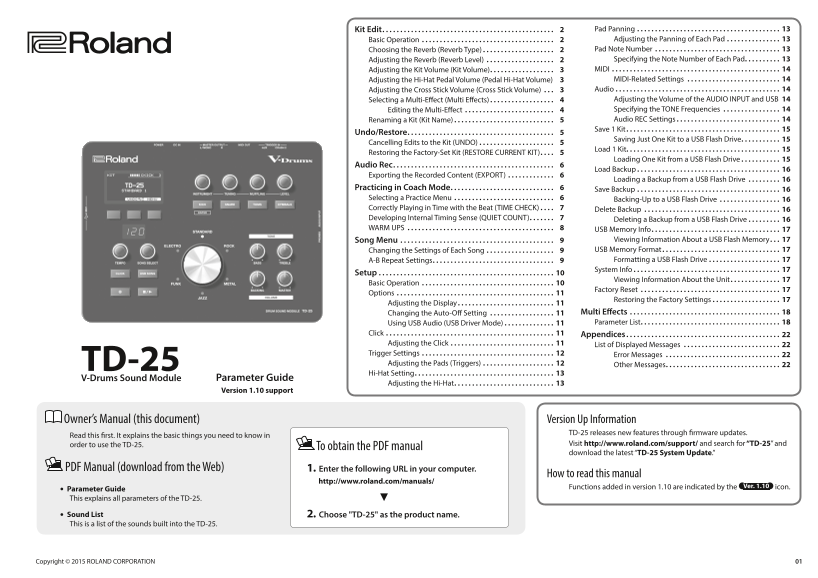
Page 1 Text Content
Kit Edit . . . . . . . . . . . . . . . . . . . . . . . . . . . . . . . . . . . . . . . . . . . . . . . . 2 Pad Panning . . . . . . . . . . . . . . . . . . . . . . . . . . . . . . . . . . . . . . . . 13 Basic Operation . . . . . . . . . . . . . . . . . . . . . . . . . . . . . . . . . . . . . 2 Adjusting the Panning of Each Pad . . . . . . . . . . . . . . . 13 Choosing the Reverb (Reverb Type) . . . . . . . . . . . . . . . . . . . . 2 Pad Note Number . . . . . . . . . . . . . . . . . . . . . . . . . . . . . . . . . . . 13 Adjusting the Reverb (Reverb Level) . . . . . . . . . . . . . . . . . . . 2 Specifying the Note Number of Each Pad . . . . . . . . . . 13 Adjusting the Kit Volume (Kit Volume) . . . . . . . . . . . . . . . . . . 3 MIDI . . . . . . . . . . . . . . . . . . . . . . . . . . . . . . . . . . . . . . . . . . . . . . . 14 Adjusting the Hi-Hat Pedal Volume (Pedal Hi-Hat Volume) 3 MIDI-Related Settings . . . . . . . . . . . . . . . . . . . . . . . . . . 14 Adjusting the Cross Stick Volume (Cross Stick Volume) . . . 3 Audio . . . . . . . . . . . . . . . . . . . . . . . . . . . . . . . . . . . . . . . . . . . . . . 14 Selecting a Multi-Effect (Multi Effects) . . . . . . . . . . . . . . . . . . 4 Adjusting the Volume of the AUDIO INPUT and USB 14 Editing the Multi-Effect . . . . . . . . . . . . . . . . . . . . . . . . . 4 Specifying the TONE Frequencies . . . . . . . . . . . . . . . . 14 Renaming a Kit (Kit Name) . . . . . . . . . . . . . . . . . . . . . . . . . . . . 5 Audio REC Settings . . . . . . . . . . . . . . . . . . . . . . . . . . . . . 14 Save 1 Kit . . . . . . . . . . . . . . . . . . . . . . . . . . . . . . . . . . . . . . . . . . . 15
Undo/Restore . . . . . . . . . . . . . . . . . . . . . . . . . . . . . . . . . . . . . . . . . 5
Saving Just One Kit to a USB Flash Drive . . . . . . . . . . . 15
Cancelling Edits to the Kit (UNDO) . . . . . . . . . . . . . . . . . . . . . 5
Load 1 Kit. . . . . . . . . . . . . . . . . . . . . . . . . . . . . . . . . . . . . . . . . . . 15
Restoring the Factory-Set Kit (RESTORE CURRENT KIT) . . . . 5
Loading One Kit from a USB Flash Drive . . . . . . . . . . . 15
Audio Rec . . . . . . . . . . . . . . . . . . . . . . . . . . . . . . . . . . . . . . . . . . . . . 6
Load Backup . . . . . . . . . . . . . . . . . . . . . . . . . . . . . . . . . . . . . . . . 16
Exporting the Recorded Content (EXPORT) . . . . . . . . . . . . . 6
Loading a Backup from a USB Flash Drive . . . . . . . . . 16
Practicing in Coach Mode . . . . . . . . . . . . . . . . . . . . . . . . . . . . . 6 Save Backup . . . . . . . . . . . . . . . . . . . . . . . . . . . . . . . . . . . . . . . . 16 Selecting a Practice Menu . . . . . . . . . . . . . . . . . . . . . . . . . . . . 6 Backing-Up to a USB Flash Drive . . . . . . . . . . . . . . . . . 16 Correctly Playing in Time with the Beat (TIME CHECK) . . . . 7 Delete Backup . . . . . . . . . . . . . . . . . . . . . . . . . . . . . . . . . . . . . . 16 Developing Internal Timing Sense (QUIET COUNT) . . . . . . . 7 Deleting a Backup from a USB Flash Drive . . . . . . . . . 16 WARM UPS . . . . . . . . . . . . . . . . . . . . . . . . . . . . . . . . . . . . . . . . . 8 USB Memory Info . . . . . . . . . . . . . . . . . . . . . . . . . . . . . . . . . . . . 17
Song Menu . . . . . . . . . . . . . . . . . . . . . . . . . . . . . . . . . . . . . . . . . . . 9 Viewing Information About a USB Flash Memory . . . 17 Changing the Settings of Each Song . . . . . . . . . . . . . . . . . . . 9 USB Memory Format . . . . . . . . . . . . . . . . . . . . . . . . . . . . . . . . . 17 A-B Repeat Settings . . . . . . . . . . . . . . . . . . . . . . . . . . . . . . . . . . 9 Formatting a USB Flash Drive . . . . . . . . . . . . . . . . . . . . 17 System Info . . . . . . . . . . . . . . . . . . . . . . . . . . . . . . . . . . . . . . . . . 17
Setup . . . . . . . . . . . . . . . . . . . . . . . . . . . . . . . . . . . . . . . . . . . . . . . . . 10
Viewing Information About the Unit . . . . . . . . . . . . . . 17
Basic Operation . . . . . . . . . . . . . . . . . . . . . . . . . . . . . . . . . . . . . 10
Factory Reset . . . . . . . . . . . . . . . . . . . . . . . . . . . . . . . . . . . . . . . 17
Options . . . . . . . . . . . . . . . . . . . . . . . . . . . . . . . . . . . . . . . . . . . . 11
Restoring the Factory Settings . . . . . . . . . . . . . . . . . . . 17
Adjusting the Display . . . . . . . . . . . . . . . . . . . . . . . . . . . 11
Changing the Auto-Off Setting . . . . . . . . . . . . . . . . . . 11 Multi Effects . . . . . . . . . . . . . . . . . . . . . . . . . . . . . . . . . . . . . . . . . . 18 Using USB Audio (USB Driver Mode) . . . . . . . . . . . . . . 11 Parameter List . . . . . . . . . . . . . . . . . . . . . . . . . . . . . . . . . . . . . . . 18
Click . . . . . . . . . . . . . . . . . . . . . . . . . . . . . . . . . . . . . . . . . . . . . . . 11 Appendices . . . . . . . . . . . . . . . . . . . . . . . . . . . . . . . . . . . . . . . . . . . 22 Adjusting the Click . . . . . . . . . . . . . . . . . . . . . . . . . . . . . 11 List of Displayed Messages . . . . . . . . . . . . . . . . . . . . . . . . . . . 22 Trigger Settings . . . . . . . . . . . . . . . . . . . . . . . . . . . . . . . . . . . . . 12 Error Messages . . . . . . . . . . . . . . . . . . . . . . . . . . . . . . . . 22 TD-25 Adjusting the Pads (Triggers) . . . . . . . . . . . . . . . . . . . . 12 Other Messages . . . . . . . . . . . . . . . . . . . . . . . . . . . . . . . . 22 Hi-Hat Setting . . . . . . . . . . . . . . . . . . . . . . . . . . . . . . . . . . . . . . . 13
V-Drums Sound Module Parameter Guide
Adjusting the Hi-Hat . . . . . . . . . . . . . . . . . . . . . . . . . . . . 13
Version 1.10 support
Owner’s Manual (this document) Version Up Information
TD-25 releases new features through firmware updates.
Read this first. It explains the basic things you need to know in
order to use the TD-25. Visit http://www.roland.com/support/ and search for “TD-25” and
To obtain the PDF manual
download the latest “TD-25 System Update.”
PDF Manual (download from the Web) 1. Enter the following URL in your computer.
How to read this manual
http://www.roland.com/manuals/
Functions added in version 1.10 are indicated by the icon.
Parameter Guide This explains all parameters of the TD-25.
Sound List 2. Choose "TD-25" as the product name. This is a list of the sounds built into the TD-25.
Copyright © 2015 ROLAND CORPORATION
Page Summary Contents For Roland TD-25 Electronic Drum Sound Module TD-25 Parameter Guide (Version 1.10 support)
Manual Details
| Brand | Roland |
|---|---|
| Pages | 22 |
| File Size | 948.87 KB |
| Published | June 04, 2026 |
Enter the captcha to get the download link:

Frequently Asked Questions
How do I format a USB flash drive for use with the unit?
If the drive is not supported, you must format it; otherwise, there may be no empty space.
What does 'MIDI Buffer Full!' indicate?
It means too many MIDI messages were received in a short time and could not be processed completely.